This OKX registration guide with screenshots is the latest 2026 walkthrough — a visual step-by-step OKX sign-up tutorial showing how to register an OKX account and complete OKX KYC verification. Register OKX through the CoinTech2u referral link to auto-apply the referral code cointech2u and unlock trading fee discounts.
The full OKX registration flow has three parts: ① register an OKX account with email and phone; ② download the OKX app and log in; ③ complete OKX KYC verification (ID upload + face recognition). Every step has a real OKX registration screenshot; just follow along — beginners can finish in 3–10 minutes.
🔍 Looking for OKX registration screenshots / image guide? Scroll down — every key action has its own screenshot, click to enlarge for details. Works on mobile too.
Register Your OKX Account
Step 1: Visit the OKX Registration Page
Navigate to cointech2vip.com/okx to open the OKX registration page. This link automatically applies the referral code "cointech2u" for exclusive sign-up benefits.
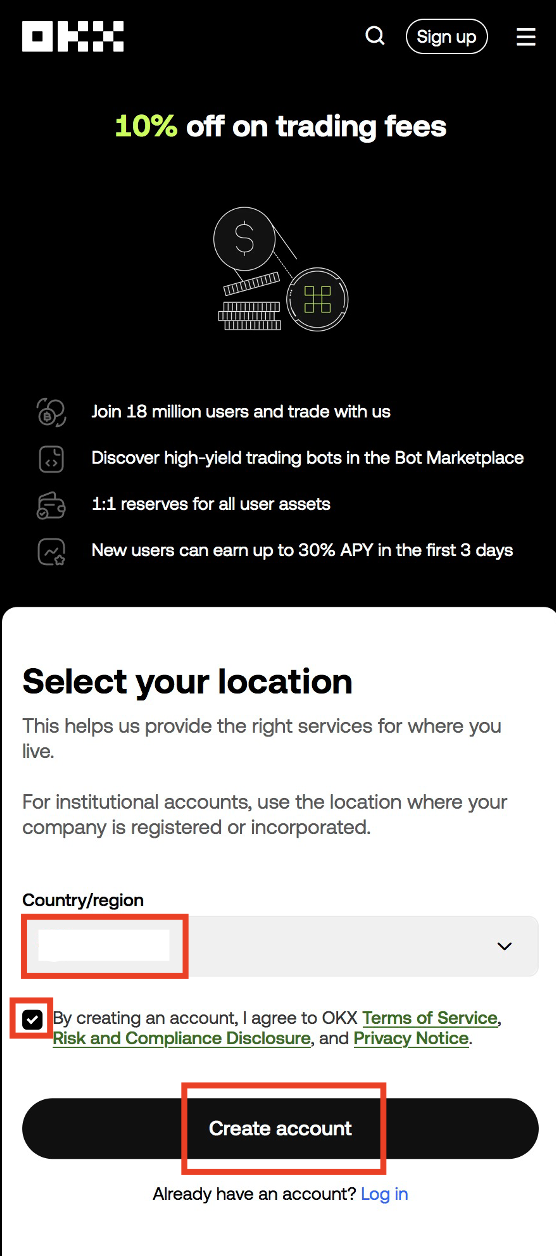
Step 2: Select Your Country and Accept Terms
Choose your country or region from the dropdown list. Read and accept the terms of service and privacy policy to continue with account creation.
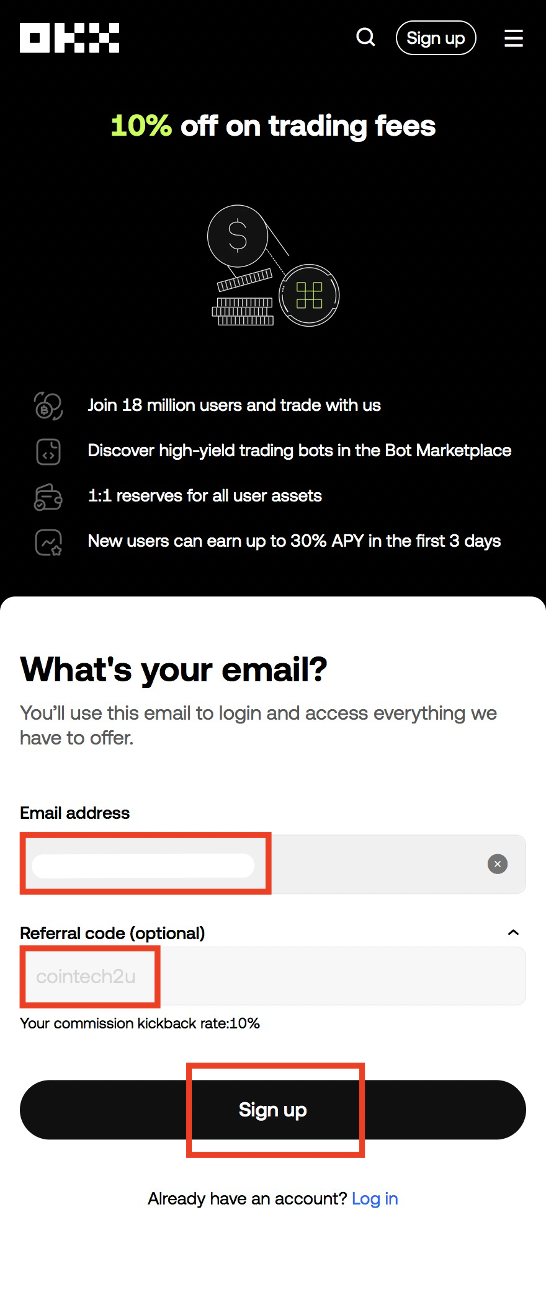
Step 3: Enter Your Email and Referral Code
Type your email address in the registration form. Make sure the referral code "cointech2u" is applied to receive exclusive benefits and reduced trading fees.
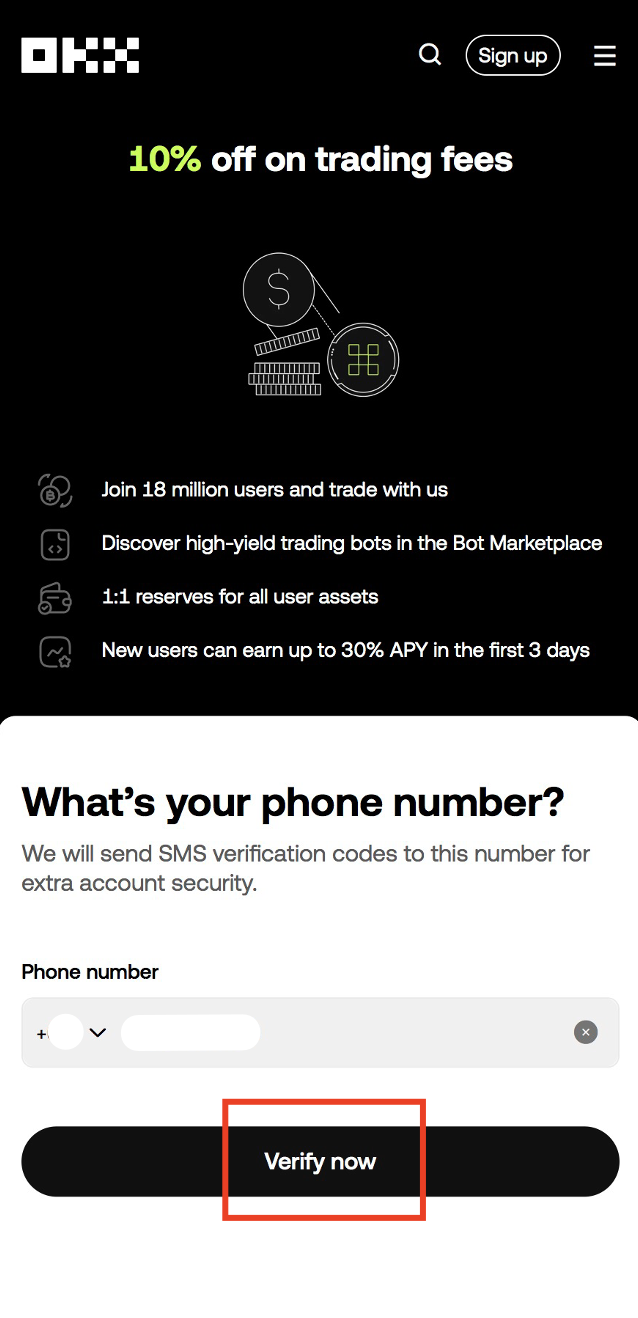
Step 4: Verify Your Phone Number
Enter your phone number for additional security. OKX will send an SMS verification code to confirm your number.
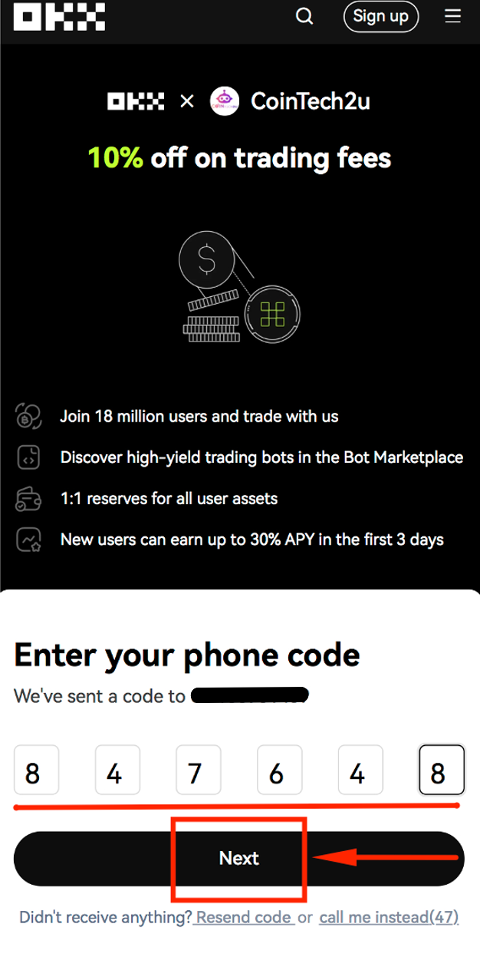
Step 5: Enter the Verification Code
Input the verification code you received via SMS to verify your phone number and proceed to the next step.
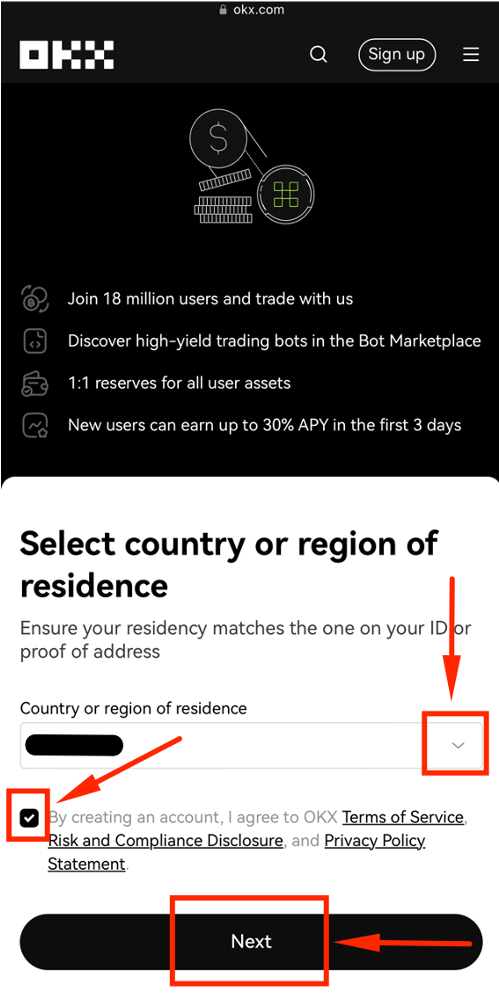
Step 6: Confirm Your Country of Residence
Select your country of residence and confirm the terms and conditions. This determines which services are available to you.
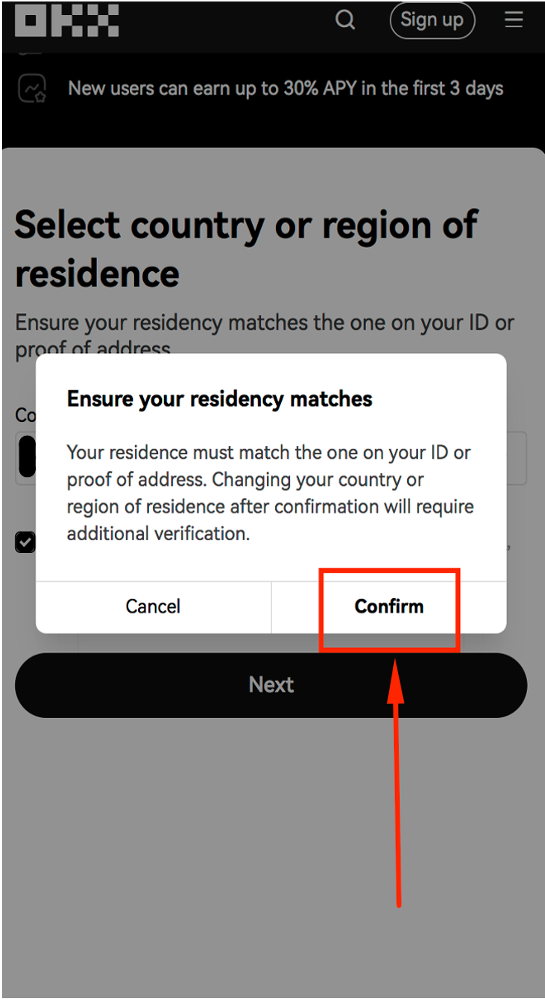
Step 7: Review Your Registration Details
Double-check all the information you have entered. Make sure your email, phone number, and country are correct before finalizing.
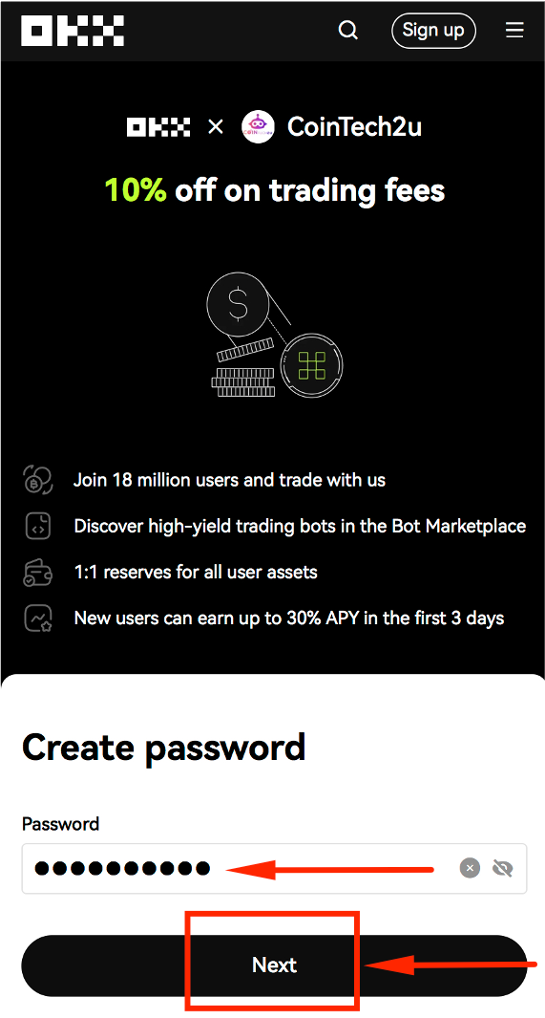
Step 8: Create a Strong Password
Set a secure password for your OKX account. Use a combination of uppercase and lowercase letters, numbers, and special characters for maximum security.
Download and Log In to the OKX App
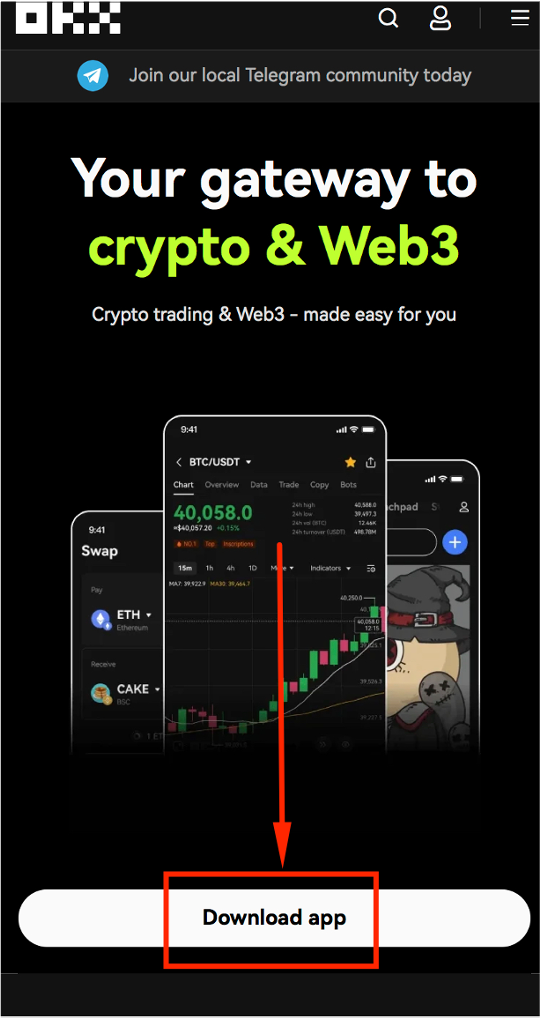
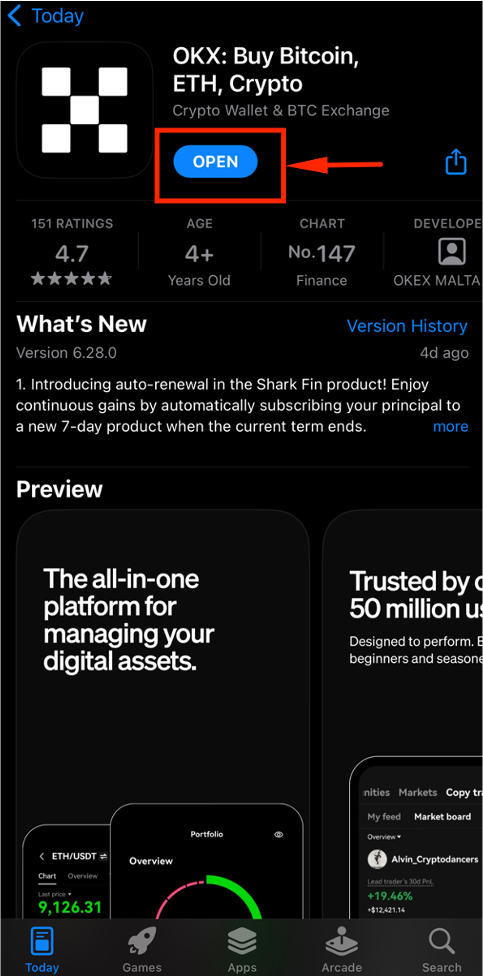
Step 9: Download the OKX App
Download the official OKX app from the App Store (iOS) or Google Play Store (Android). Always download from official sources to ensure security.
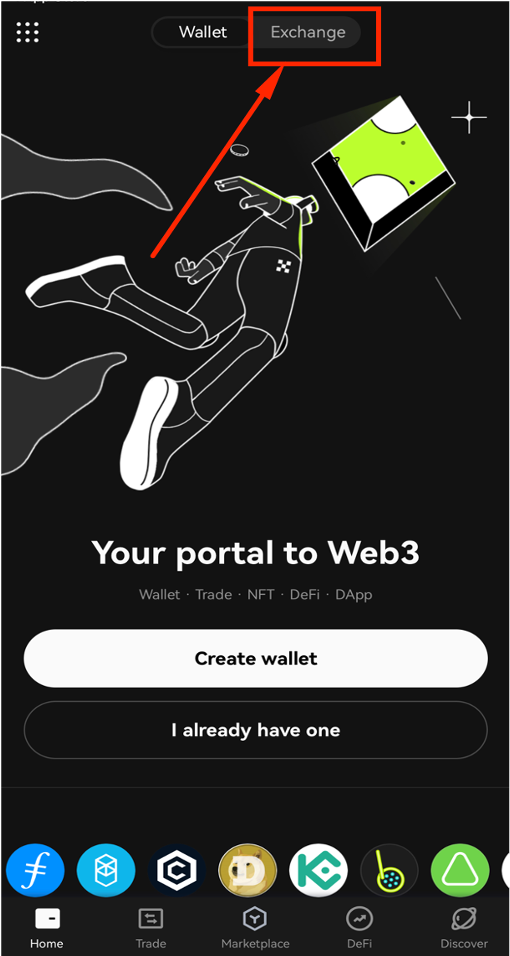
Step 10: Tap [Exchange]
Launch the OKX app and tap [Exchange] to access the trading platform.
Step 11: Tap [Sign up / Log in]
Tap the [Sign up / Log in] button to proceed to the login page.
Step 12: Tap [Log in]
Tap the [Log in] button to begin signing in with your registered credentials.
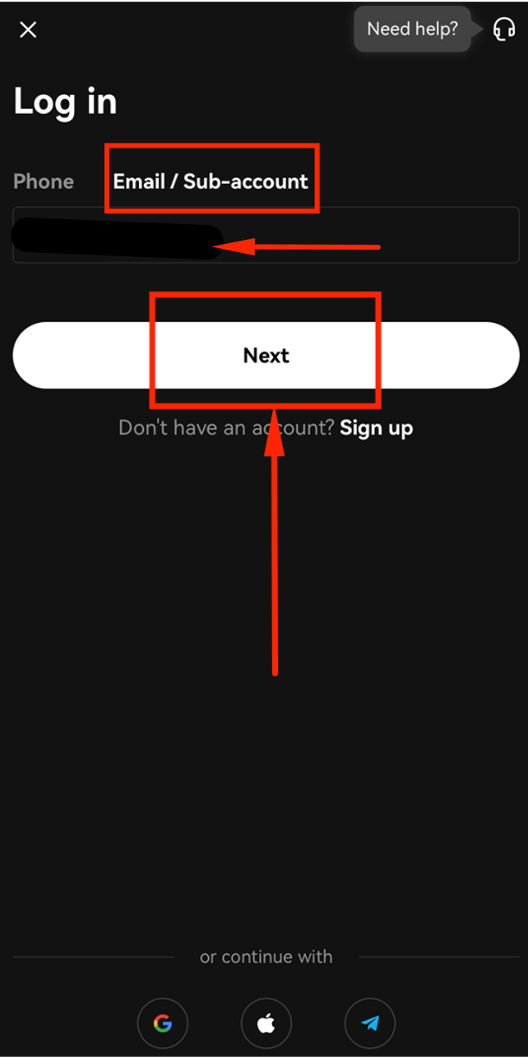
Step 13: Enter Your Email Address
Tap [Email / Sub-account], enter the email address you used during registration, and tap [Next].
Step 14: Enter Your Password and Log In
Enter your password and tap [Log in] to complete signing in to your OKX account.
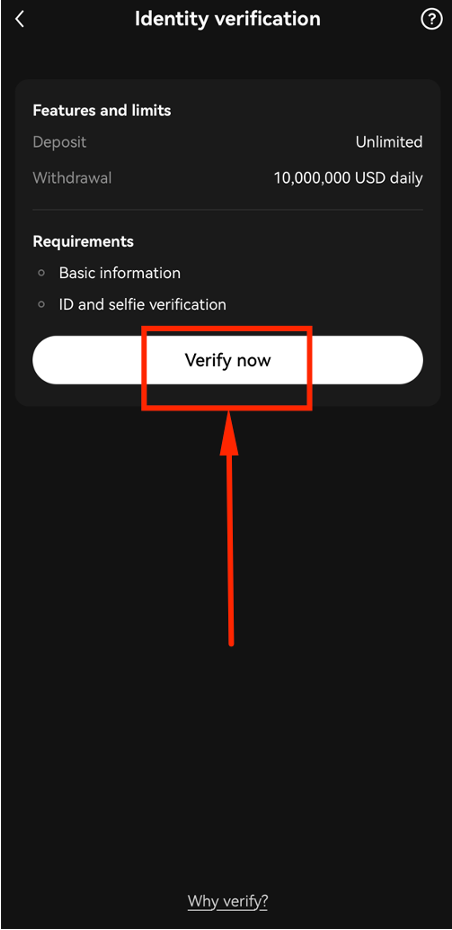
Complete KYC Identity Verification
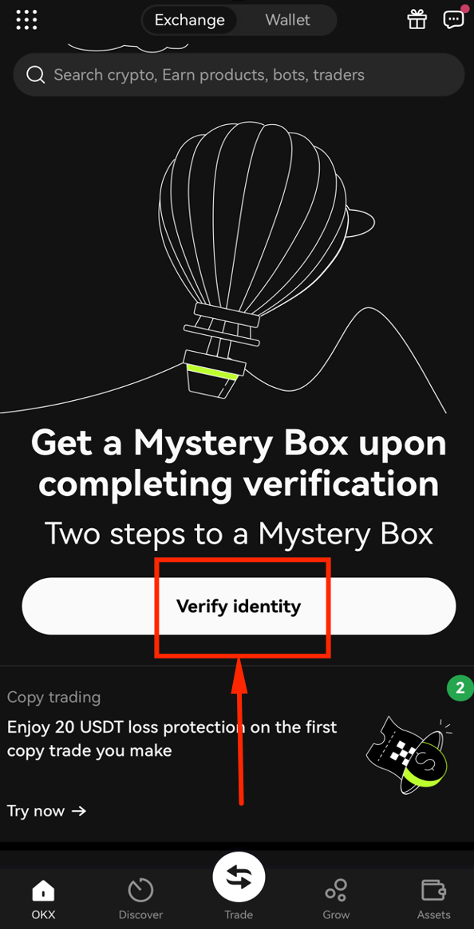
Step 15: Tap "Continue Verification"
After logging in, you will see a prompt to verify your identity. Tap [Continue Verification] to begin the KYC process.
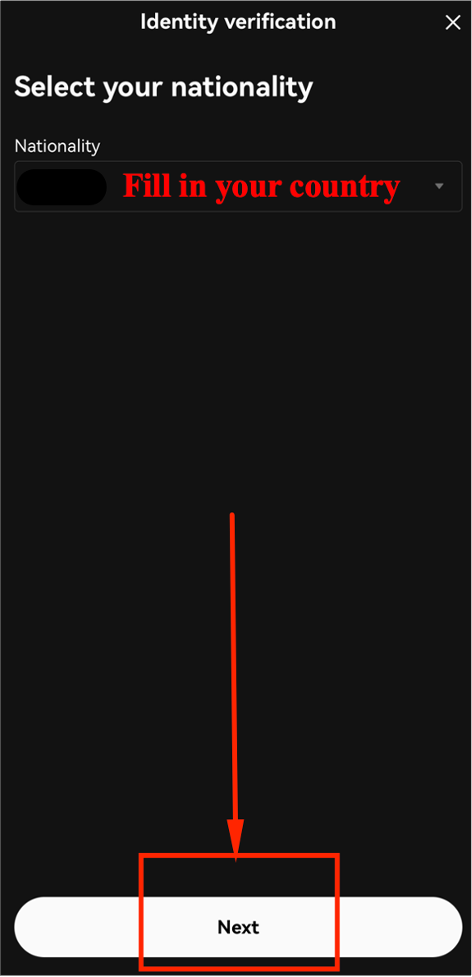
Step 16: Select ID Type
Select [ID Card] as your identity document type, then tap [Next].
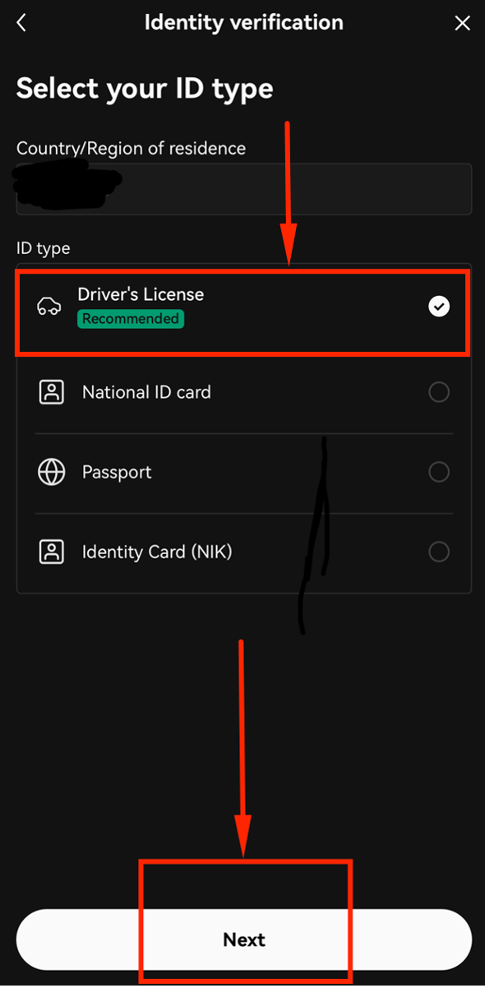
Step 17: Upload ID and Complete Face Scan
Tap [Start Verification], follow the prompts to upload your ID card photos and complete the facial scan.
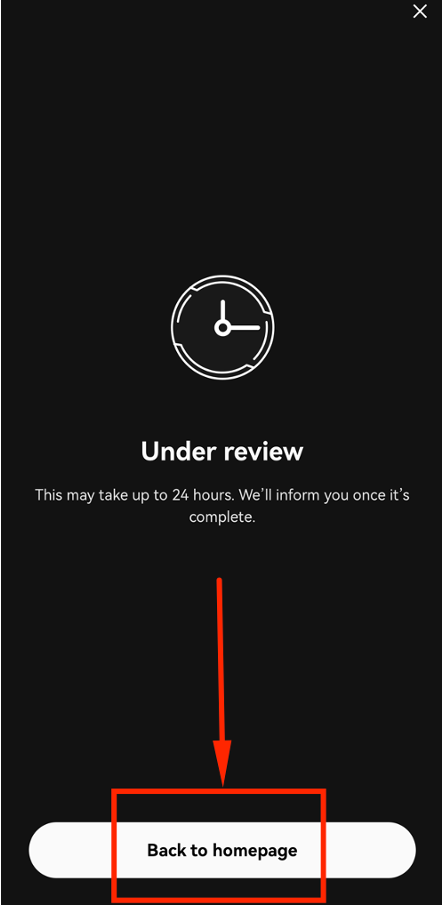
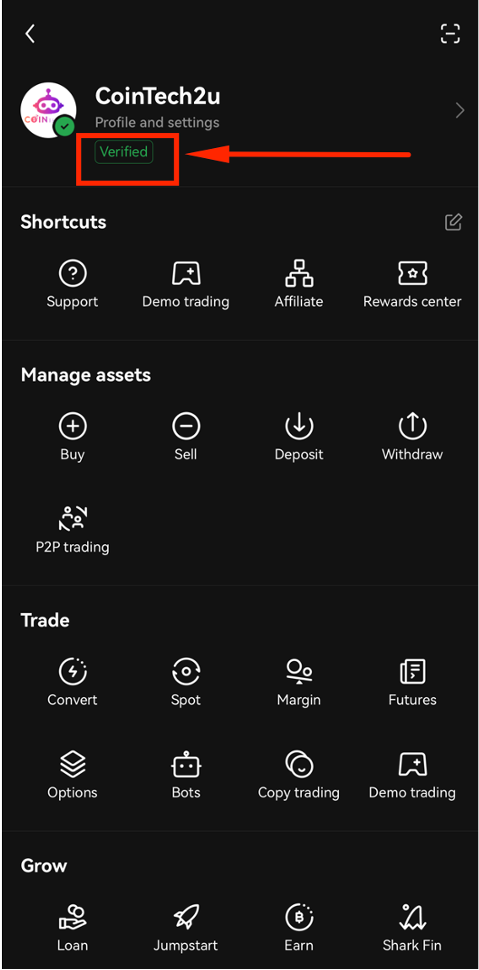
Step 18: Identity Verification Approved
Your identity has been verified and approved by OKX. This usually takes a few minutes to 24 hours. You will receive a notification once approved.
What's Next?
Now that your OKX account is set up and verified, the next step is to connect it to CoinTech2u using Fast API for automated trading.
Next: Bind OKX Fast API to CoinTech2u →Ready to Start Trading?
Register your OKX account with referral code "cointech2u" and start AI-powered crypto trading today.