Create a Sub-Account in OKX
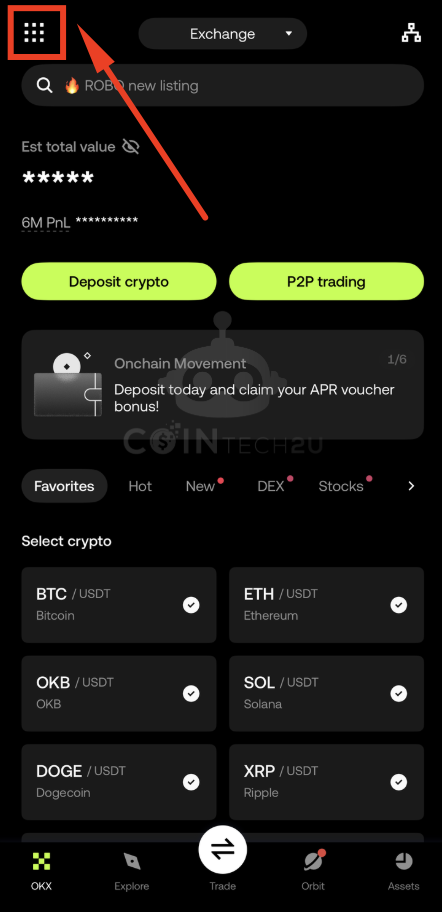
Step 1: Open the Menu
On the OKX App homepage, tap the Menu icon in the top-left corner to access your account settings.
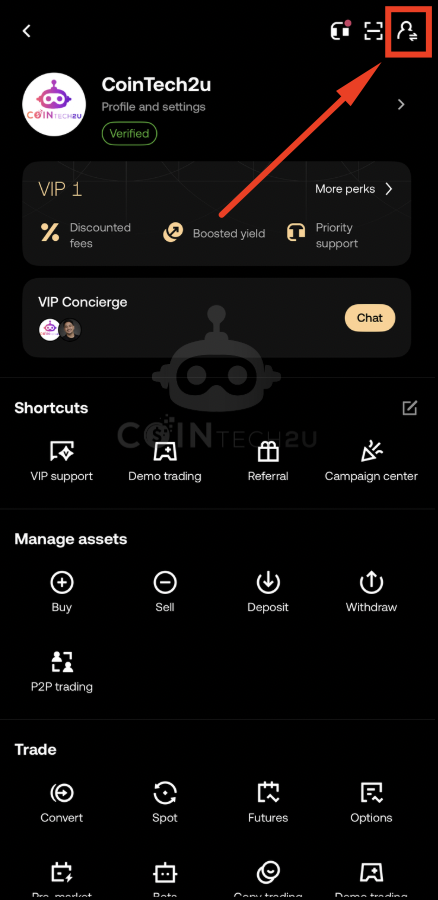
Step 2: Access the Account Switch Panel
In the User Centre, tap the Account Switch icon in the top-right corner to view and manage your accounts.
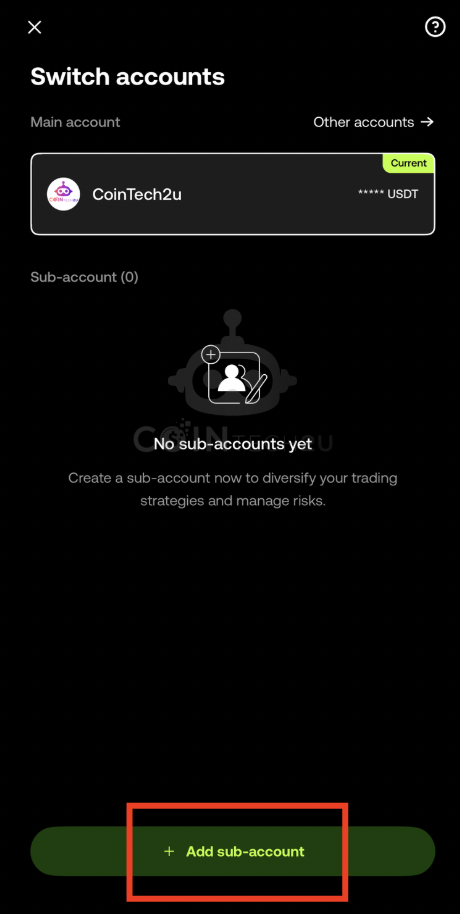
Step 3: Tap "+ Add Sub-Account"
Tap the + Add sub-account button to begin creating a new sub-account under your main OKX account.
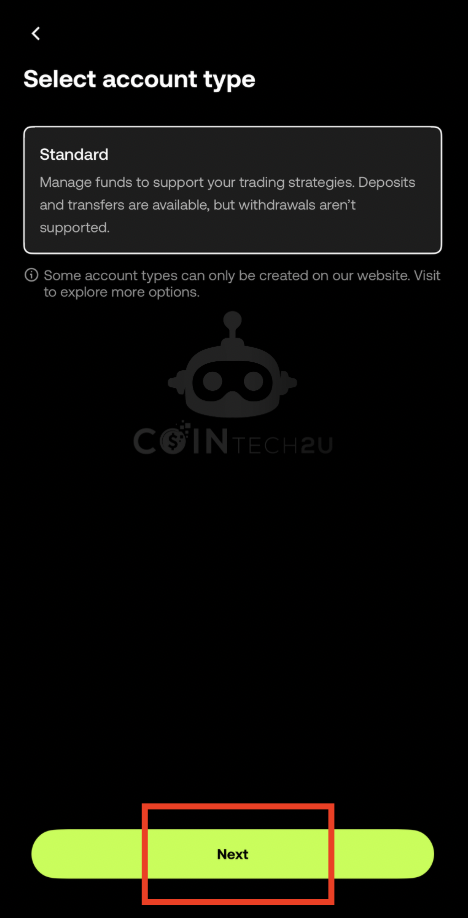
Step 4: Tap "Next" to Continue
Review the sub-account information and tap Next to proceed to the naming step.
Step 5: Name Your Sub-Account
Enter a descriptive name for your sub-account (e.g., "Trading Bot 1" or "Strategy A"), then tap Create account.
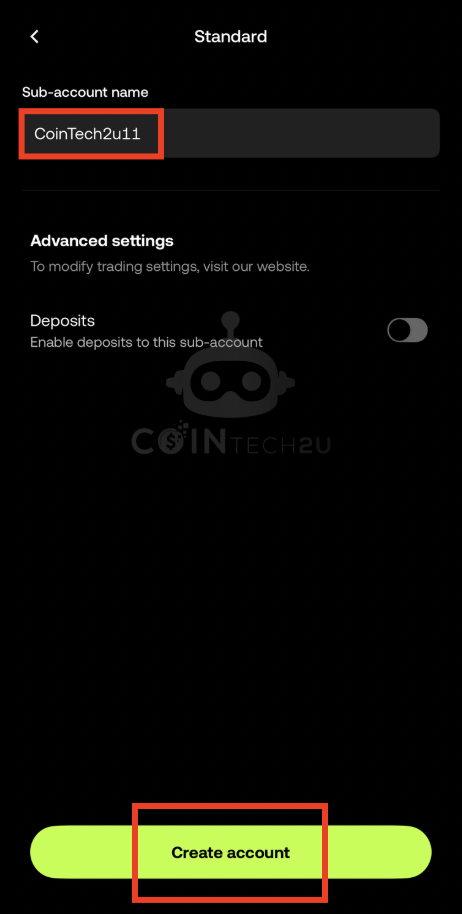
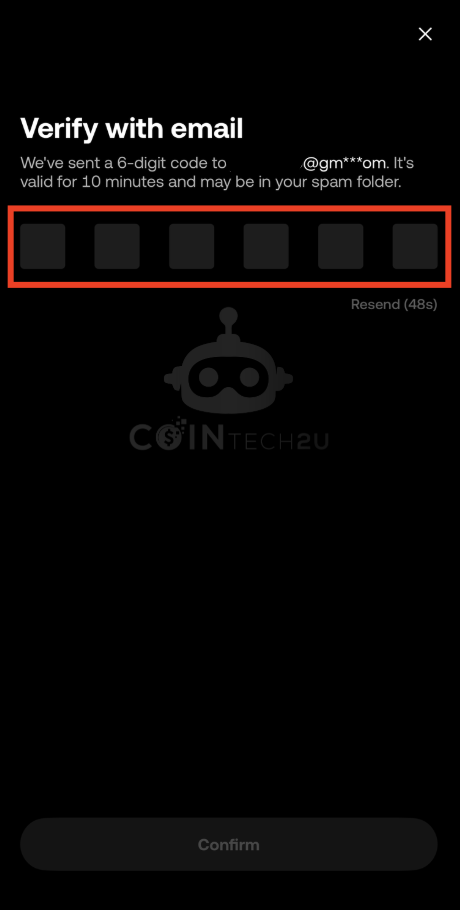
Step 6: Enter Email Verification Code
Check your registered email for a verification code from OKX and enter it to confirm the sub-account creation.
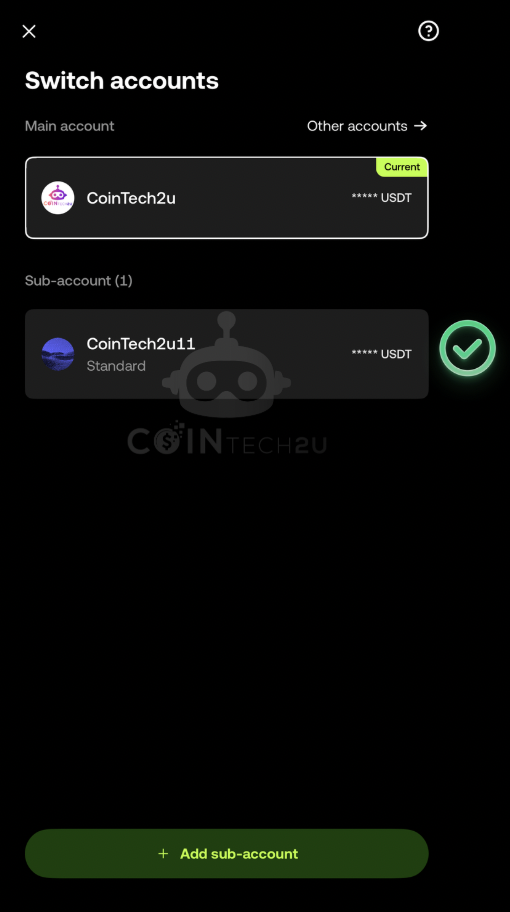
Step 7: Sub-Account Created Successfully
Your OKX sub-account has been successfully created. You can now switch to it and bind it to CoinTech2u.
Step 8: Switch to Your Sub-Account
Tap your sub-account name from the account list to switch to it. This ensures the Fast API binds to the correct account.
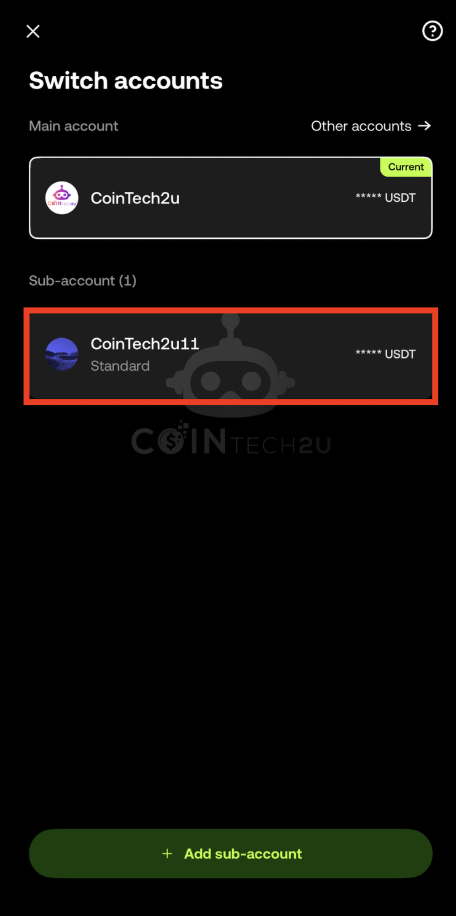
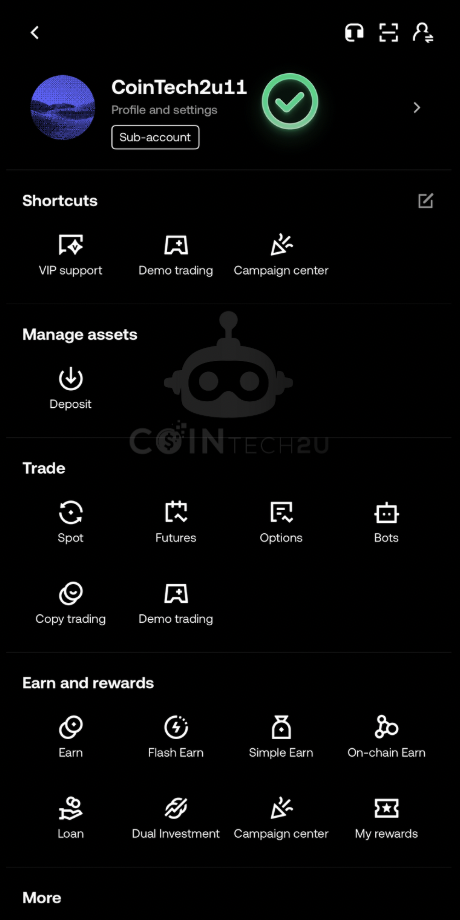
Step 9: Confirm You Are on the Sub-Account
Verify that the sub-account name is displayed at the top of the screen, confirming you have successfully switched accounts.
Bind the Sub-Account to CoinTech2u
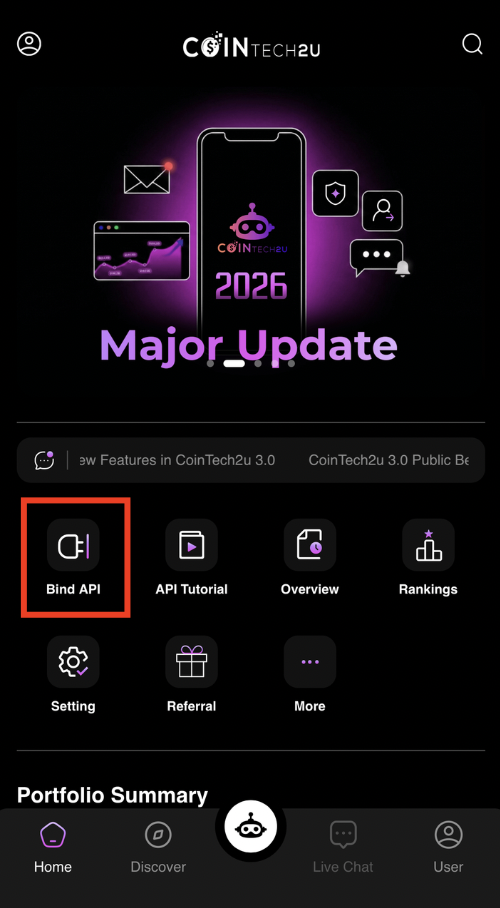
Step 10: Open CoinTech2u and Tap "Bind API"
Switch to the CoinTech2u app and tap Bind API on the homepage to start connecting your sub-account.
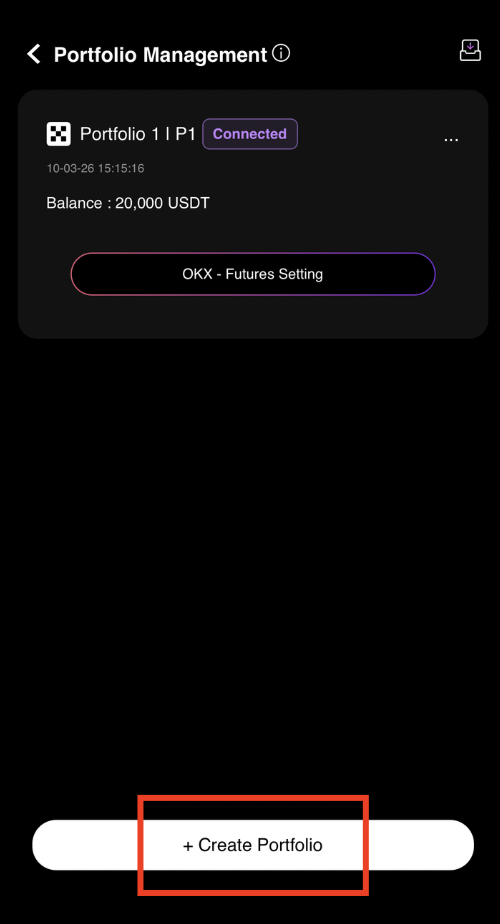
Step 11: Tap "+ Create Portfolio"
Tap + Create Portfolio to add a new trading portfolio that will be linked to your OKX sub-account.
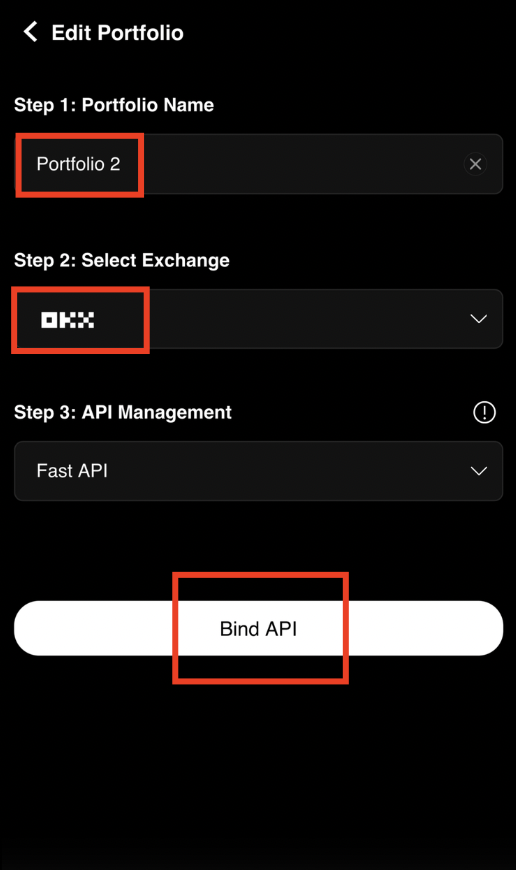
Step 12: Enter Portfolio Name and Select OKX
Enter a name for your portfolio, select OKX as the exchange, and tap Bind API to proceed.
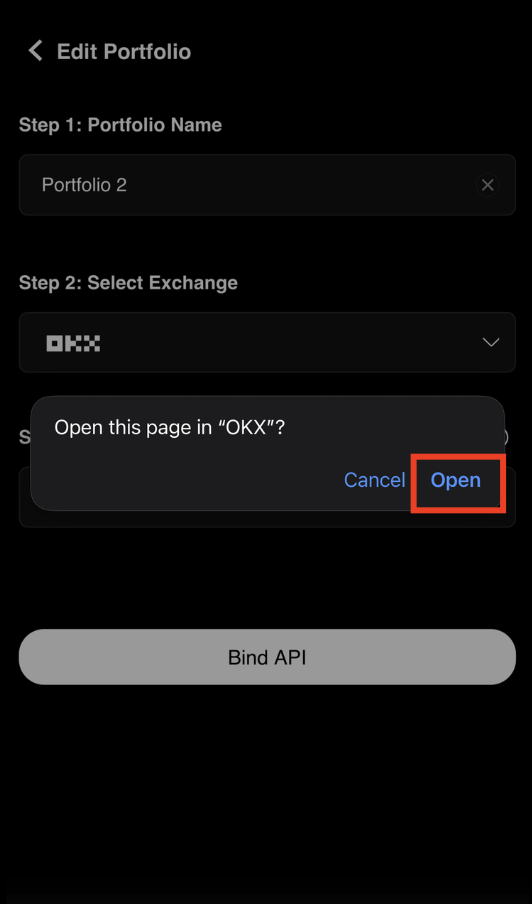
Step 13: Open OKX App for Authorization
Tap Open to be redirected to the OKX app where you will authorize the sub-account API binding.
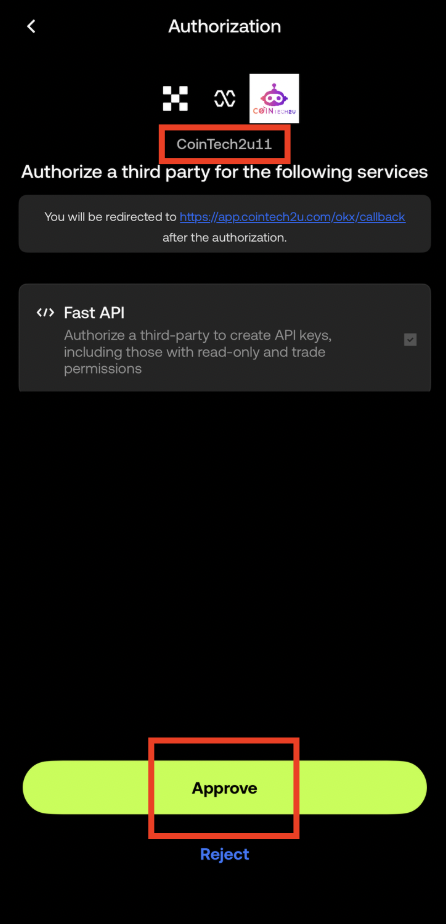
Step 14: Verify Sub-Account and Approve
Ensure your sub-account name is displayed on the authorization page, then tap Approve to confirm the API binding.
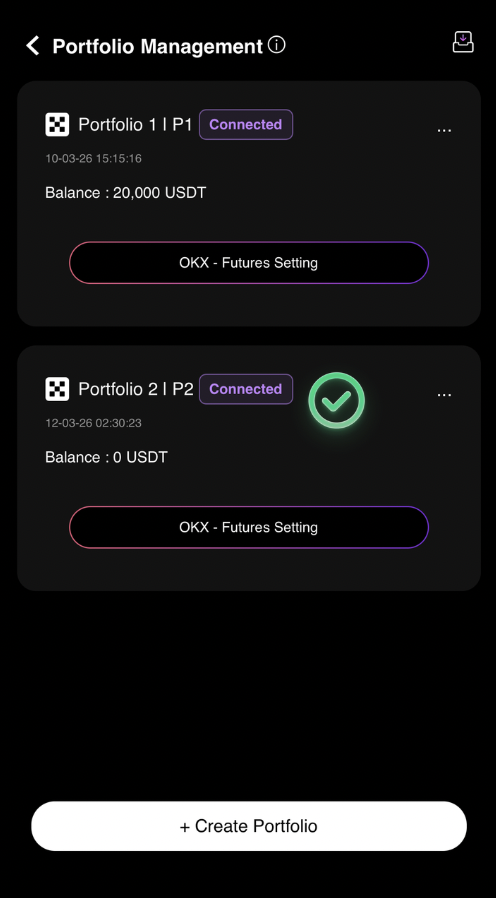
Step 15: Sub-Account Binding Complete!
Your new CoinTech2u portfolio has been successfully connected to your OKX sub-account via Fast API. You can now manage multiple portfolios with separate sub-accounts.
What's Next?
Your sub-accounts are ready. Next, learn how to transfer funds to your Trading Wallet so the AI bot can start executing trades.
Next: Transfer Funds to Trading Wallet →Start Managing Multiple Portfolios
Create OKX sub-accounts and run multiple AI trading strategies with CoinTech2u.