This Bybit registration guide with screenshots is the latest 2026 walkthrough — a visual step-by-step Bybit sign-up tutorial showing how to register a Bybit account and complete Bybit KYC verification. Register Bybit through the CoinTech2u referral link to auto-apply our exclusive invite code, unlock fee discounts, and claim the new-user welcome bonus.
The full Bybit registration flow has three parts: ① register a Bybit account with email and password; ② download the Bybit app and log in; ③ complete Bybit KYC verification (ID upload + face recognition). Every step has a real Bybit registration screenshot; just follow along — beginners can finish in 3–10 minutes.
🔍 Looking for Bybit registration screenshots / image guide? Scroll down — every key action has its own screenshot, click to enlarge for details. Works on mobile too.
Contents: Register a Bybit Account · Download App & Log In · Complete Bybit KYC
Register a Bybit Account
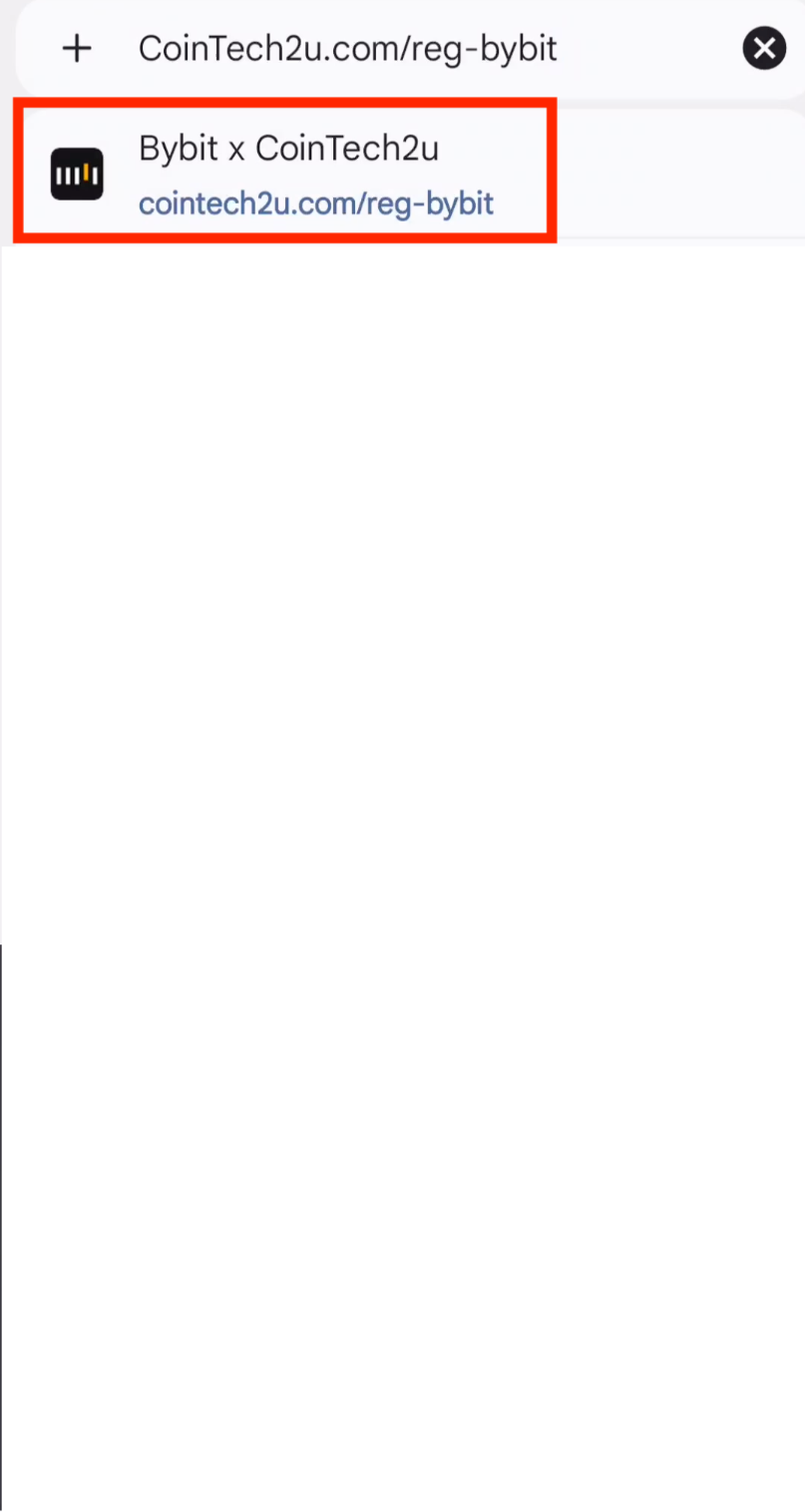
Step 1: Open the Registration Link
Go to CoinTech2vip.com/bybit to access the Bybit sign-up page with exclusive welcome rewards.
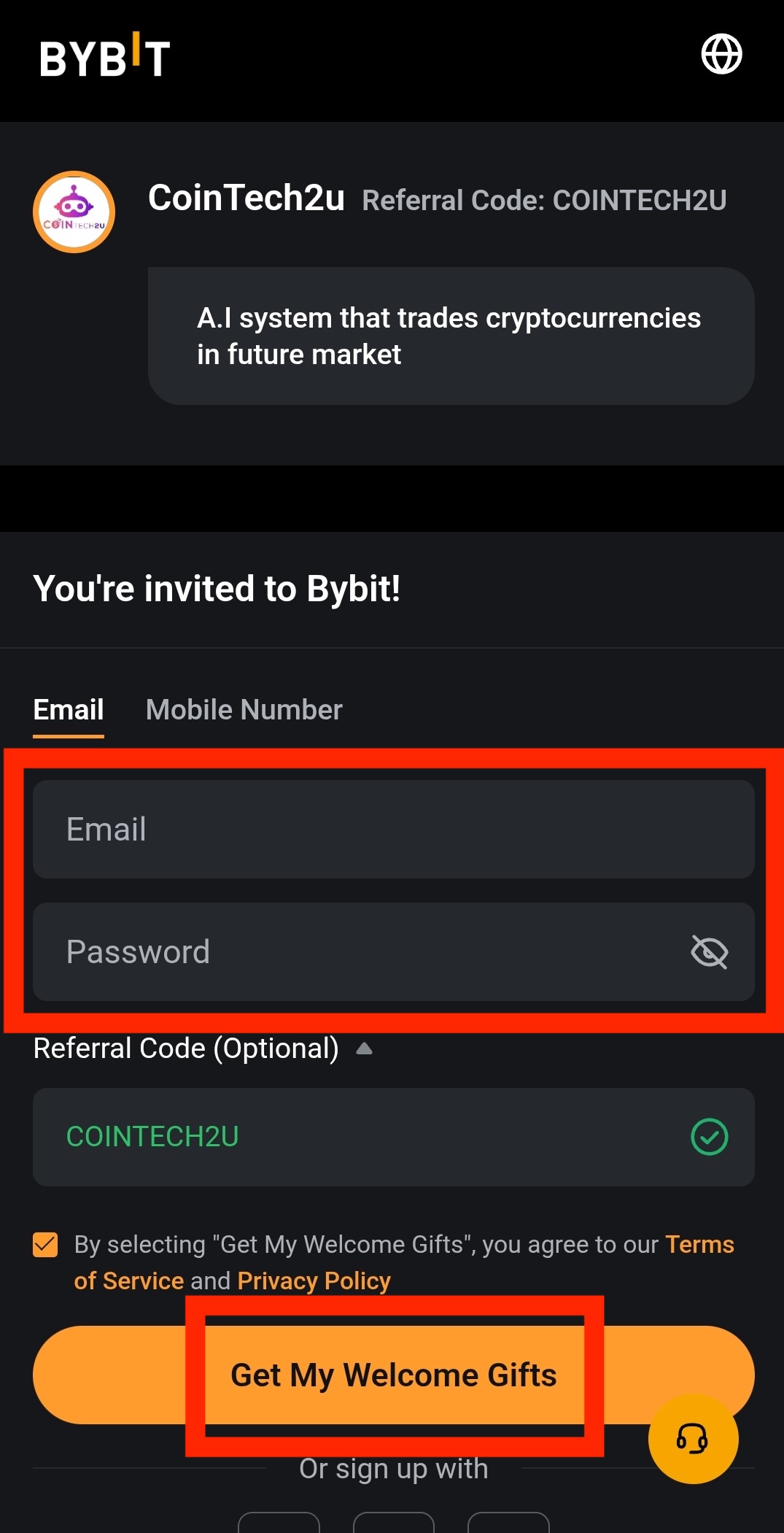
Step 2: Enter Your Email and Password
Type your email address and create a strong password, then tap Get My Welcome Gifts to proceed.
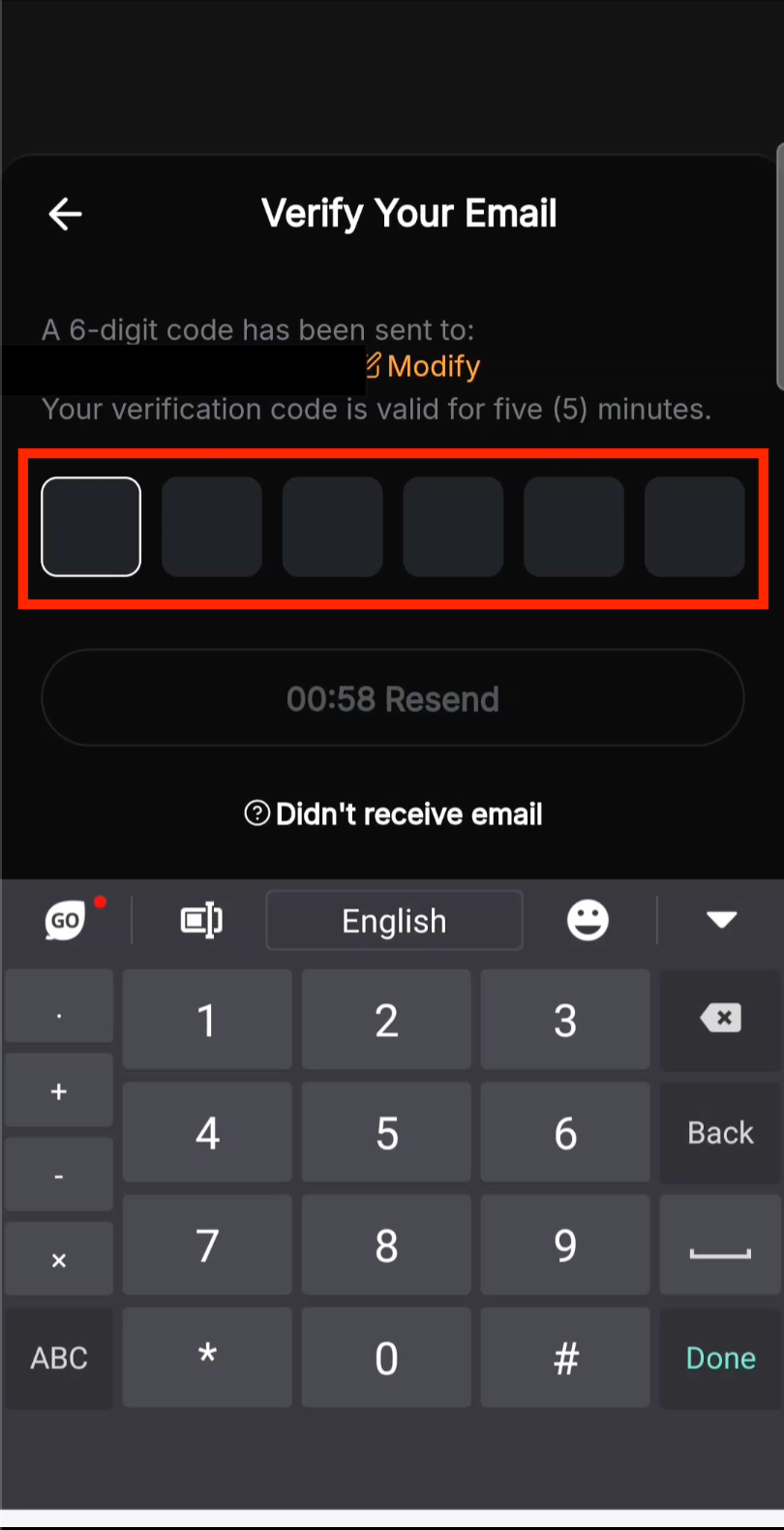
Step 3: Verify Your Email Address
Check your inbox for the verification code and enter it on the Bybit screen to confirm your email.
Download the Bybit App & Log In
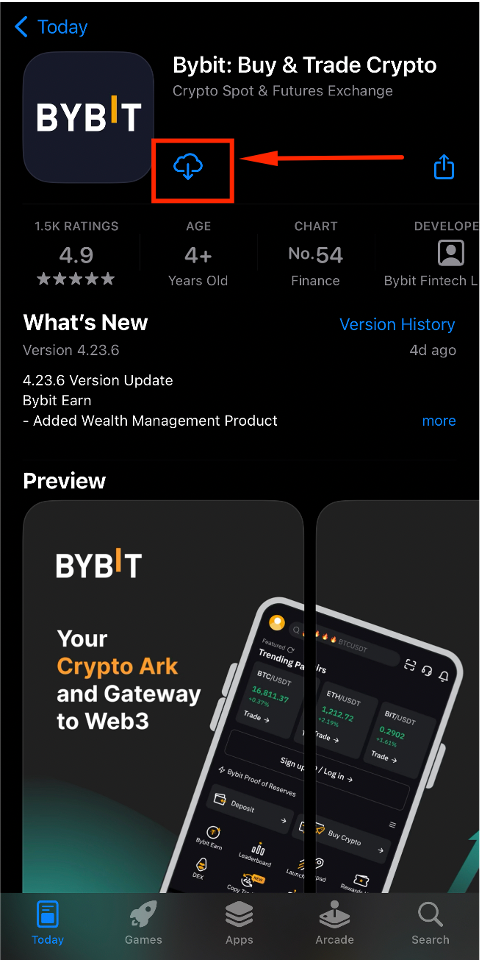
Step 4: Install the Bybit App
Download the Bybit app from the App Store (iOS) or Google Play Store (Android).
Step 5: Open the Bybit App
Launch the Bybit app after installation completes.

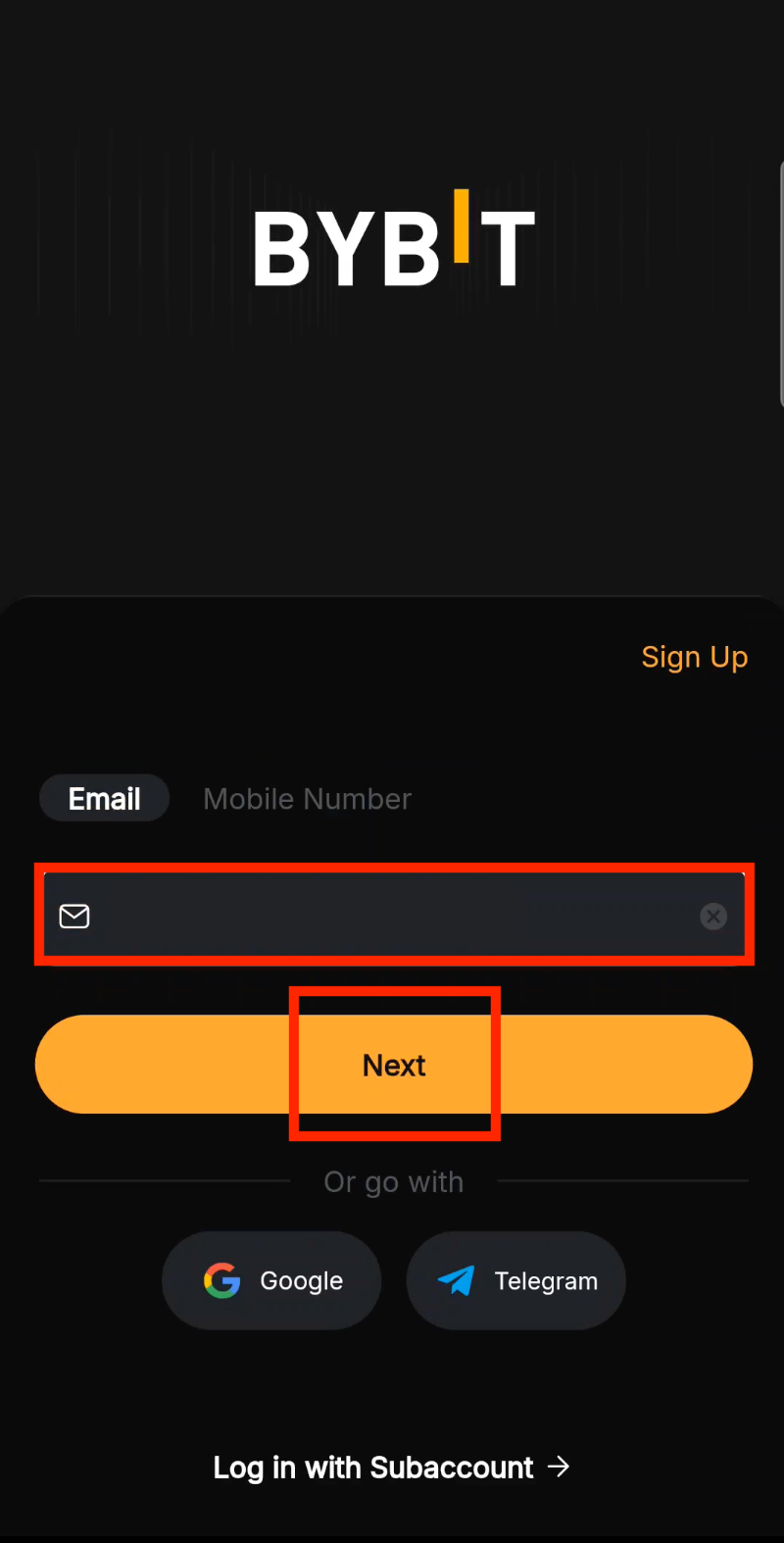
Step 6: Enter Your Email
Fill in the email you registered with, then tap Next.
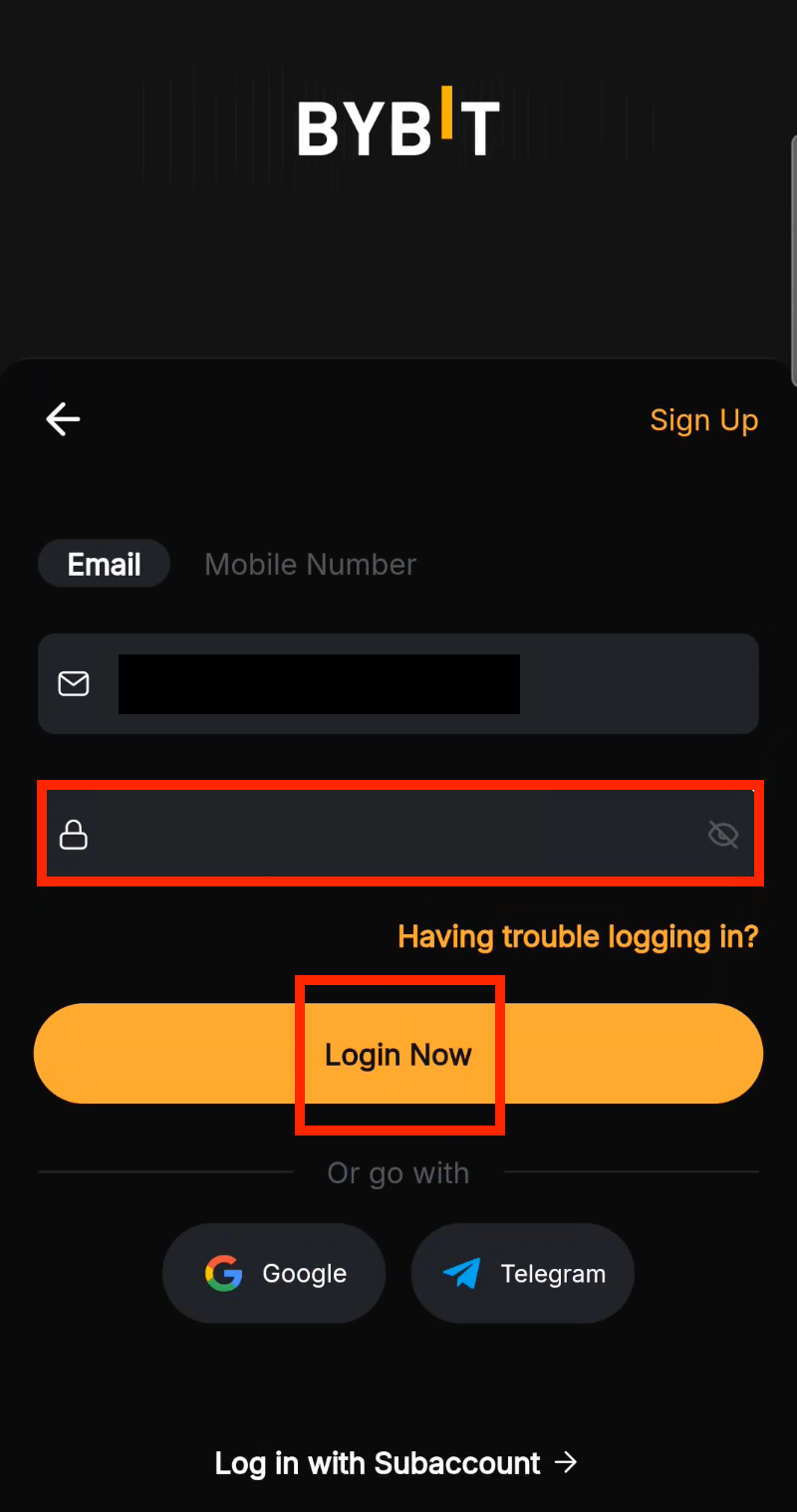
Step 7: Log In with Your Password
Enter your password and tap Login Now to access your account.
Complete Bybit KYC Verification
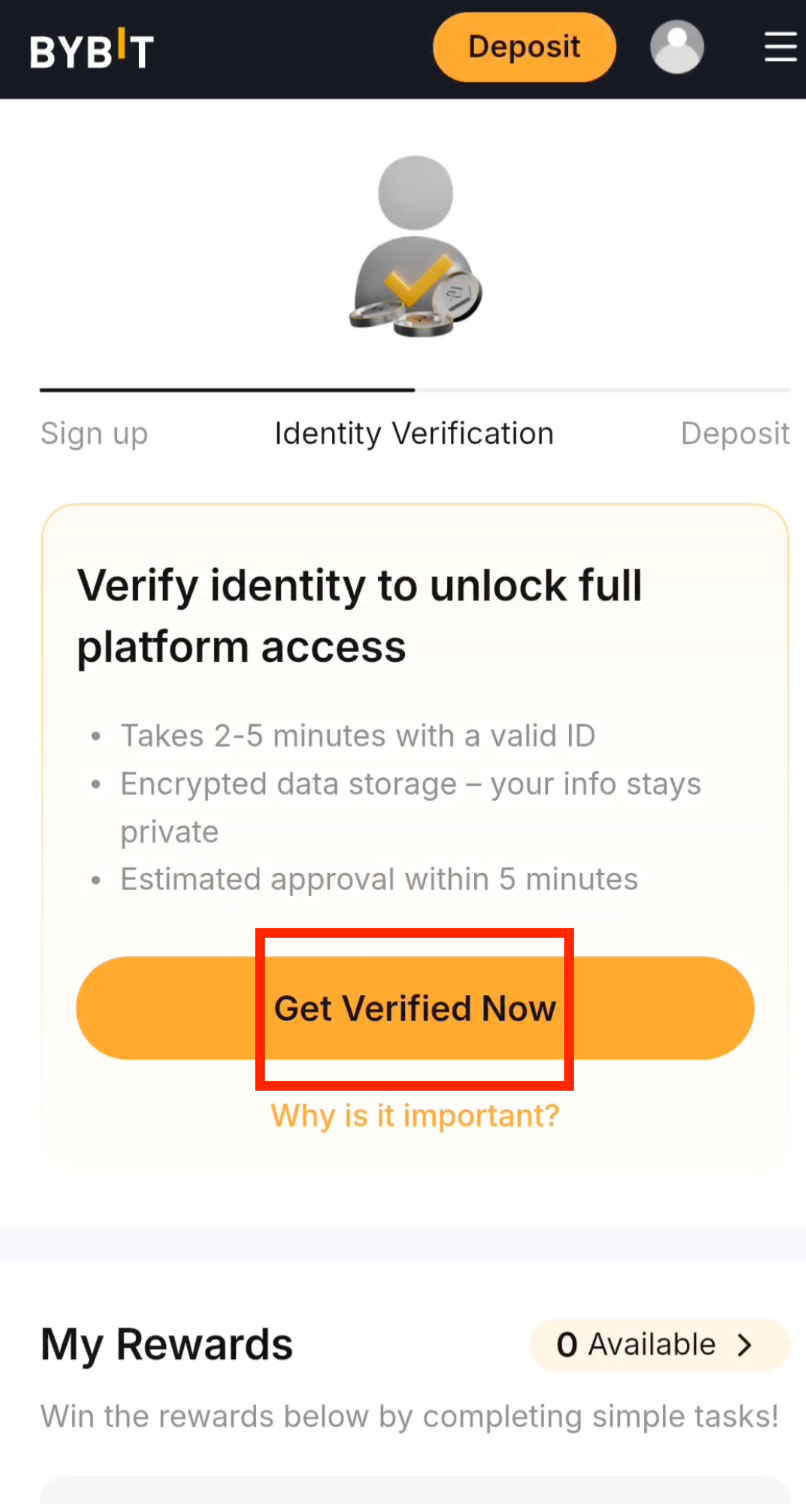
Step 8: Start KYC Verification
Tap Get Verified Now to begin the identity verification process.
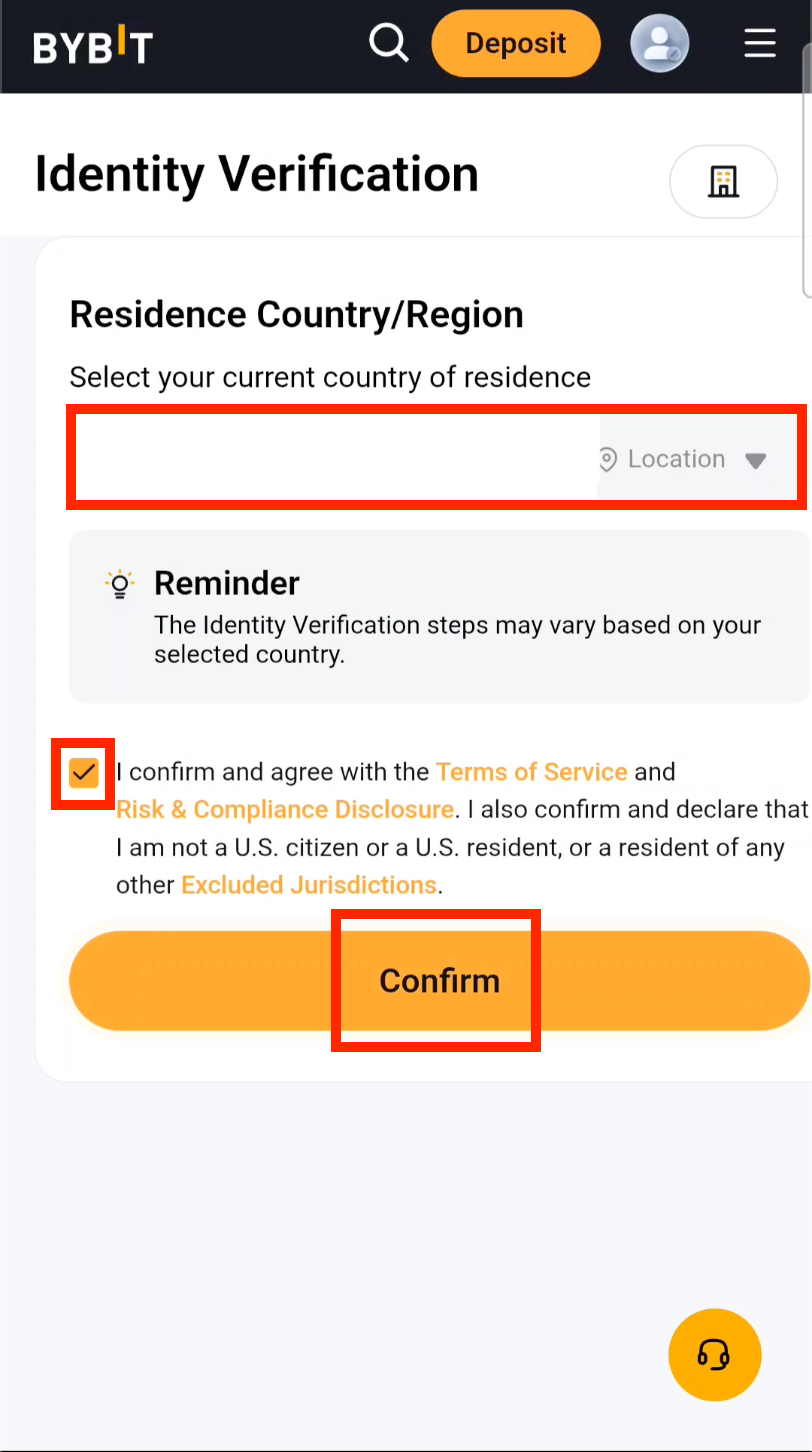
Step 9: Select Your Country
Choose your country of residence, tick the consent checkbox, and tap Confirm.
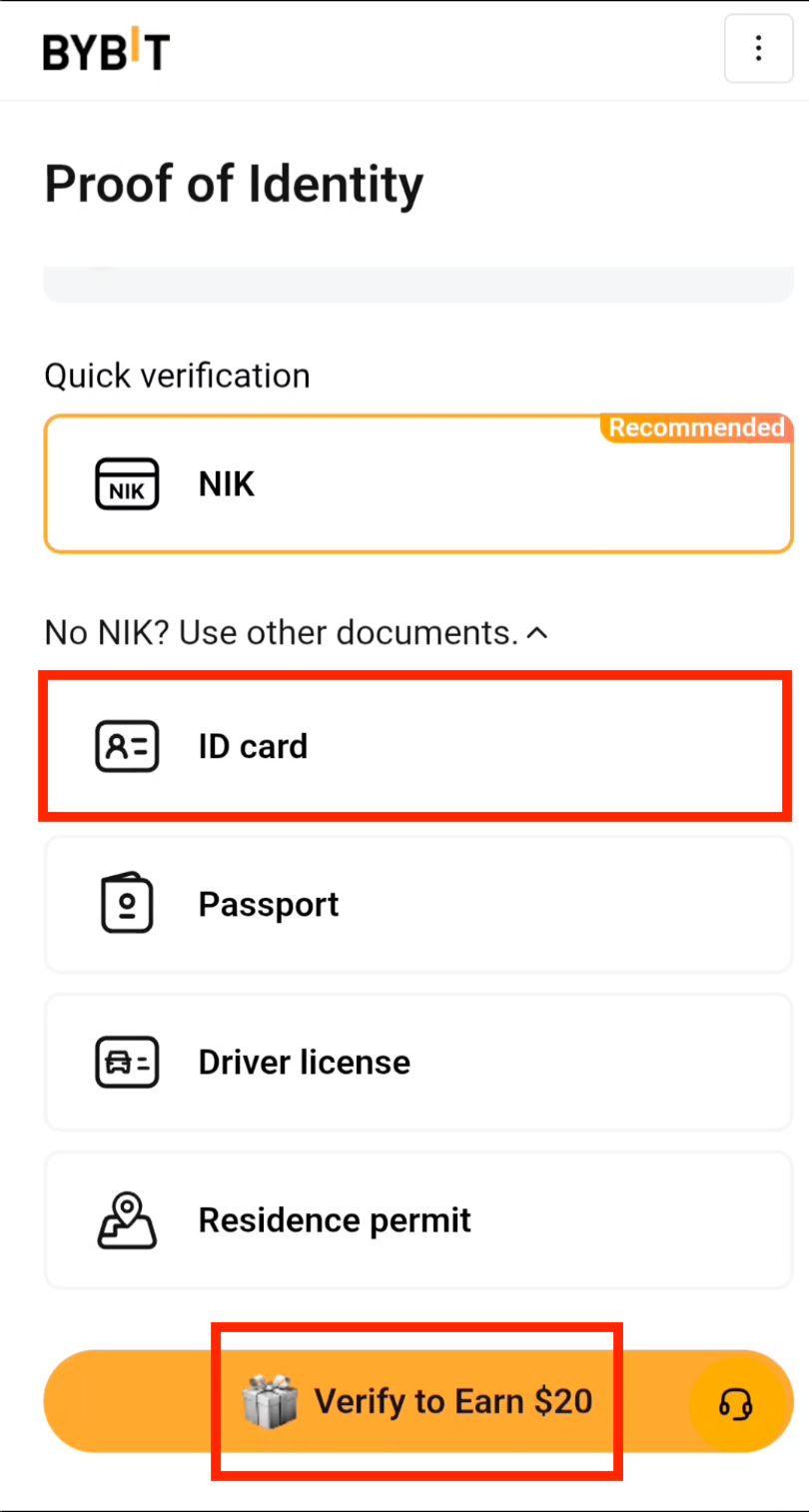
Step 10: Choose Your ID Document Type
Select ID Card as your document type, then tap Verify to Earn $20. (This was the button text when the screenshot was taken; the actual reward follows the current in-app campaign.)
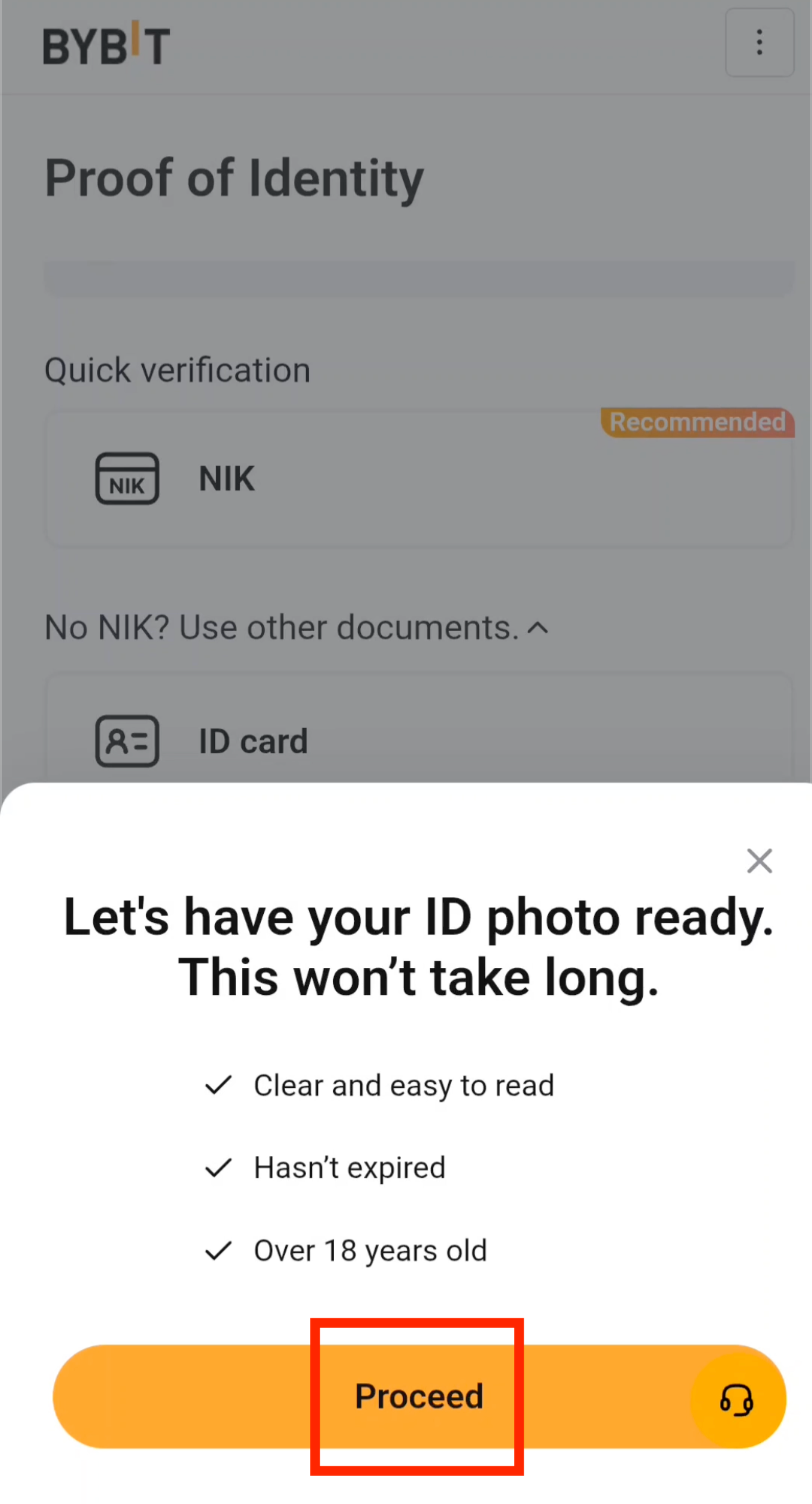
Step 11: Photograph Your ID Card
Tap Proceed and follow the on-screen prompts to capture clear front and back photos of your ID card.
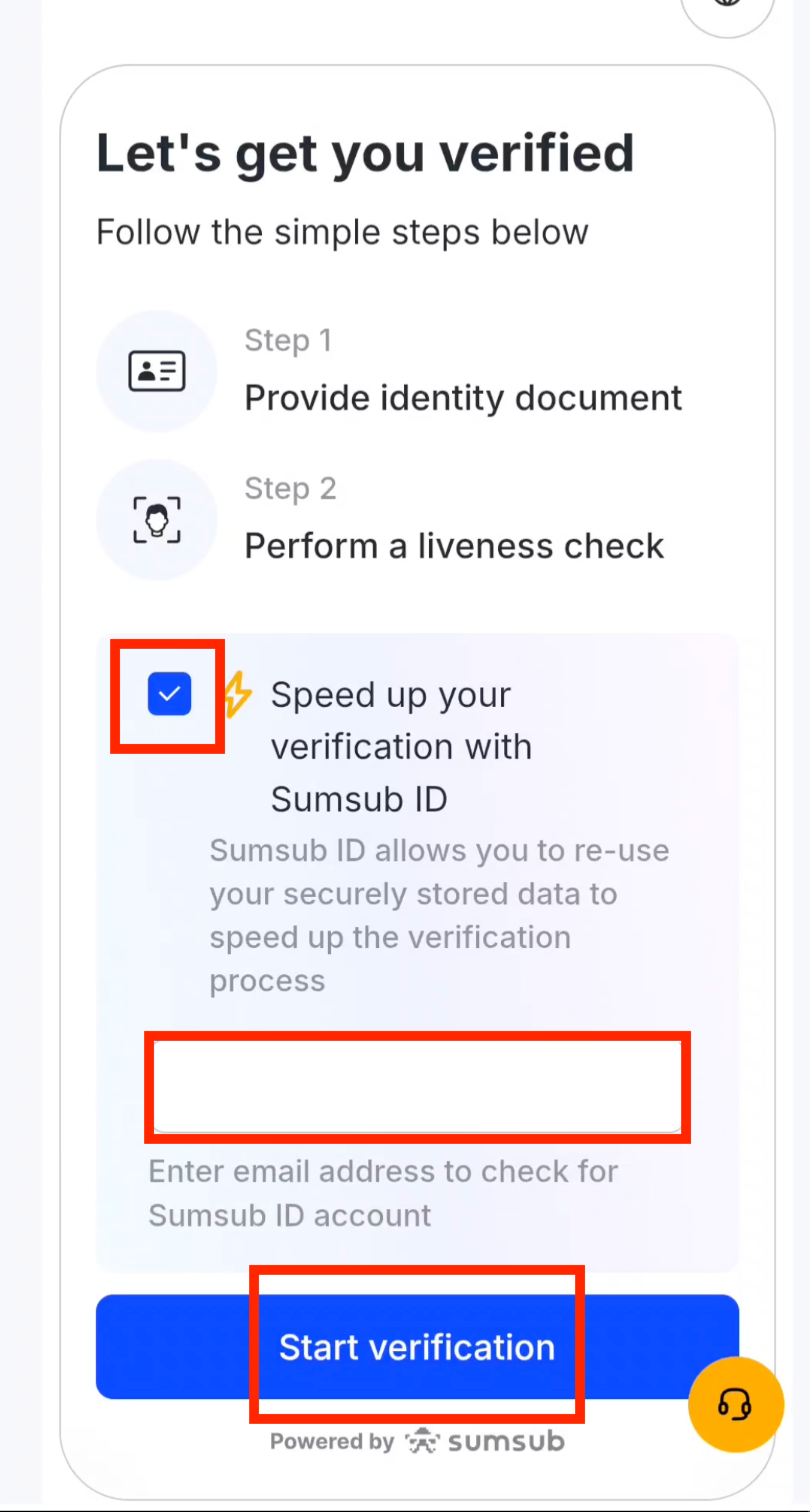
Step 12: Speed Up Your Verification
Tick the speedup option, enter your email address, and tap Start verification.
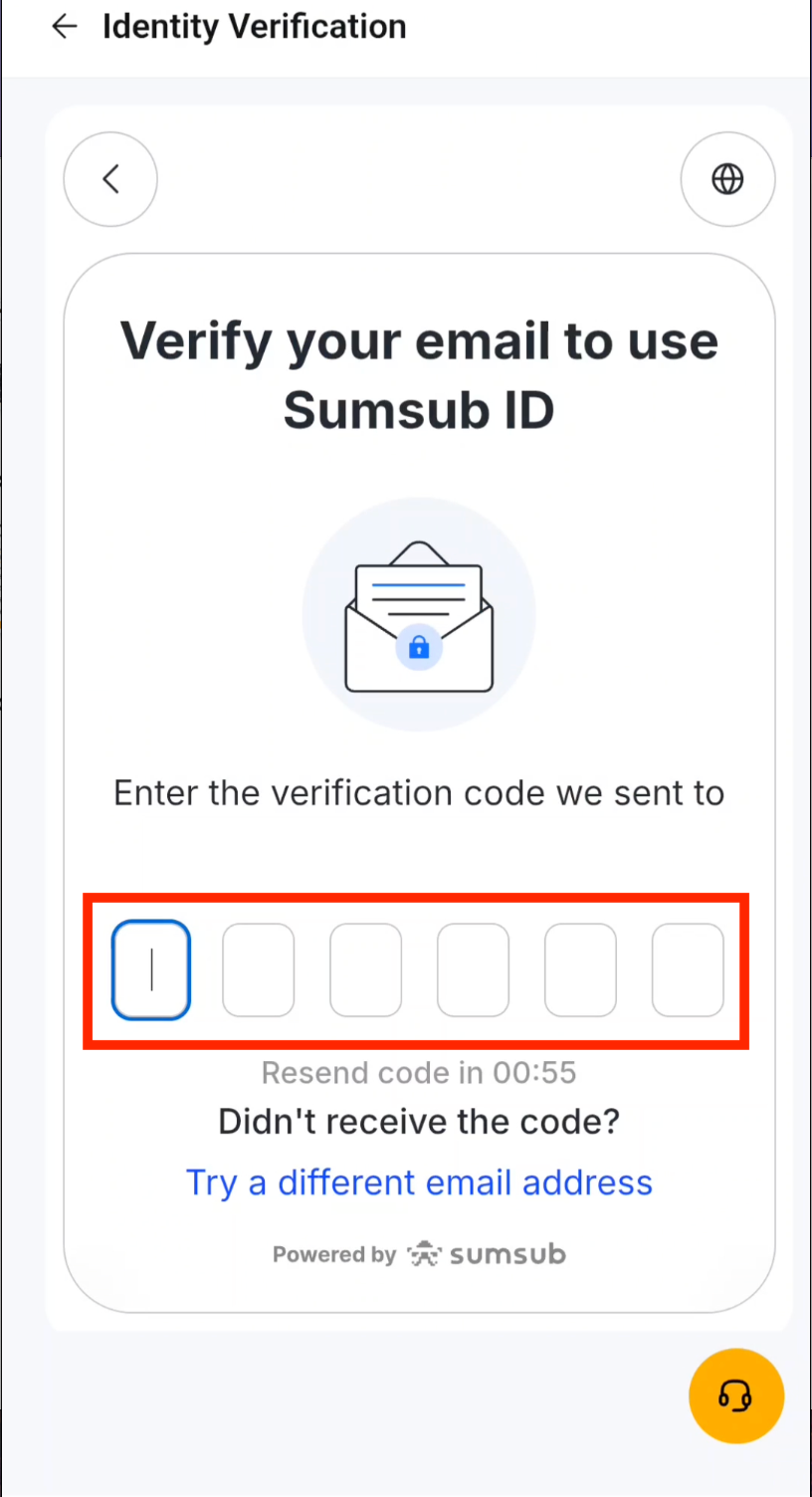
Step 13: Enter the Email Verification Code
Check your inbox and enter the verification code sent to your email.
Step 14: Accept the Terms
Tick the consent checkbox to agree to Bybit's verification terms and conditions.
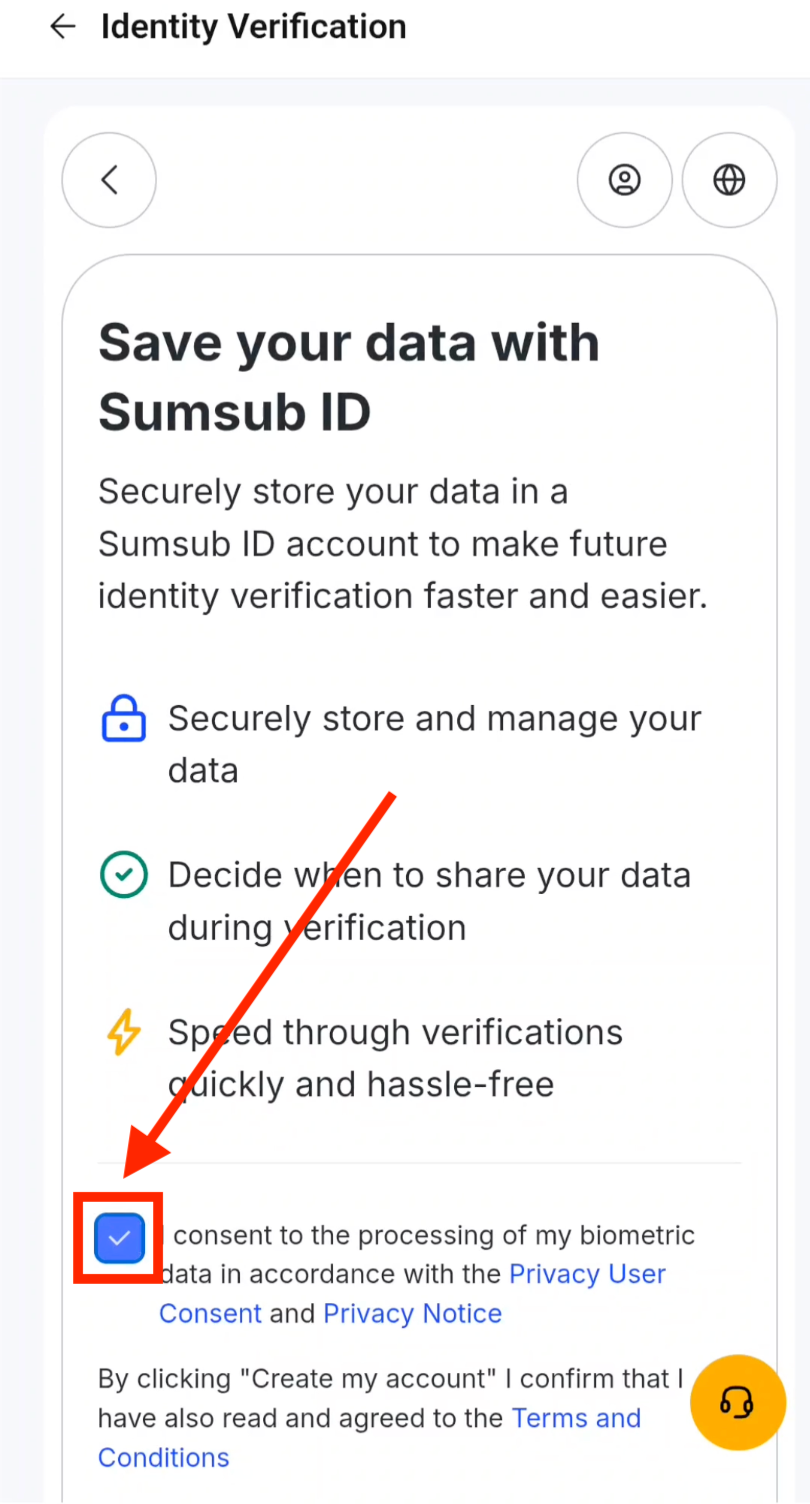
Step 15: Continue the Verification Process
Tap Continue verification to proceed to the facial recognition step.
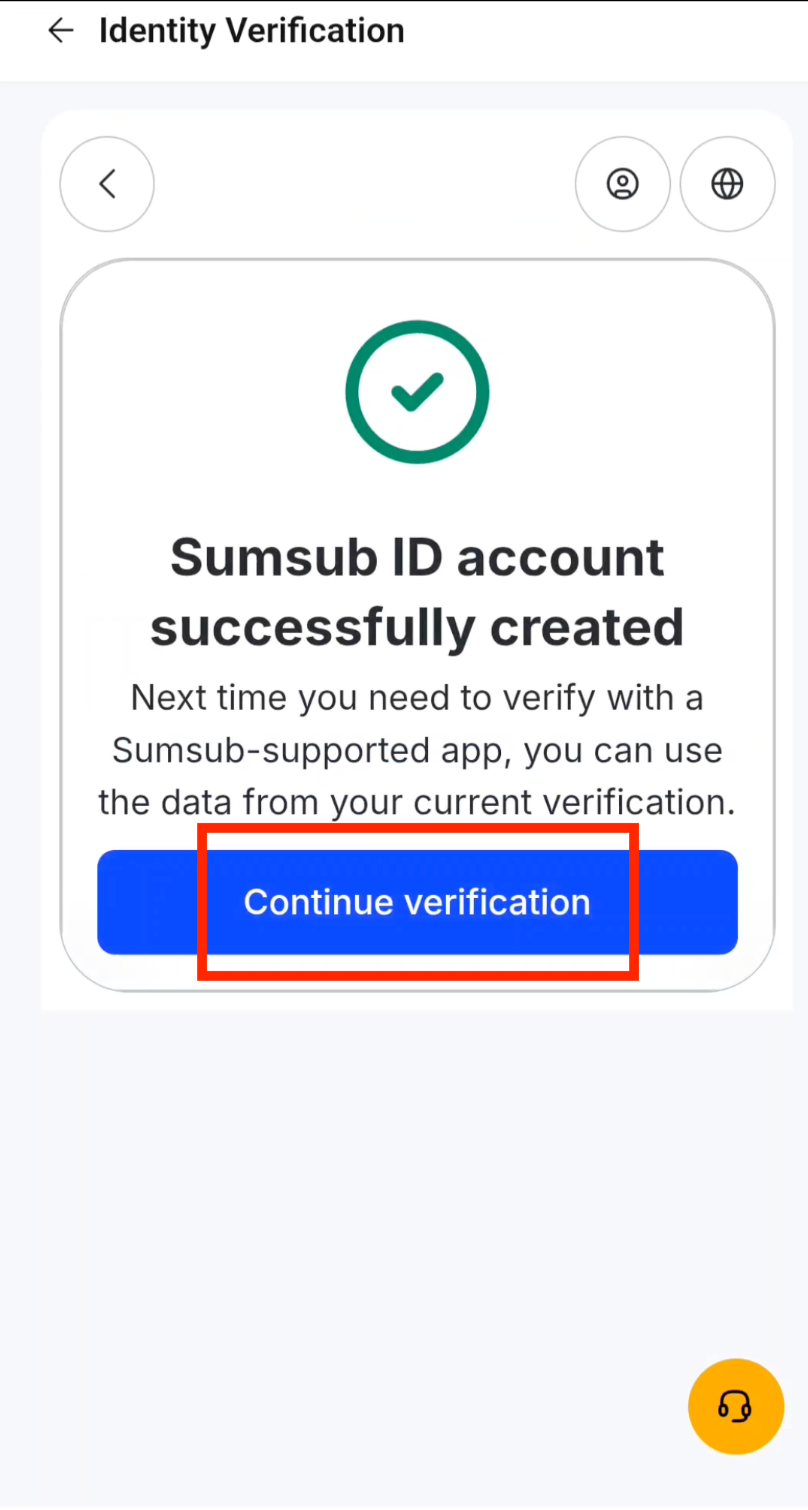
Step 16: Prepare for Facial Verification
Tap Continue to start the facial recognition scan. Make sure you are in a well-lit area.
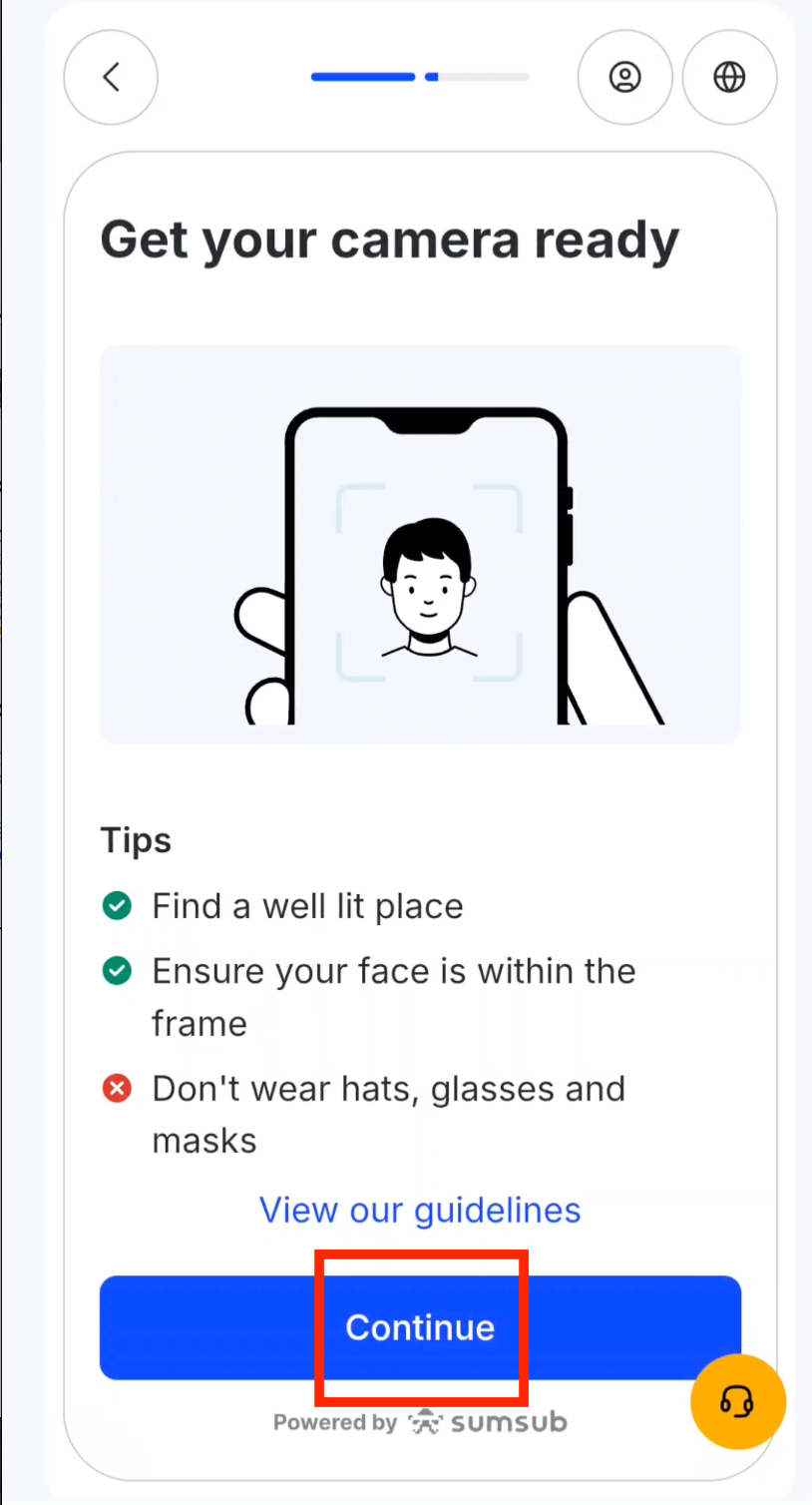
Step 17: Complete the Facial Scan
Tap Verify Now and follow the on-screen prompts to complete facial verification.
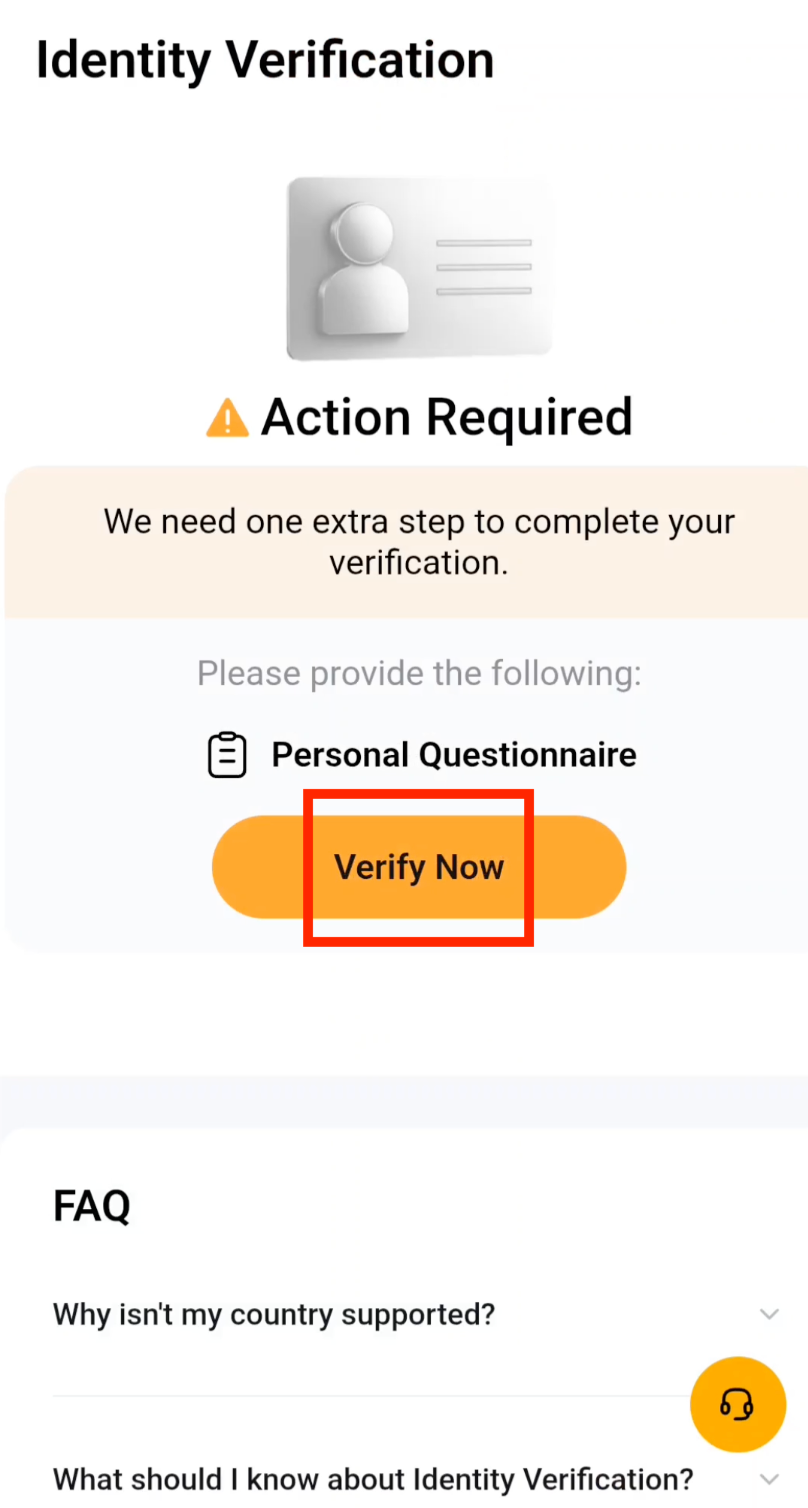
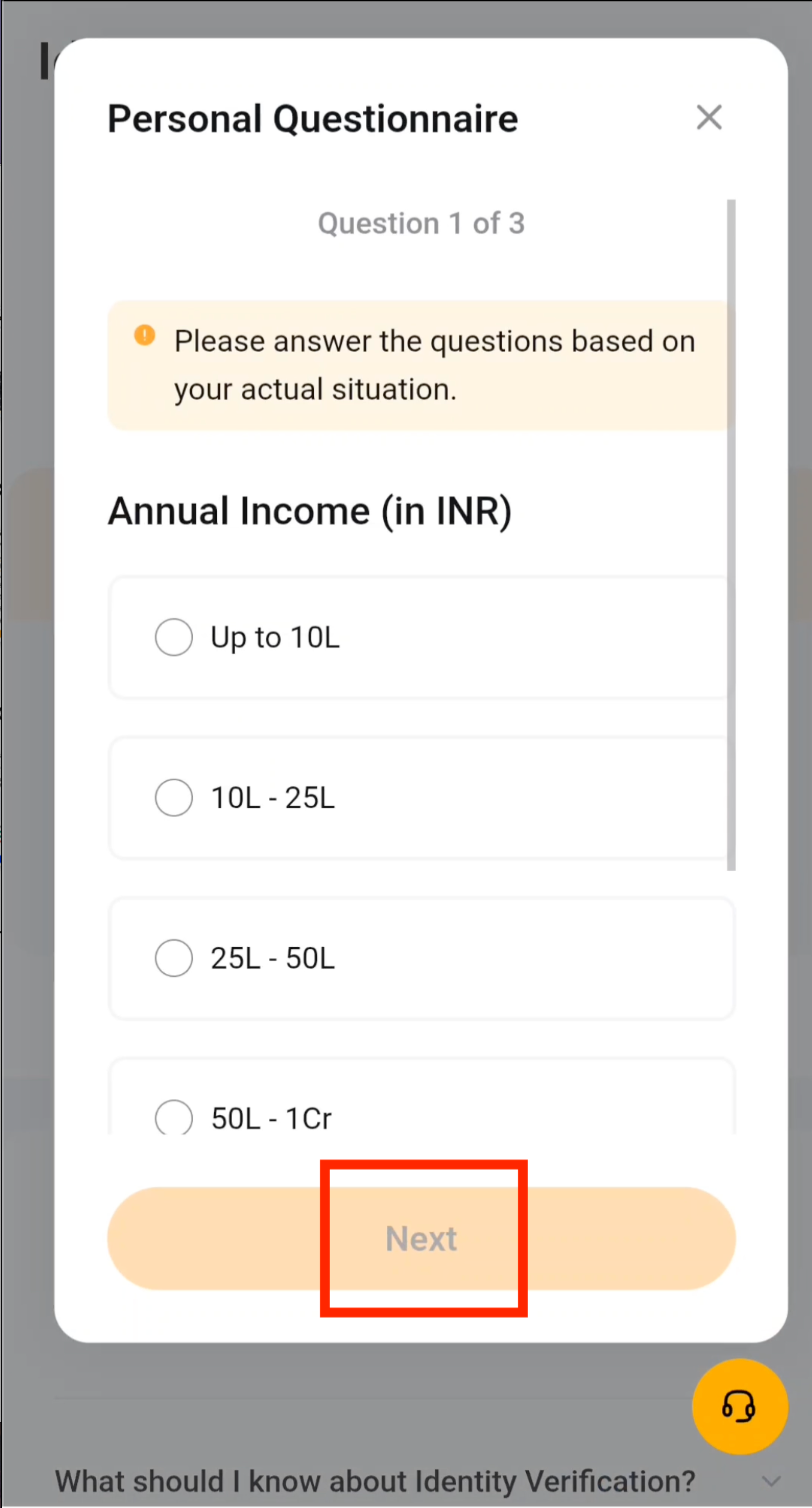
Step 18: Answer the Personal Questionnaire
Complete the personal questionnaire as required by Bybit's compliance and regulatory standards.
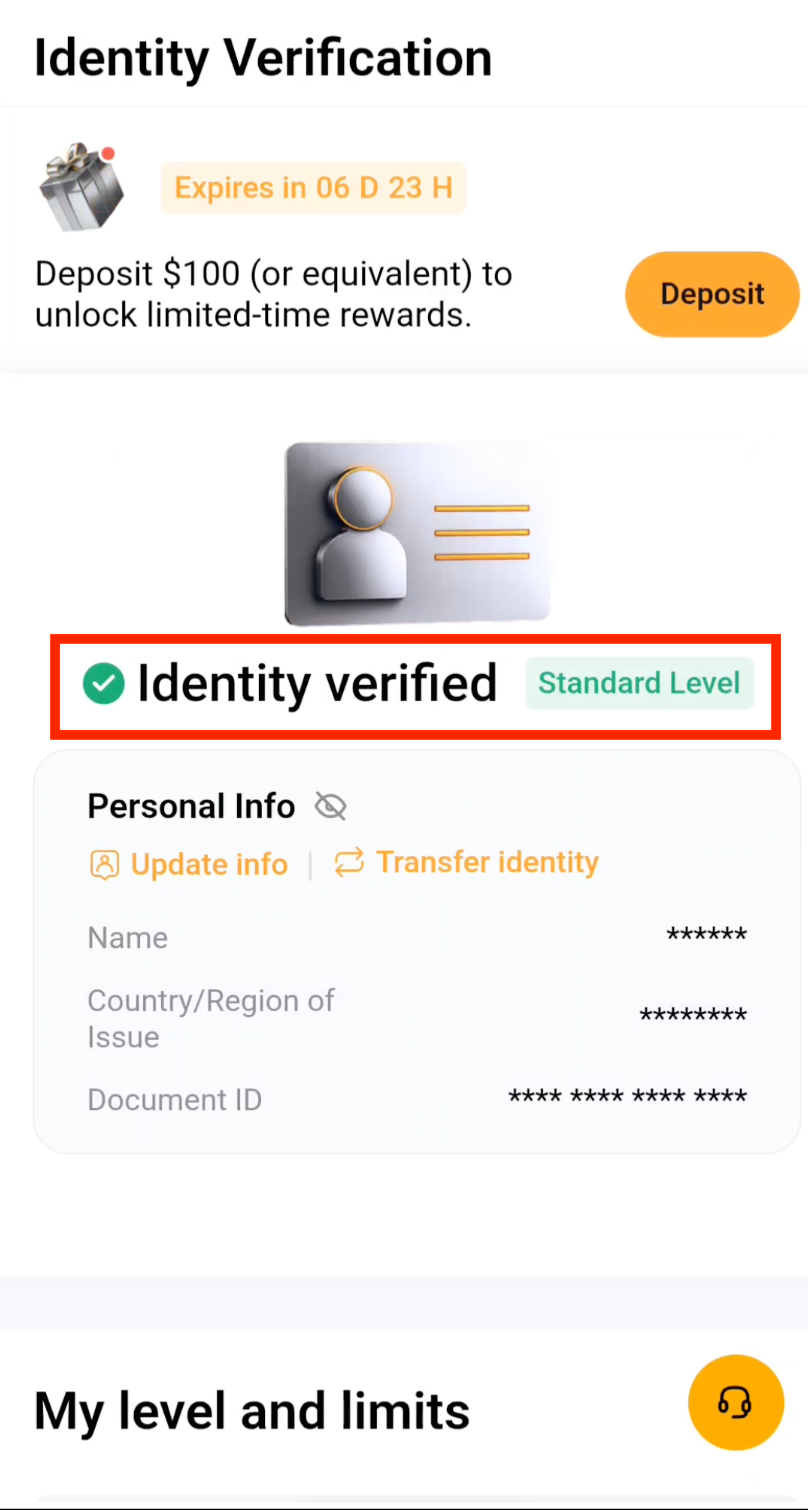
Step 19: KYC Verification Approved
Your KYC verification is now complete. You have full access to all Bybit trading features and can proceed to set up 2FA security.
What's Next?
Now that your Bybit account is registered and verified, the next step is to secure it with two-factor authentication (2FA) using Google Authenticator.
Next: Enable 2FA on BybitFrequently Asked Questions
What is Bybit and why should I use it for crypto trading?
Bybit is a leading global cryptocurrency exchange serving millions of users worldwide. It offers spot trading, derivatives, and copy trading with competitive fees. When paired with CoinTech2u's AI trading bot, Bybit provides a powerful automated trading experience with deep liquidity and fast execution speeds.
How long does Bybit KYC verification take?
Bybit KYC verification typically completes within 5 to 15 minutes when you use the speedup option. In some cases, manual review may take up to 24 hours. Make sure your ID photos are clear and your facial scan is done in good lighting to avoid delays.
Is Bybit safe and secure for storing cryptocurrency?
Yes, Bybit employs industry-leading security measures including cold wallet storage, two-factor authentication, and advanced encryption. With CoinTech2u, your funds remain in your own Bybit account at all times — the AI bot connects via secure API and cannot withdraw your assets.
Do I get welcome gifts when registering Bybit through CoinTech2u?
Yes. Registering through CoinTech2u's referral link at CoinTech2vip.com/bybit applies our invite code automatically, and as a new user you can claim welcome rewards in Bybit's Rewards Hub. The amounts and tasks (such as completing KYC, making a first deposit or trading) vary by campaign and region; the current offer shown in the Bybit app is what applies.
Ready to Start Trading on Bybit?
Register your free CoinTech2u account today and connect your Bybit exchange to start automated AI trading.
Register CoinTech2u Free