API Binding
Step 1: Open the CoinTech2u Homepage
On the CoinTech2u homepage, tap Bind API to start the connection process.
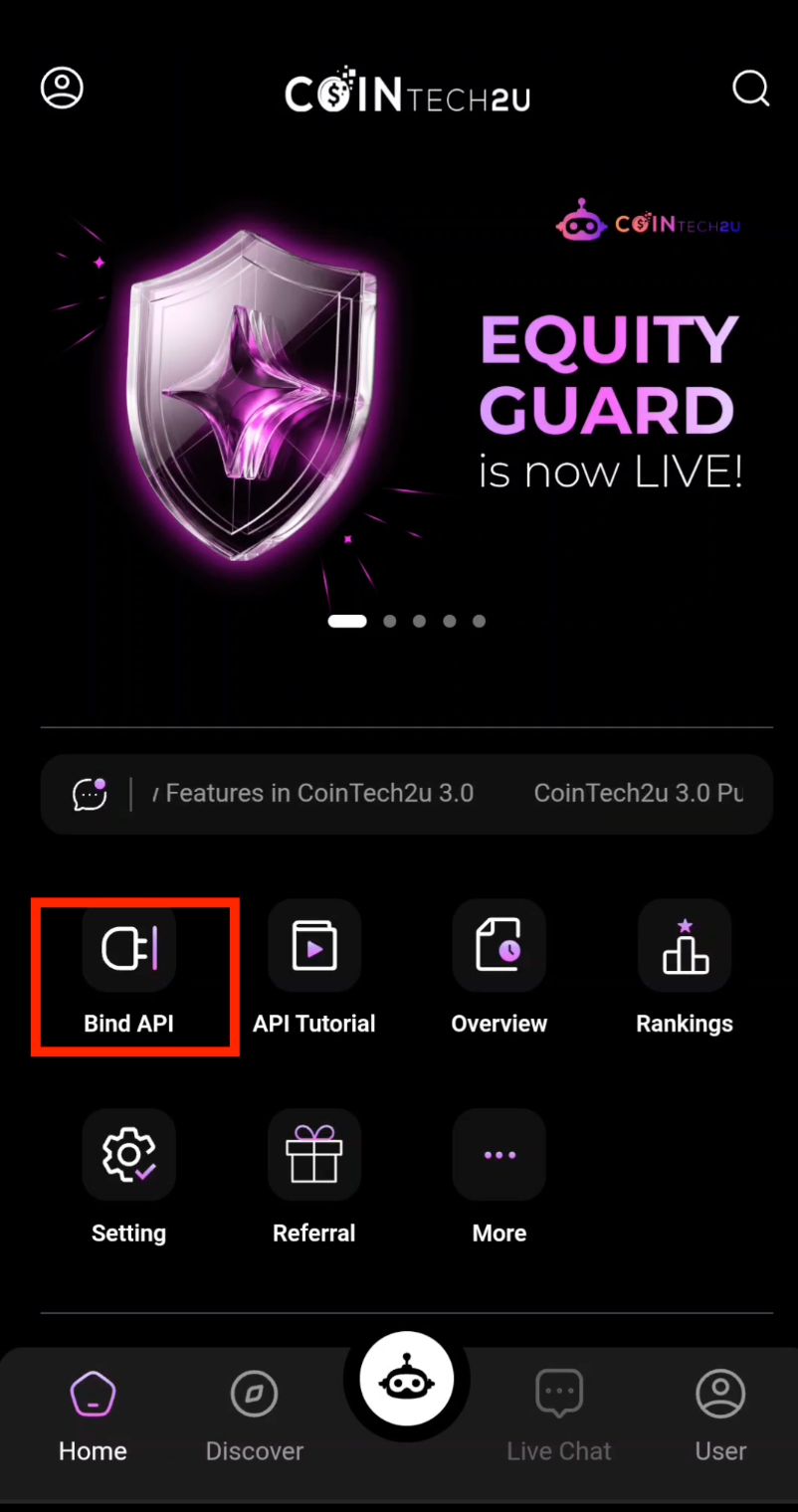
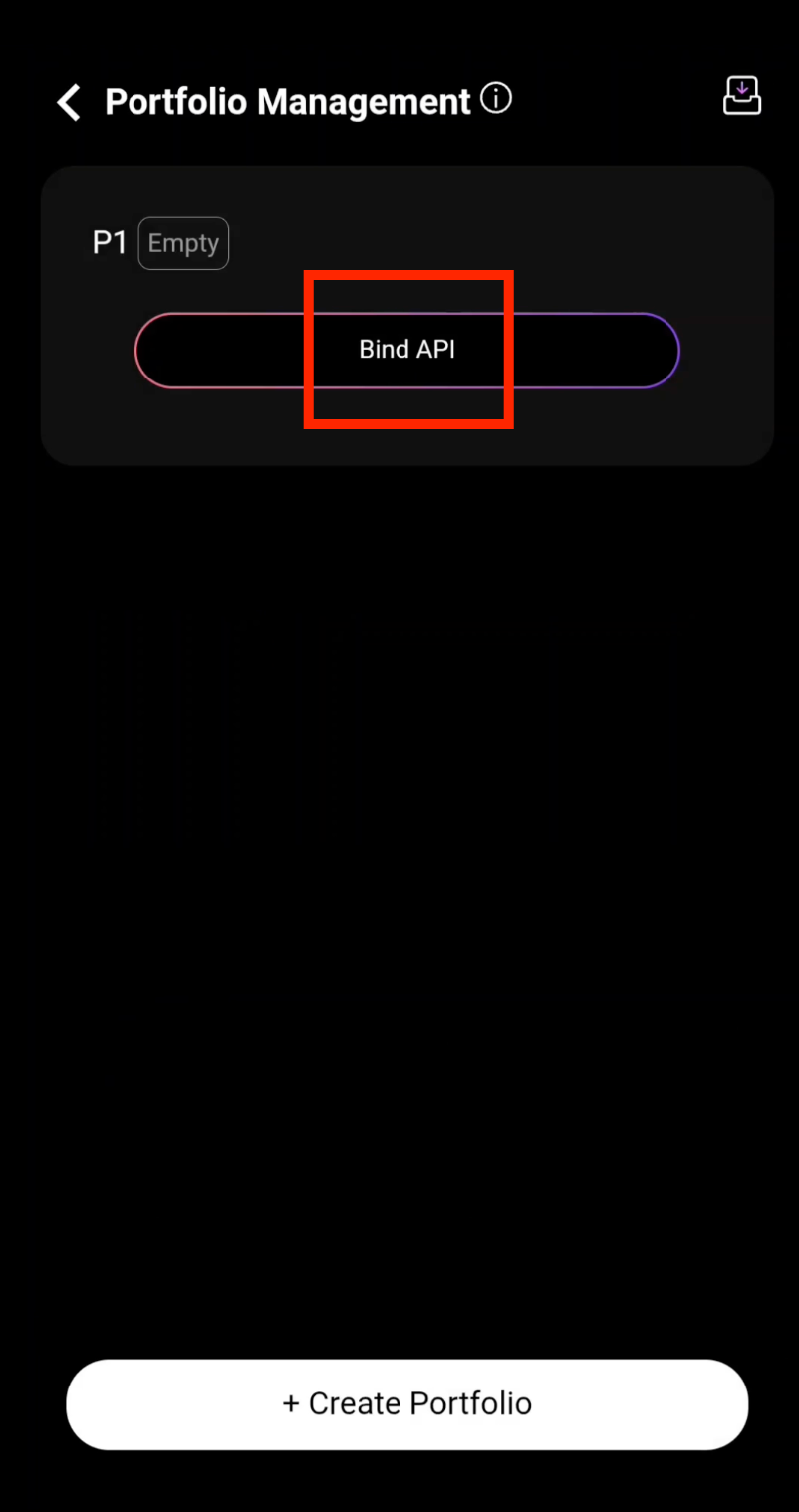
Step 2: Tap Bind API
Tap the Bind API button to launch the API binding wizard.
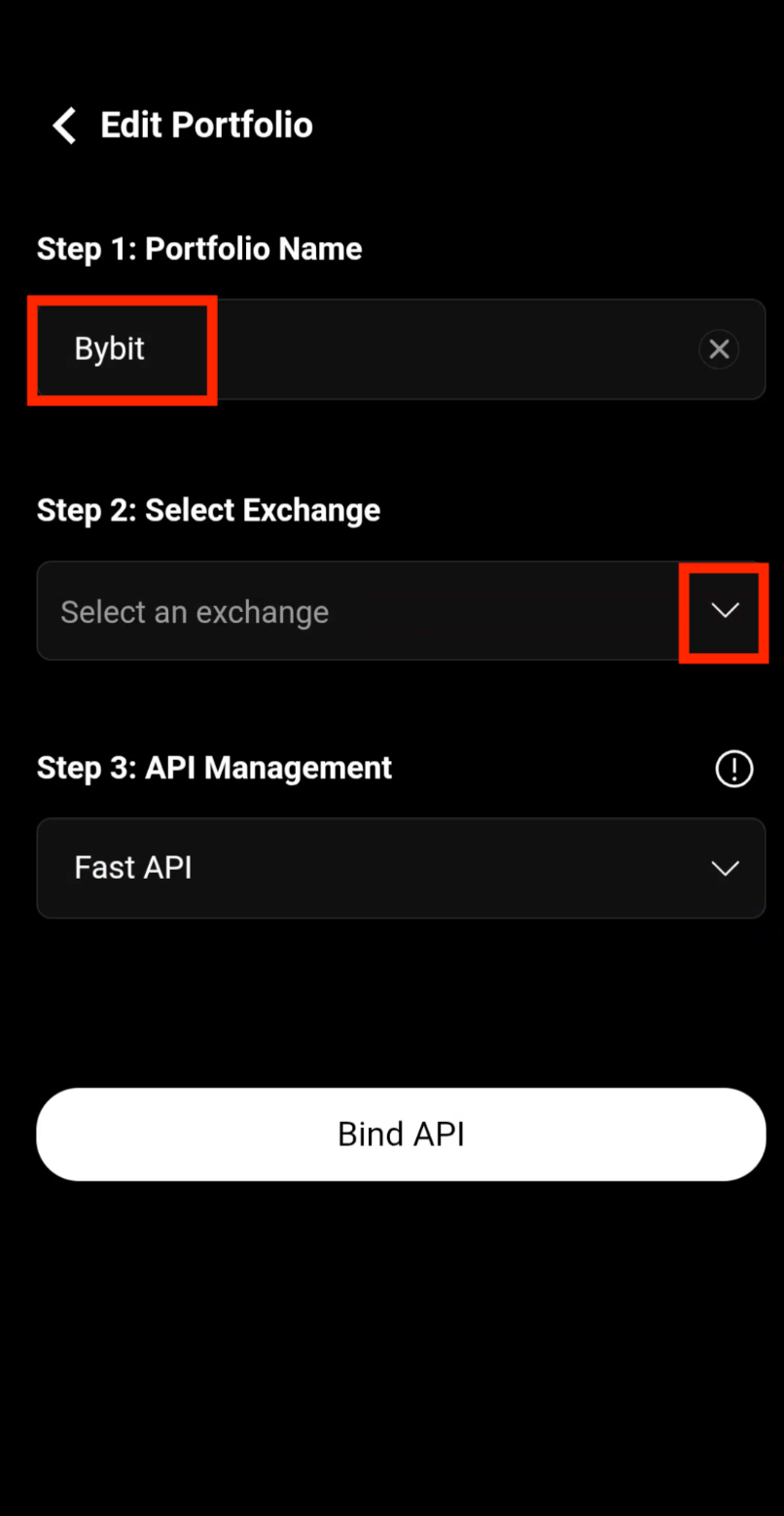
Step 3: Enter Your Portfolio Name
Enter a name for your portfolio, then select Bybit as the exchange you want to bind.
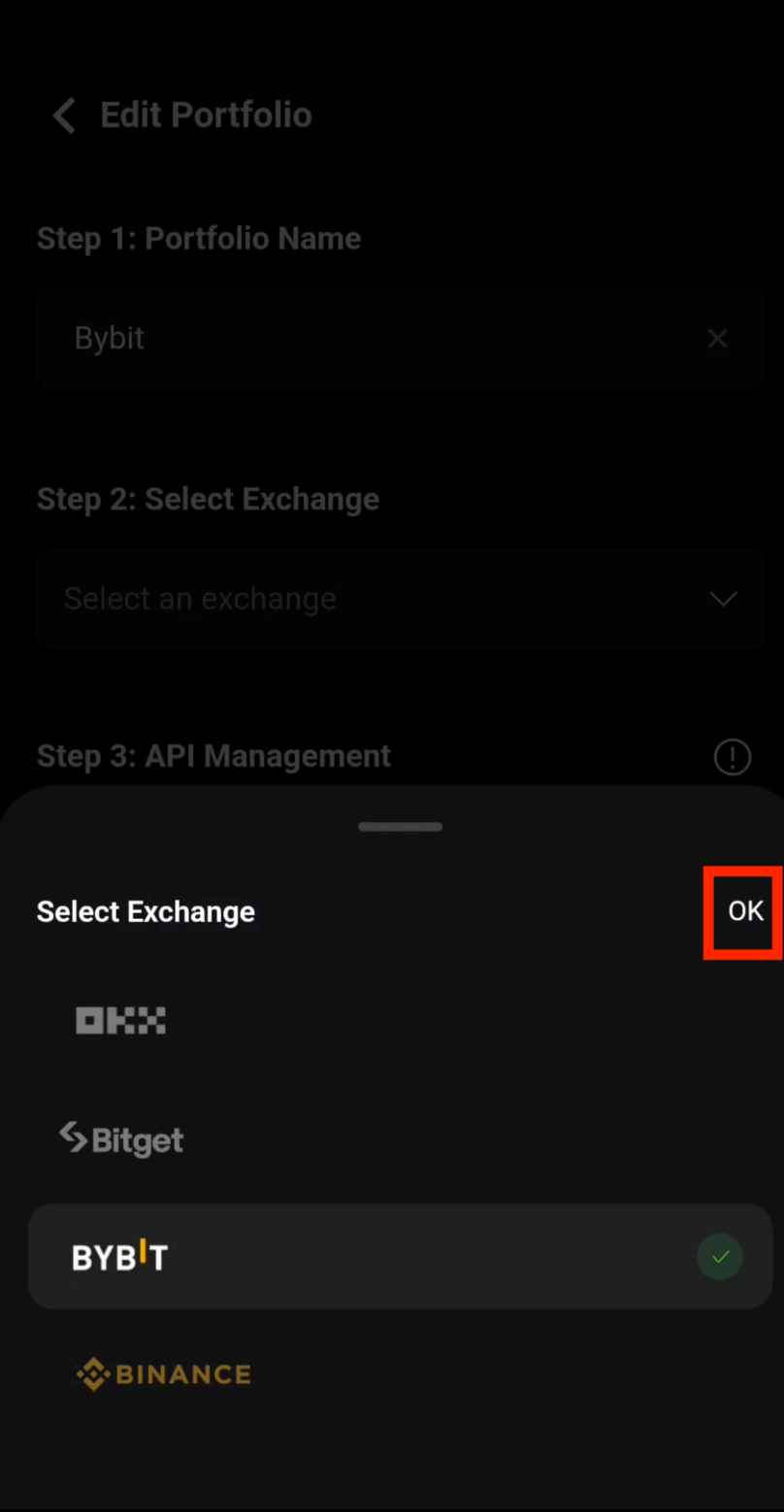
Step 4: Confirm Bybit Selection
After selecting Bybit as your exchange, tap OK to confirm.
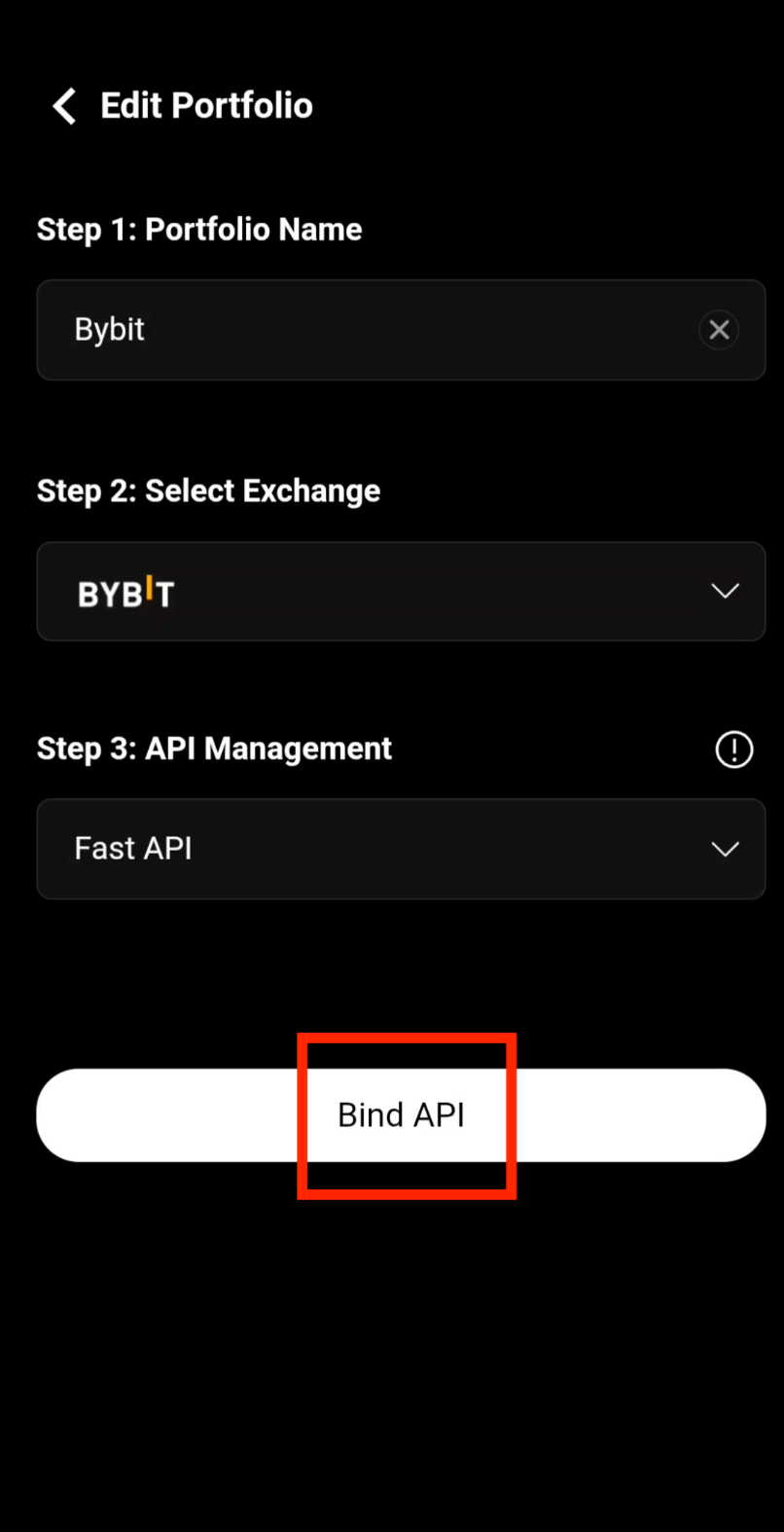
Step 5: Start the API Binding
Tap Bind API to initiate the Fast API connection with Bybit.
Authentication
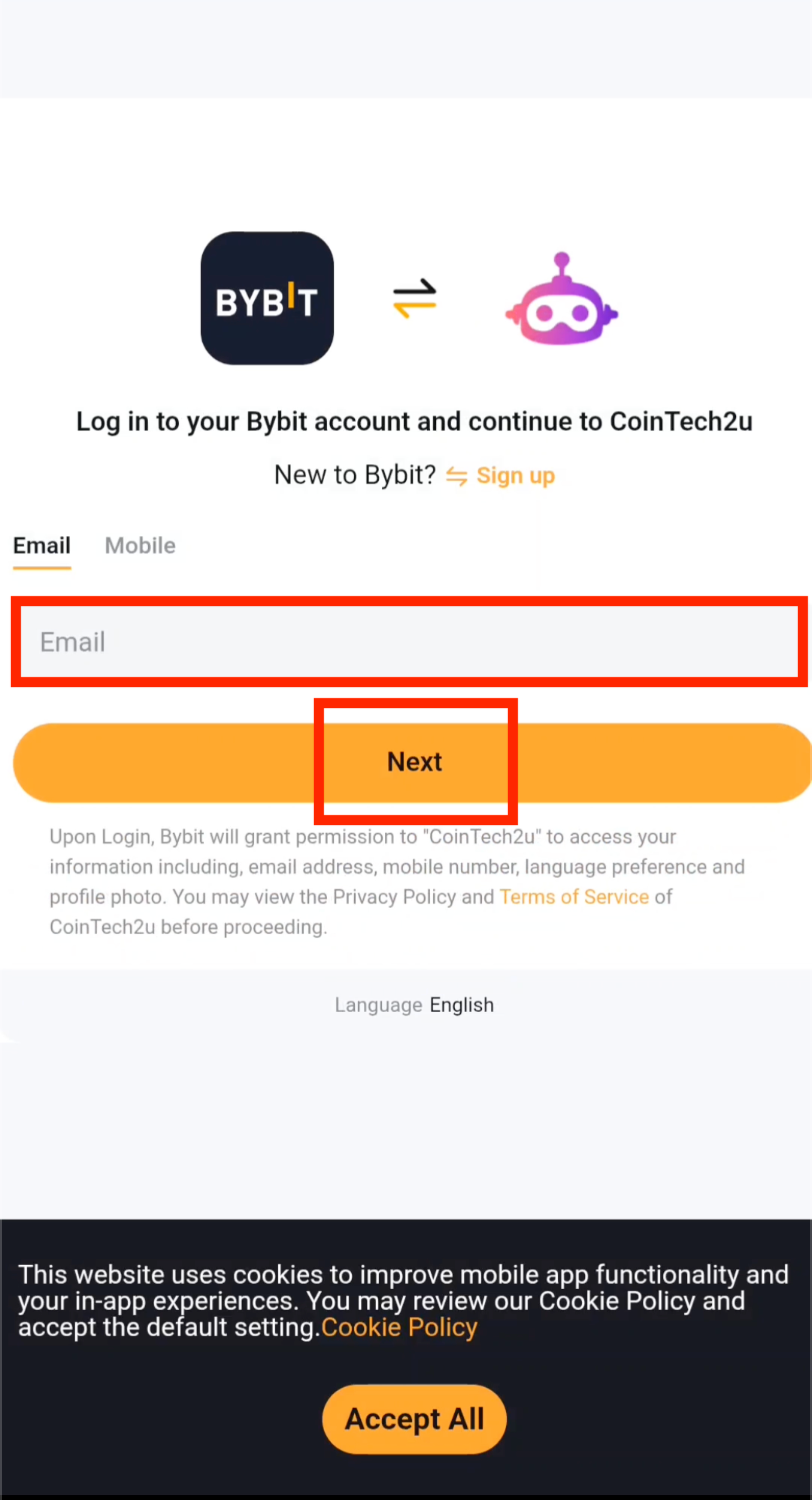
Step 6: Enter Your Bybit Email
Enter the email address registered with your Bybit account, then tap Next.
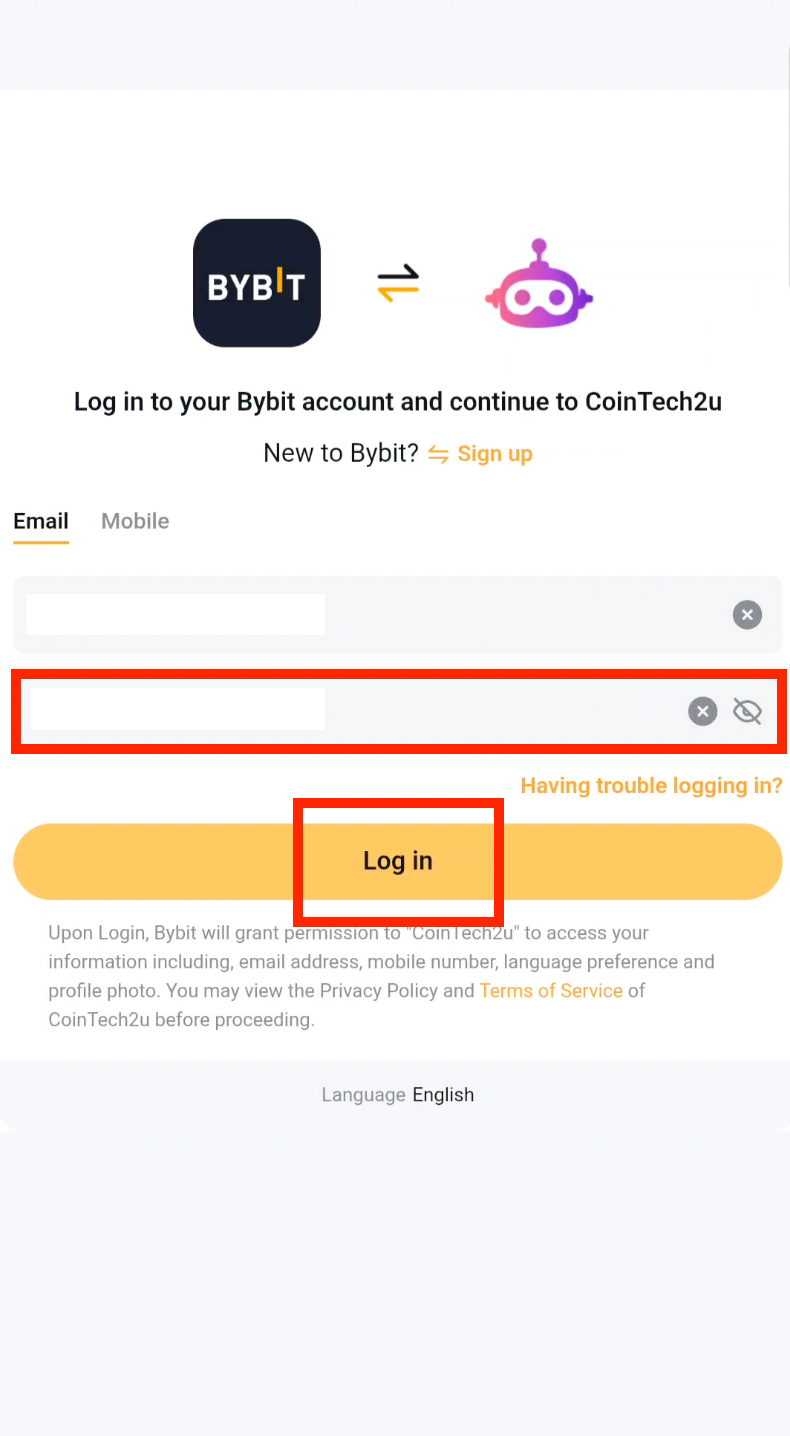
Step 7: Enter Your Bybit Password
Enter your Bybit password, then tap Log in to proceed with the Fast API binding.
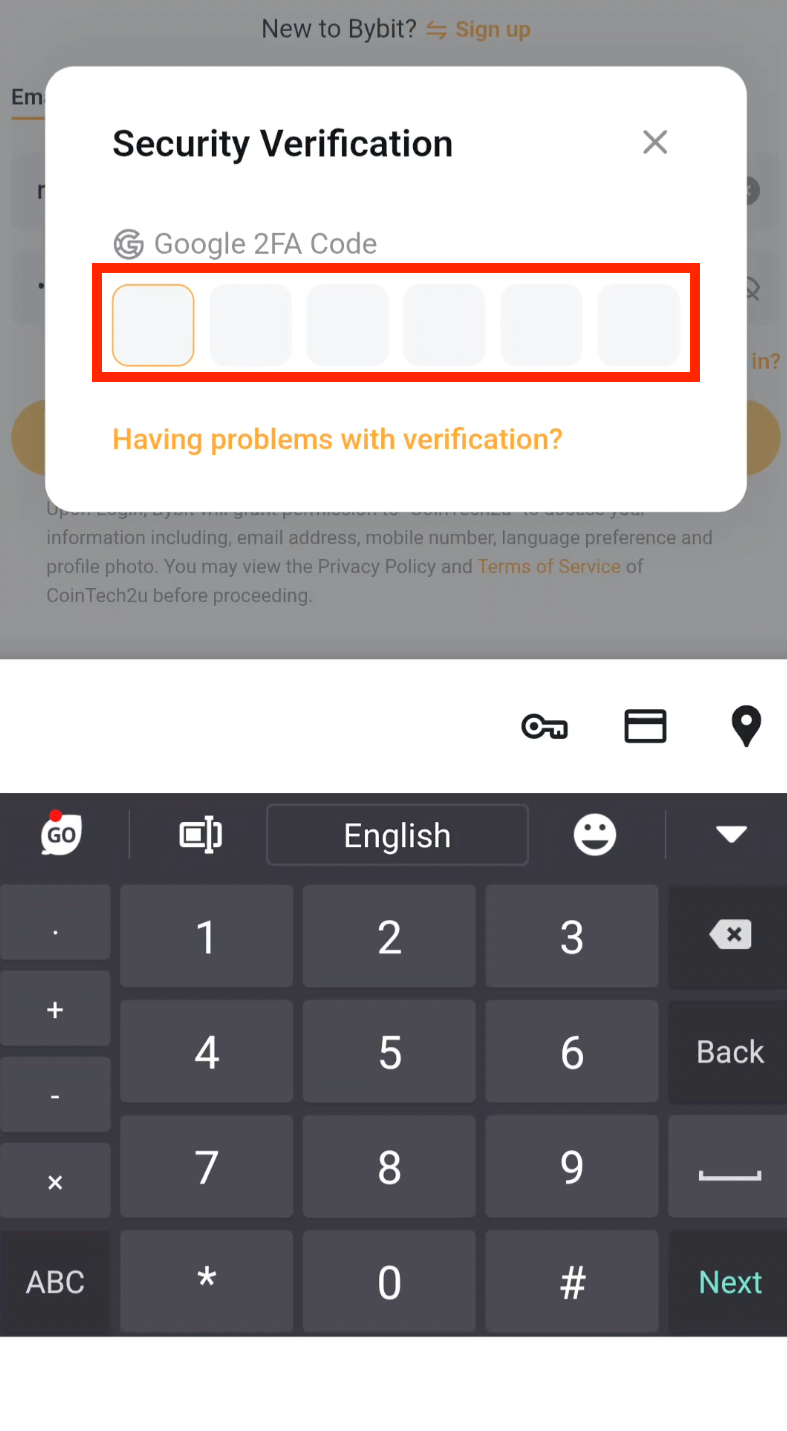
Step 8: Verify with Google Authenticator
Enter the 6-digit Google Authenticator verification code for your Bybit account.
Sub-Account
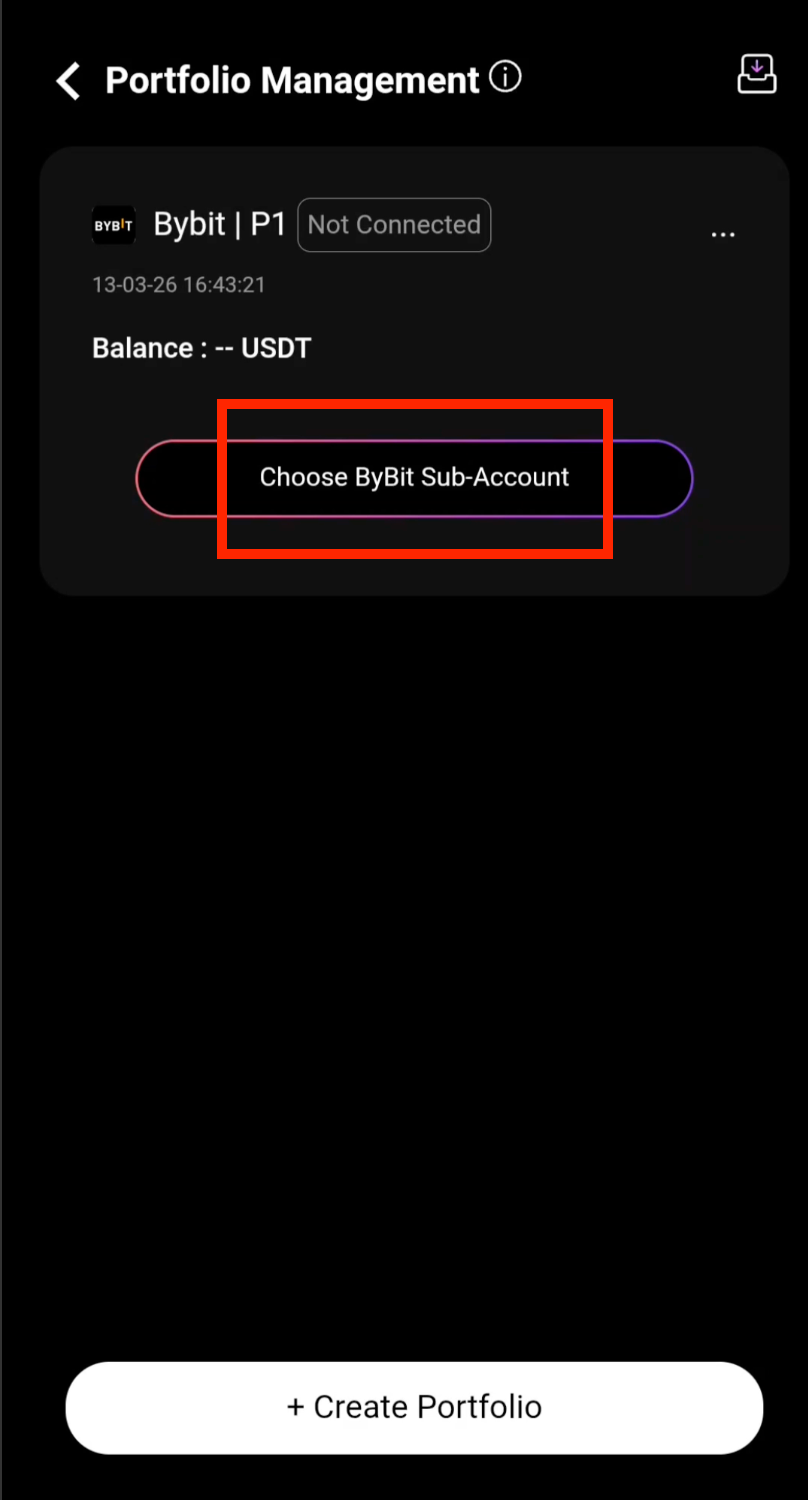
Step 9: Choose Bybit Sub-Account
Fast API has been successfully bound. Tap Choose Bybit Sub-Account to continue setting up your trading sub-account.
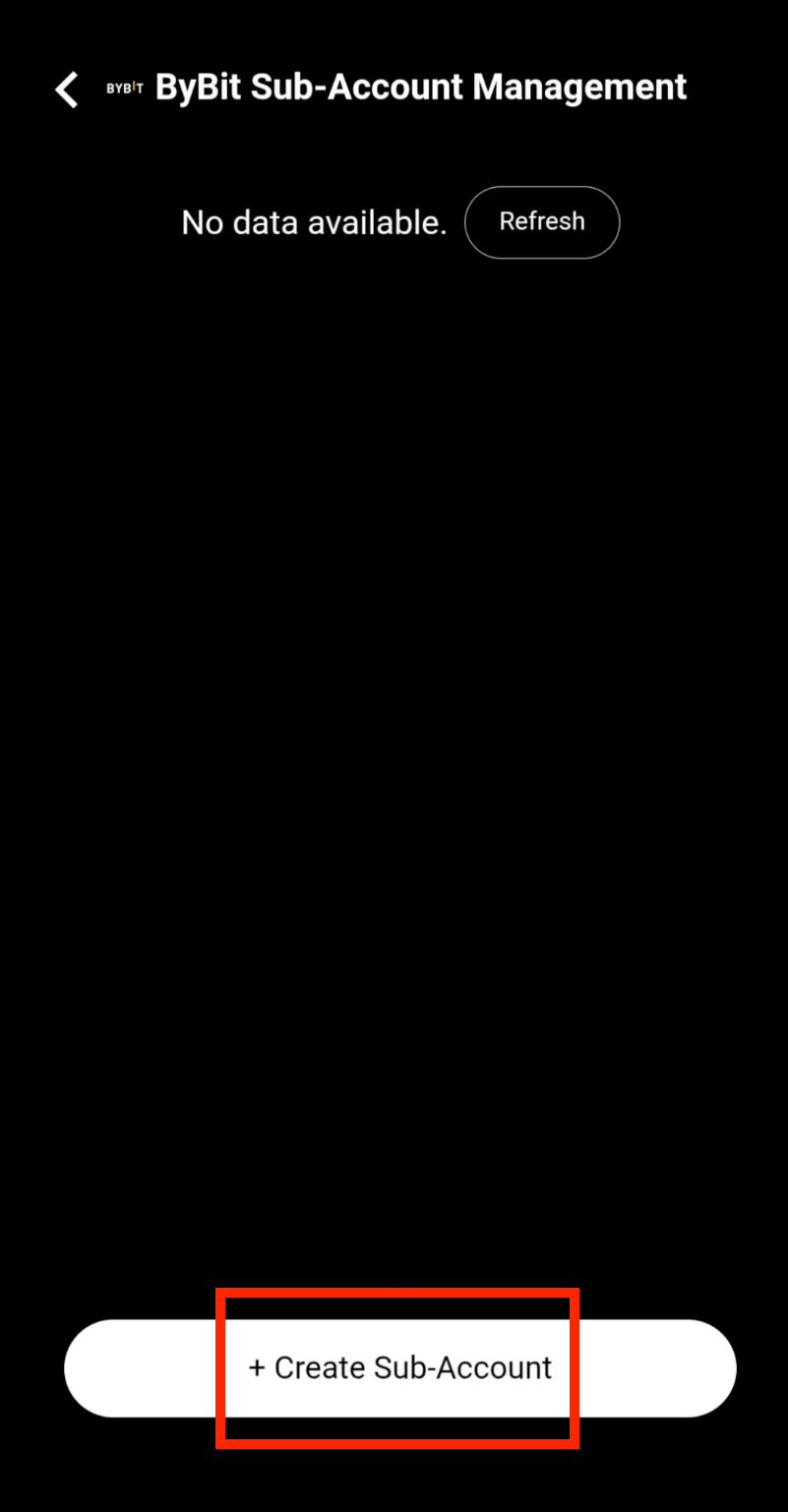
Step 10: Create a Sub-Account
Tap + Create Sub-Account to create a new dedicated trading sub-account.
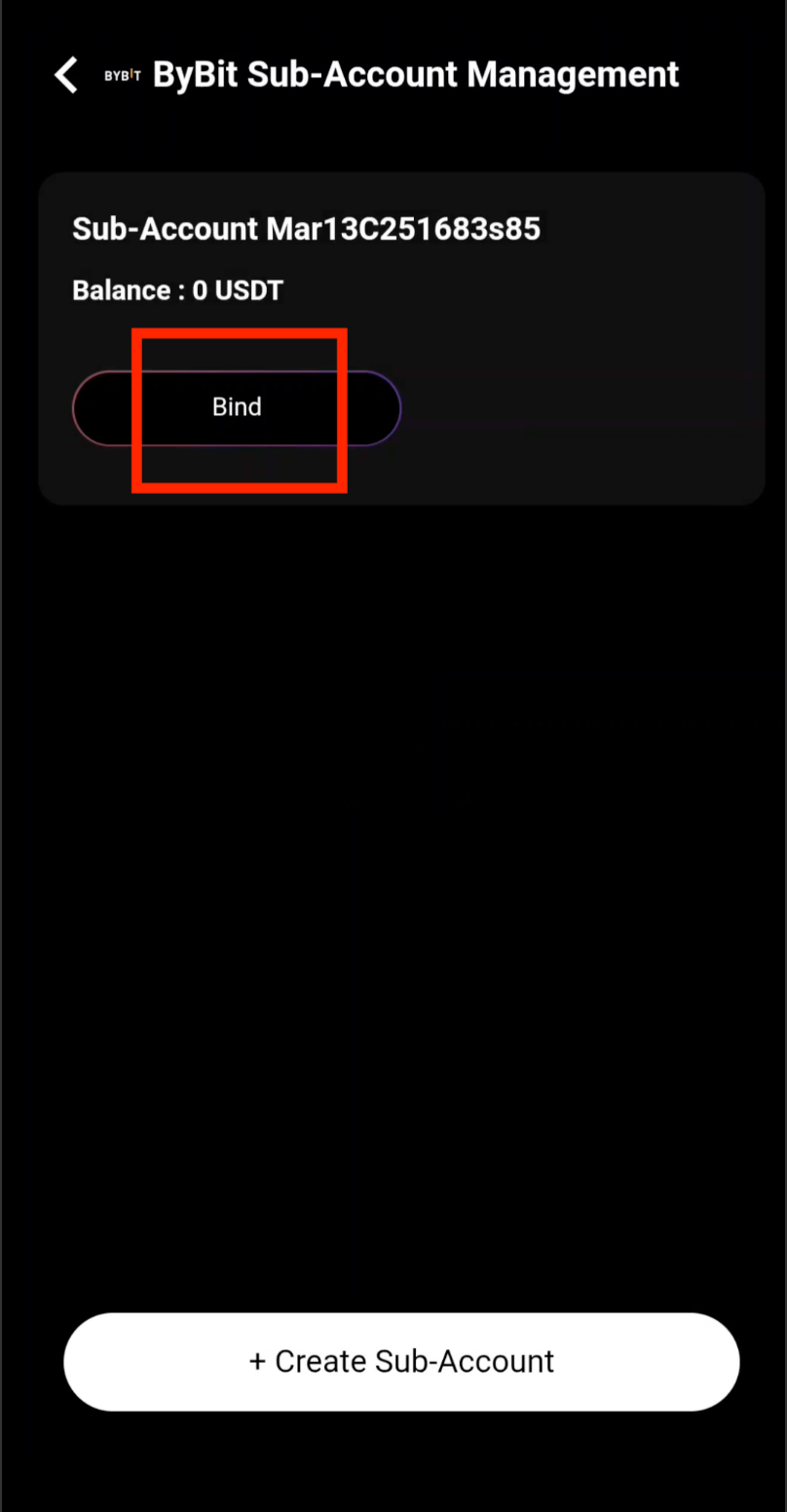
Step 11: Bind the Sub-Account
Tap Bind to connect the sub-account to your CoinTech2u portfolio.
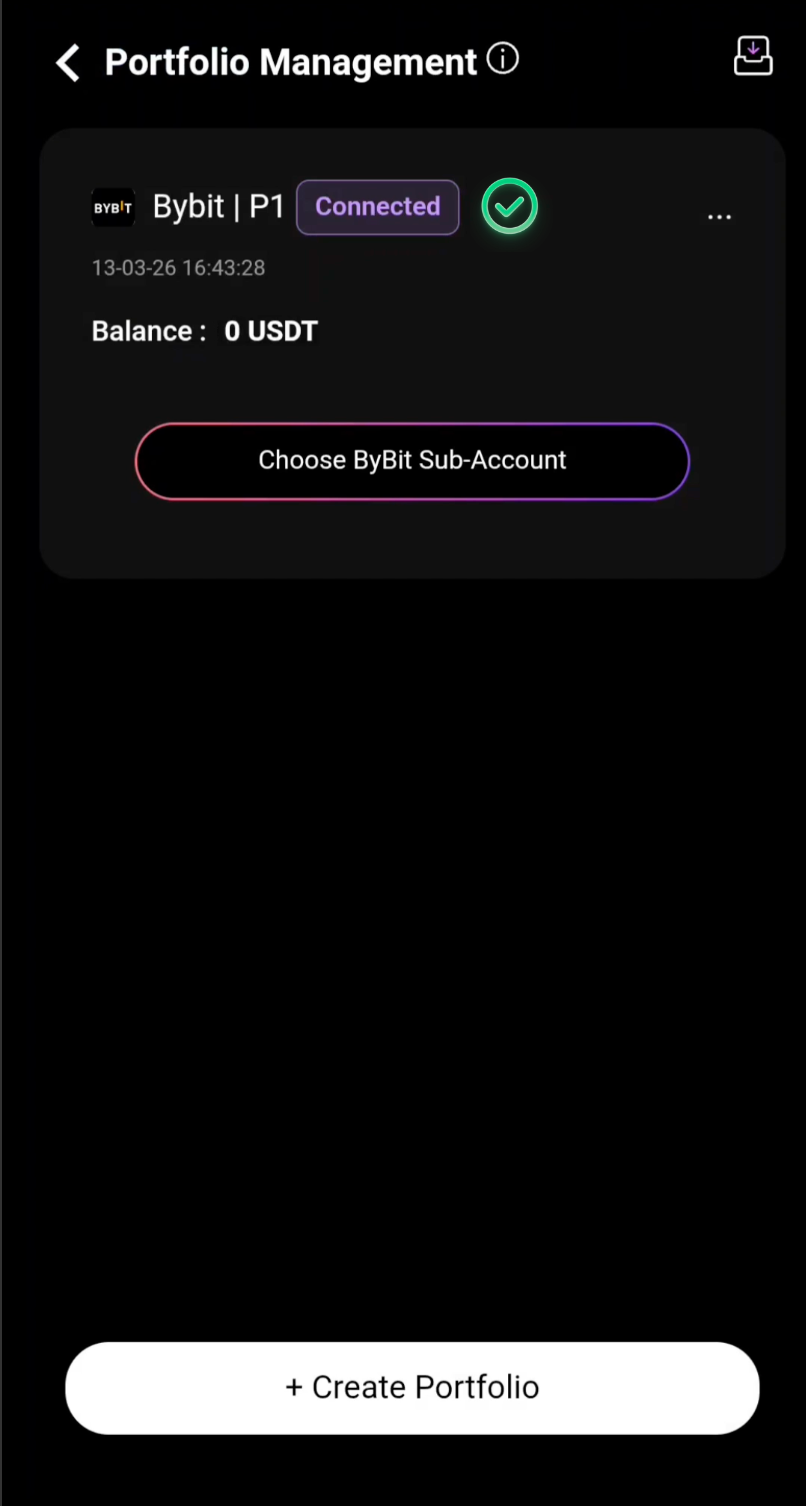
Step 12: Connection Complete
Your Bybit sub-account has been successfully connected to CoinTech2u. You are now ready to create additional sub-accounts or start trading.
What's Next?
Your Bybit API is now connected. Next, learn how to create additional sub-accounts in CoinTech2u to manage multiple trading portfolios.
Next: Create Sub-AccountsFrequently Asked Questions
What is Bybit Fast API and how does it work?
Bybit Fast API is a streamlined one-click API binding method offered by CoinTech2u. Instead of manually creating API keys in your exchange settings, Fast API securely authenticates using your Bybit login credentials and Google Authenticator. It automatically configures the correct API permissions for trading without withdrawal access.
Is it safe to bind my Bybit account to CoinTech2u via Fast API?
Yes, Fast API binding is completely safe. CoinTech2u only receives trading permissions through the API — it cannot withdraw, transfer, or access your funds directly. Your assets remain in your own Bybit account at all times. The connection is protected by Google Authenticator verification and encrypted API protocols.
Can CoinTech2u access or withdraw my funds through the API?
No. The Fast API binding grants CoinTech2u read and trade permissions only. Withdrawal permissions are never enabled. Your funds remain fully under your control in your Bybit exchange account. CoinTech2u can only execute buy and sell orders as part of the AI trading strategy.
What permissions does the Fast API grant to CoinTech2u?
The Fast API grants two specific permissions: read access to view your account balance and positions, and trade access to execute buy and sell orders. Withdrawal permission is explicitly disabled. This means CoinTech2u can manage your trading strategy but cannot move funds out of your exchange account.
Connect Bybit to CoinTech2u Today
Register your free CoinTech2u account and bind your Bybit exchange to start AI-powered automated trading.
Register CoinTech2u Free