This Binance registration guide with screenshots is the latest 2026 walkthrough — a visual step-by-step Binance sign-up tutorial showing how to register a Binance account and complete Binance KYC verification. Register Binance through the CoinTech2u referral link to auto-apply the referral ID cointech2u and unlock spot & futures fee discounts.
The full Binance registration flow has three parts: ① register a Binance account and enable the futures account; ② download the Binance app and log in; ③ complete Binance KYC verification (ID upload + face recognition). Every step has a real Binance registration screenshot; just follow along — beginners can finish in 3–10 minutes.
🔍 Looking for Binance registration screenshots / image guide? Scroll down — every key action has its own screenshot, click to enlarge for details. Works on mobile too.
Contents: Register a Binance Account · Download App & Log In · Complete Binance KYC
Register a Binance Account
Step 1: Open the CoinTech2u Referral Link
Go to CoinTech2vip.com/binance in your browser. This ensures the referral ID "cointech2u" is automatically applied to your account.

Step 2: Click "Sign up with Email or Phone"
Click the sign-up button to begin the registration process.
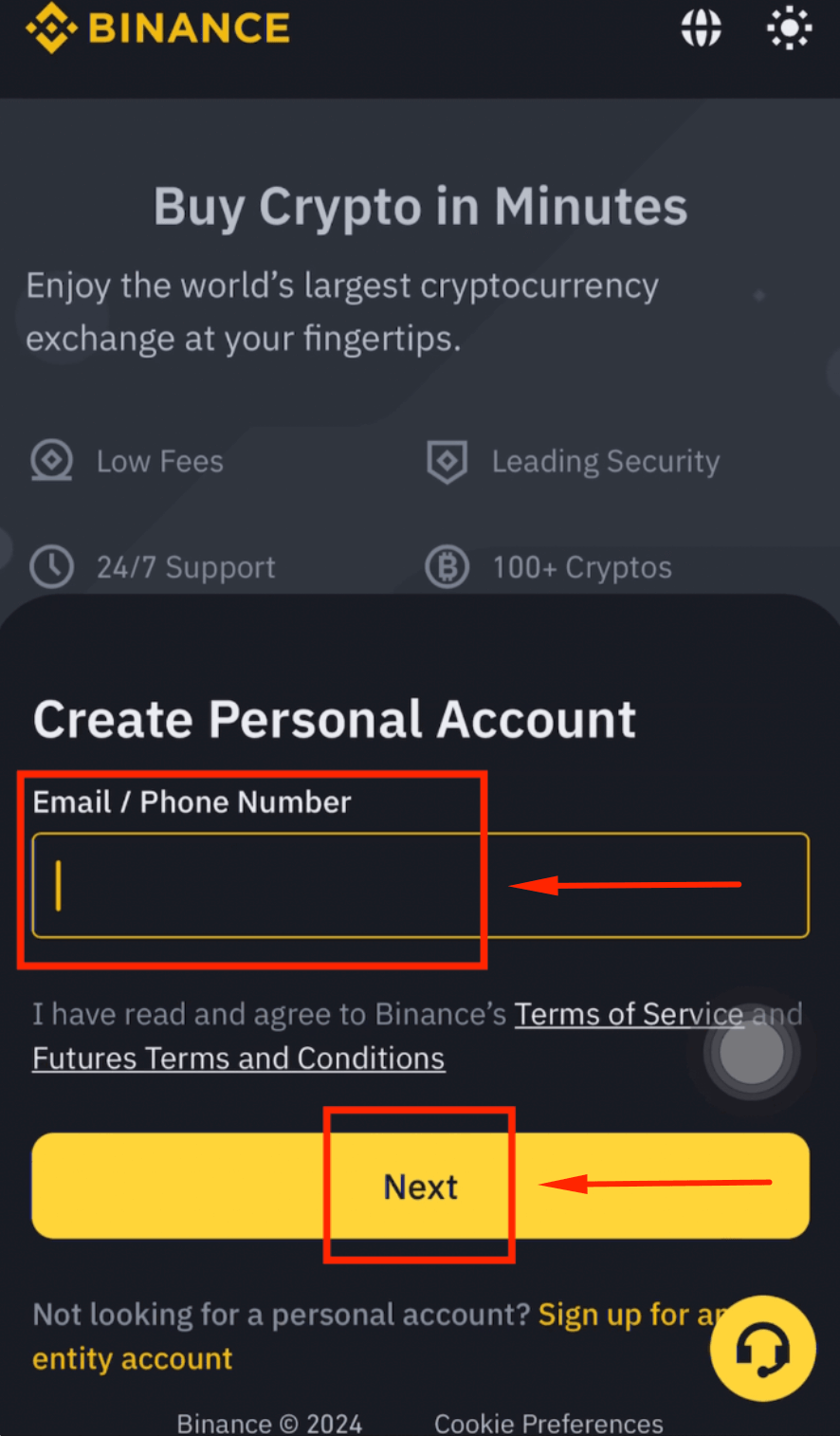
Step 3: Enter Your Email Address
Type your email address and click [Next].
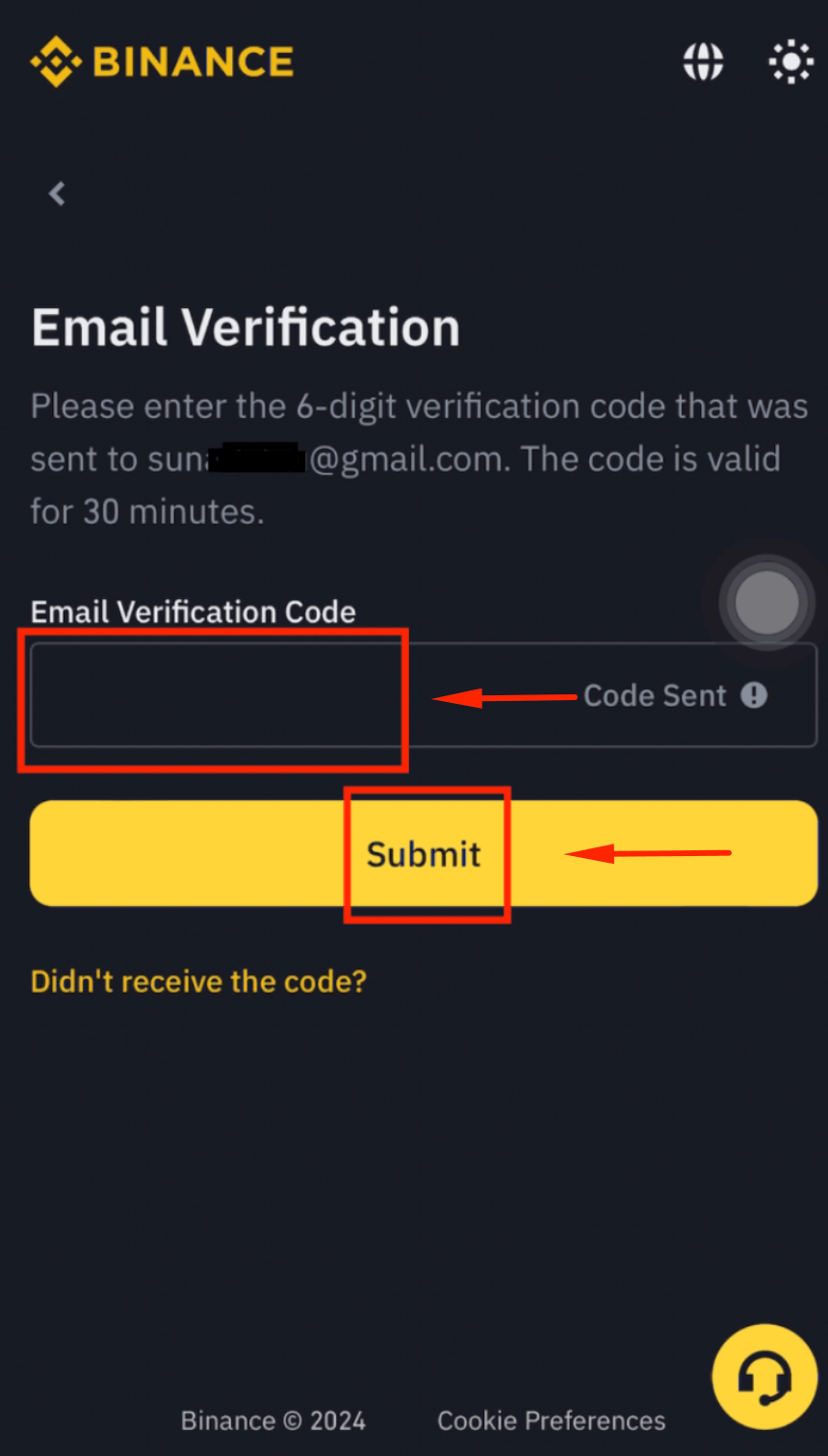
Step 4: Verify Your Email
Enter the verification code sent to your email and click [Submit].
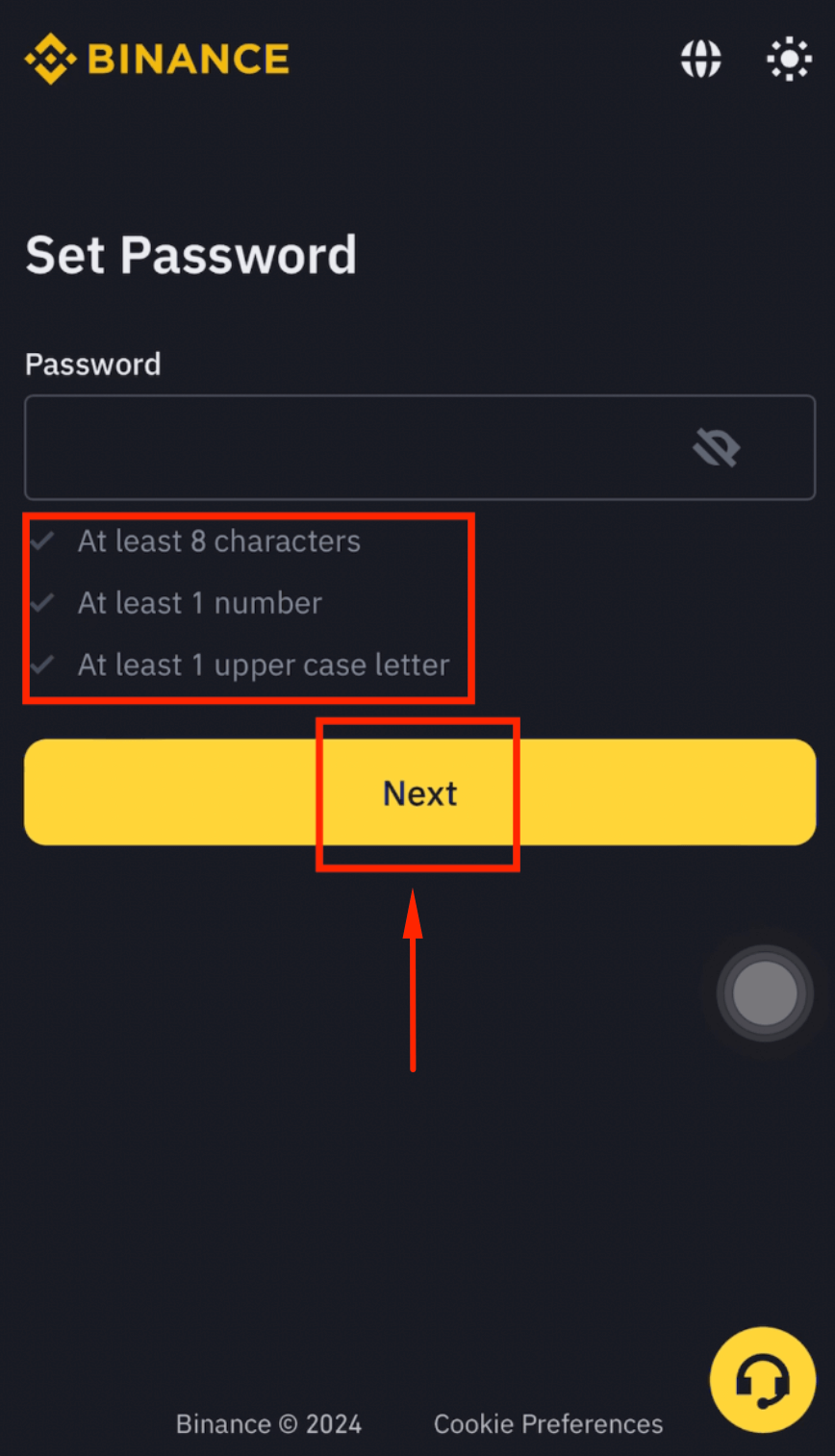
Step 5: Set Your Password
Create a strong password and click [Next].
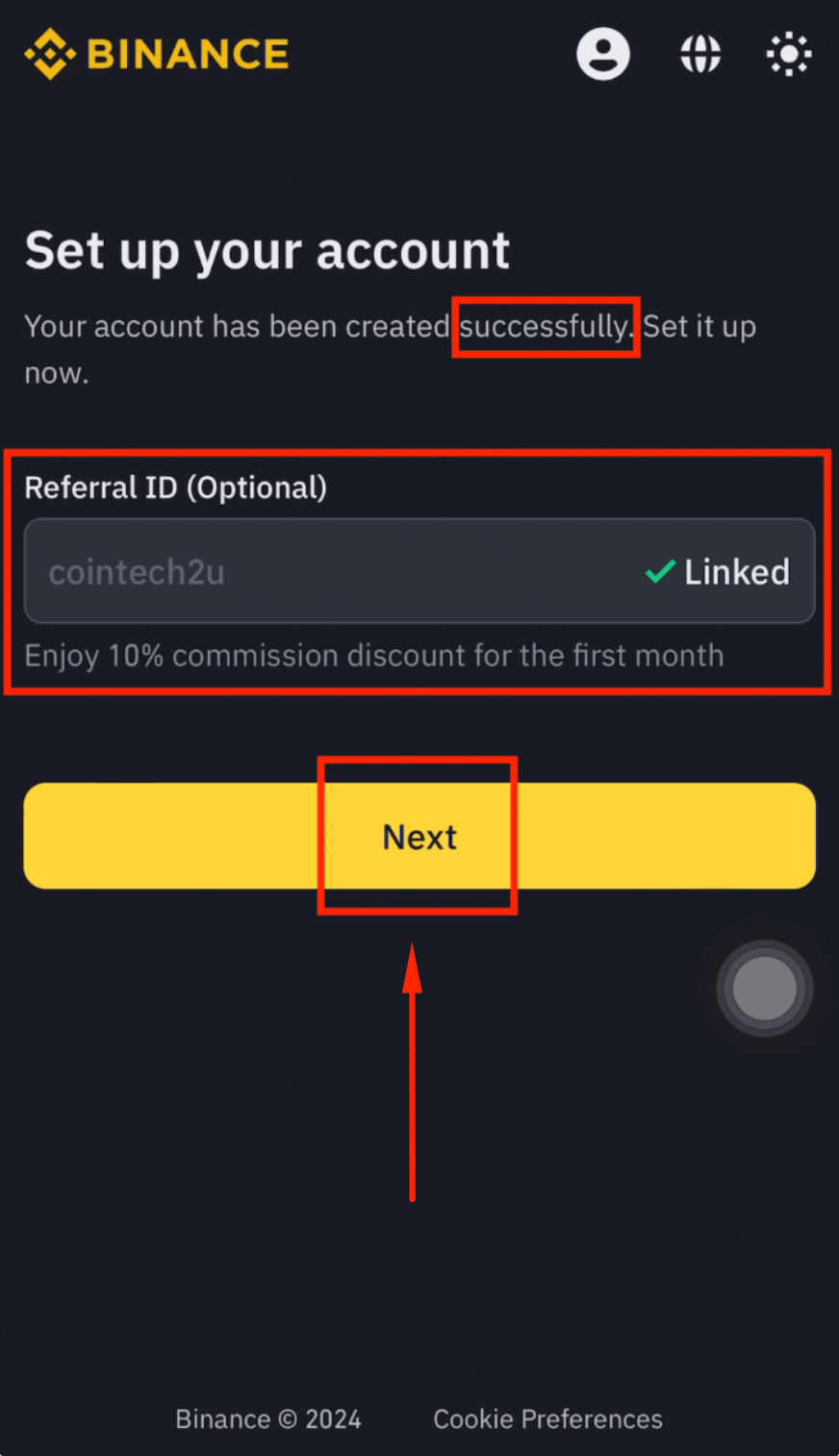
Step 6: Confirm the Referral ID
Verify that the Referral ID shows "cointech2u" automatically. Click [Next].
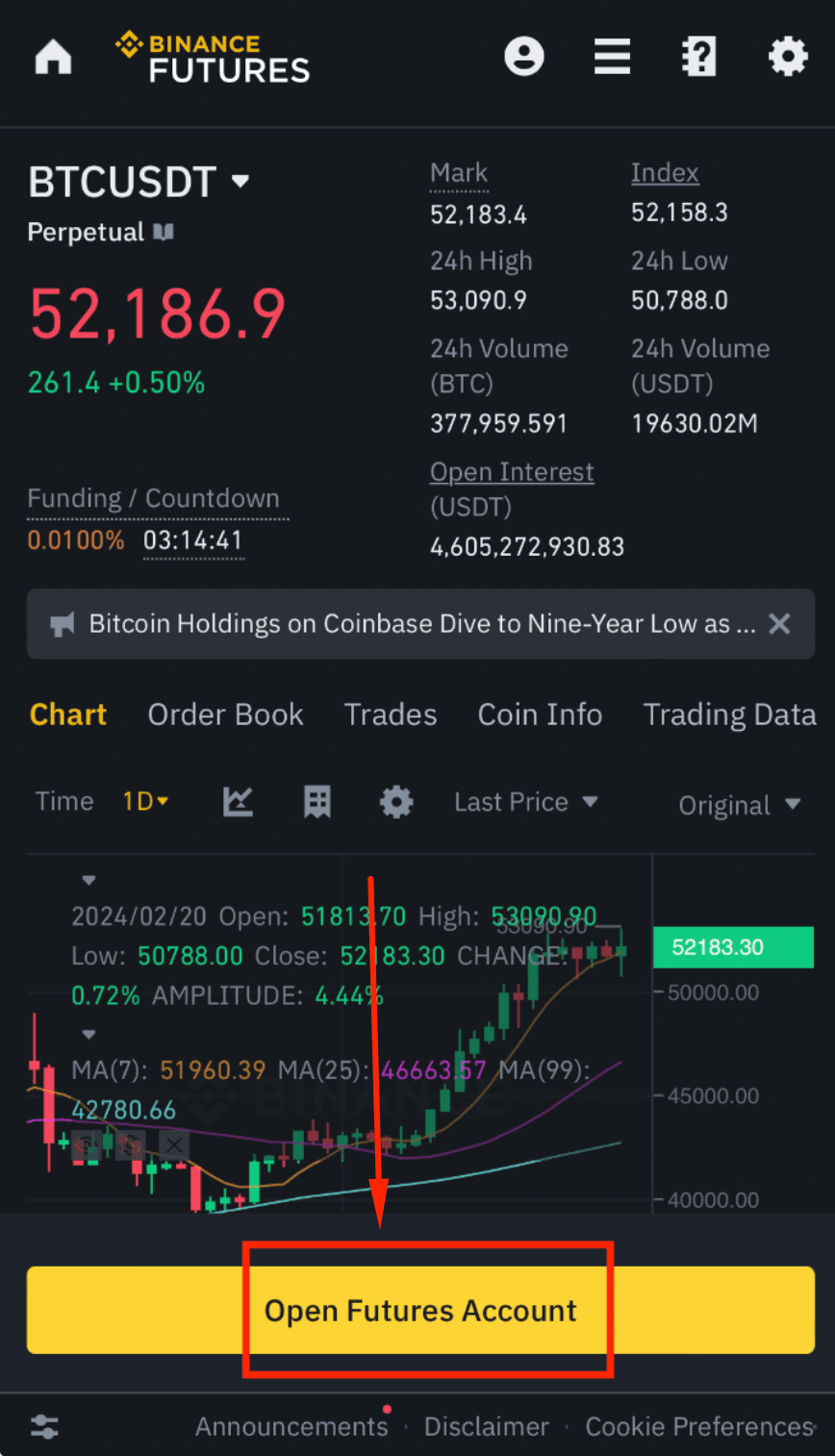
Step 7: Open a Futures Account
Click [Open Futures Account] to enable futures trading on your account.
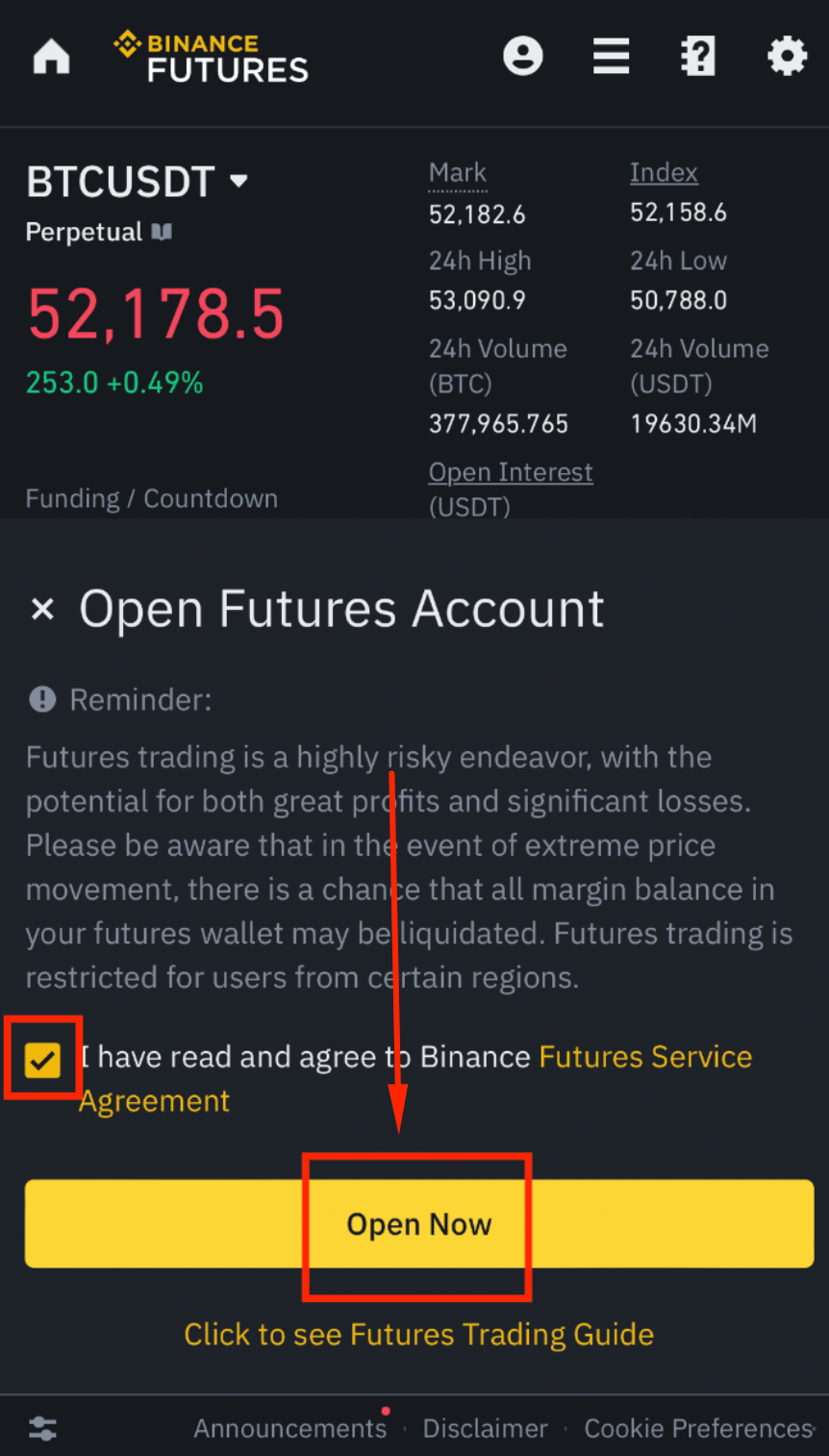
Step 8: Agree to the Terms
Tick the checkbox "I have read and agree..." and click [Open Now].
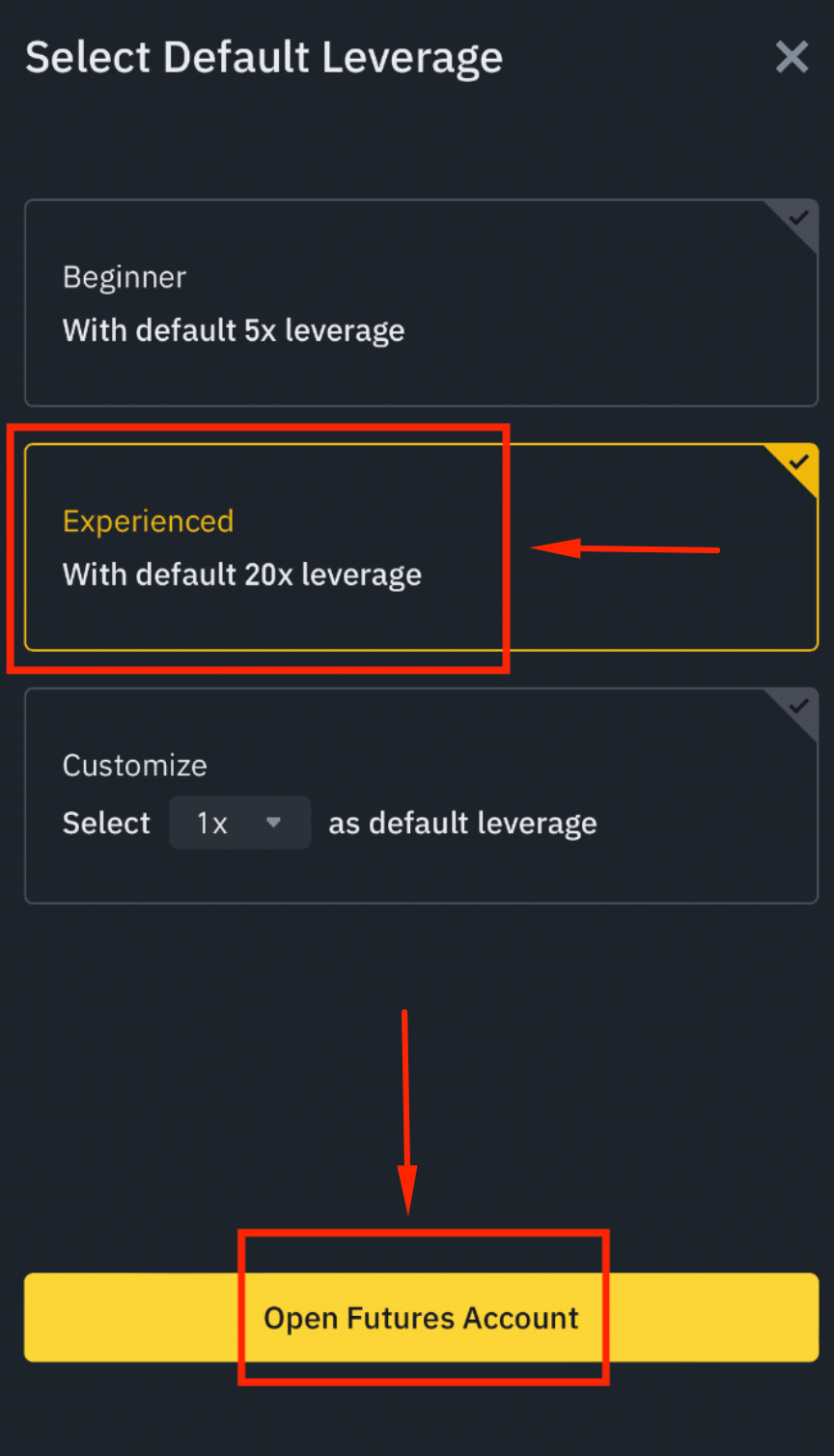
Step 9: Select Experience Level
Choose "Experienced: With default 20x leverage" and click [Open Futures Account].
Download the Binance App & Log In
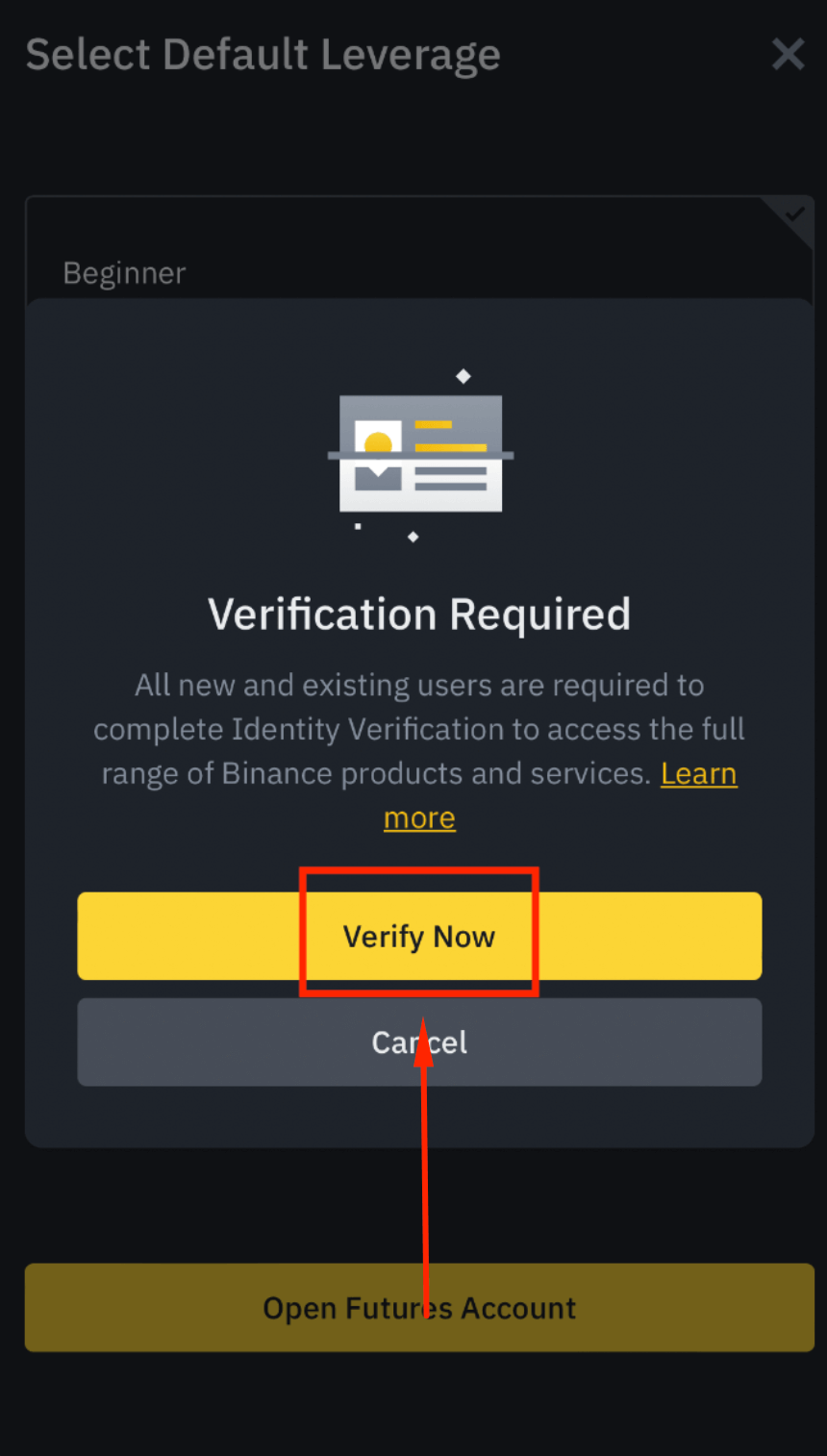
Step 10: Start Identity Verification
Click [Verify Now] to begin the KYC process.
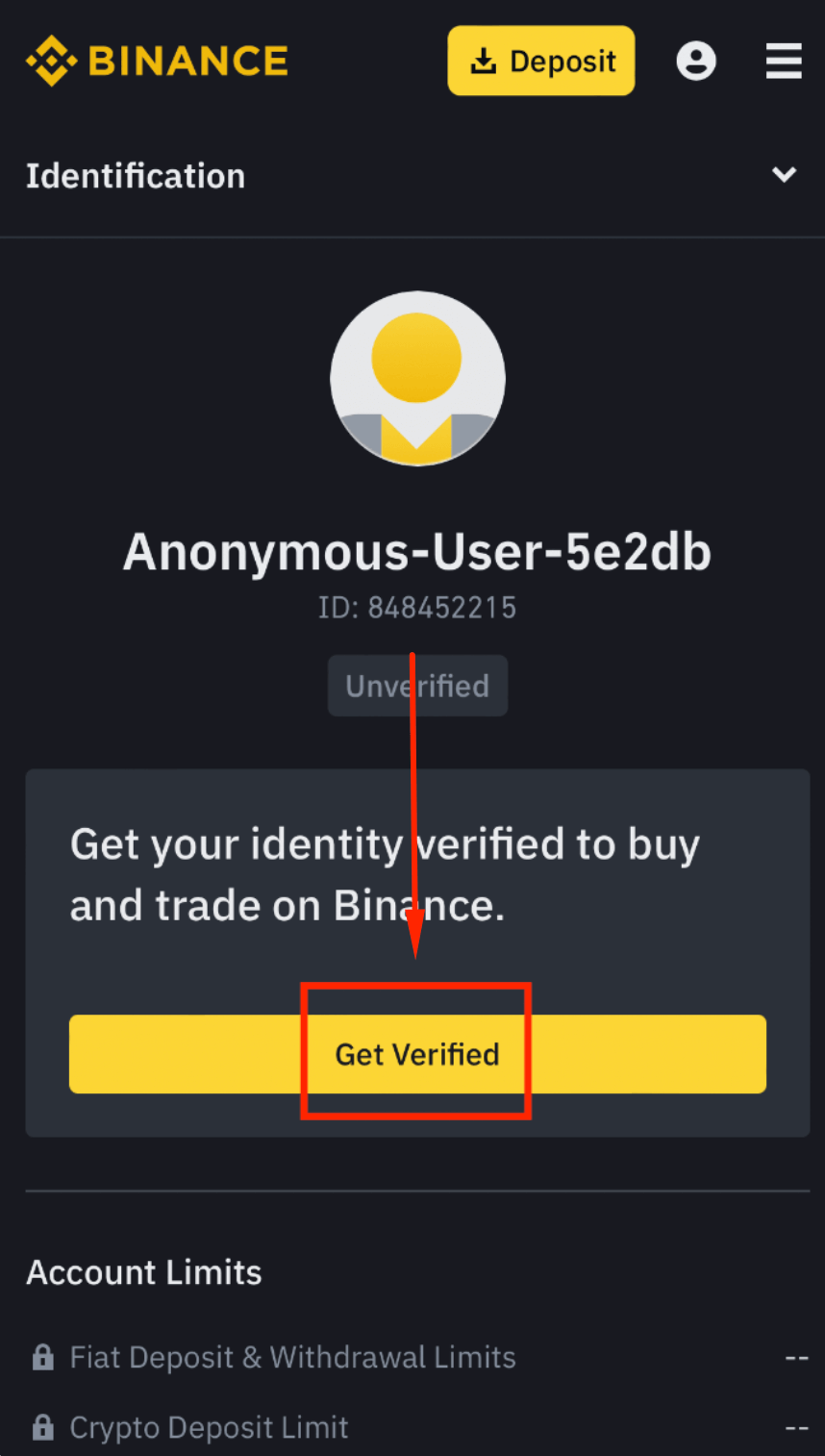
Step 11: Get Verified
Click [Get Verified] to proceed.
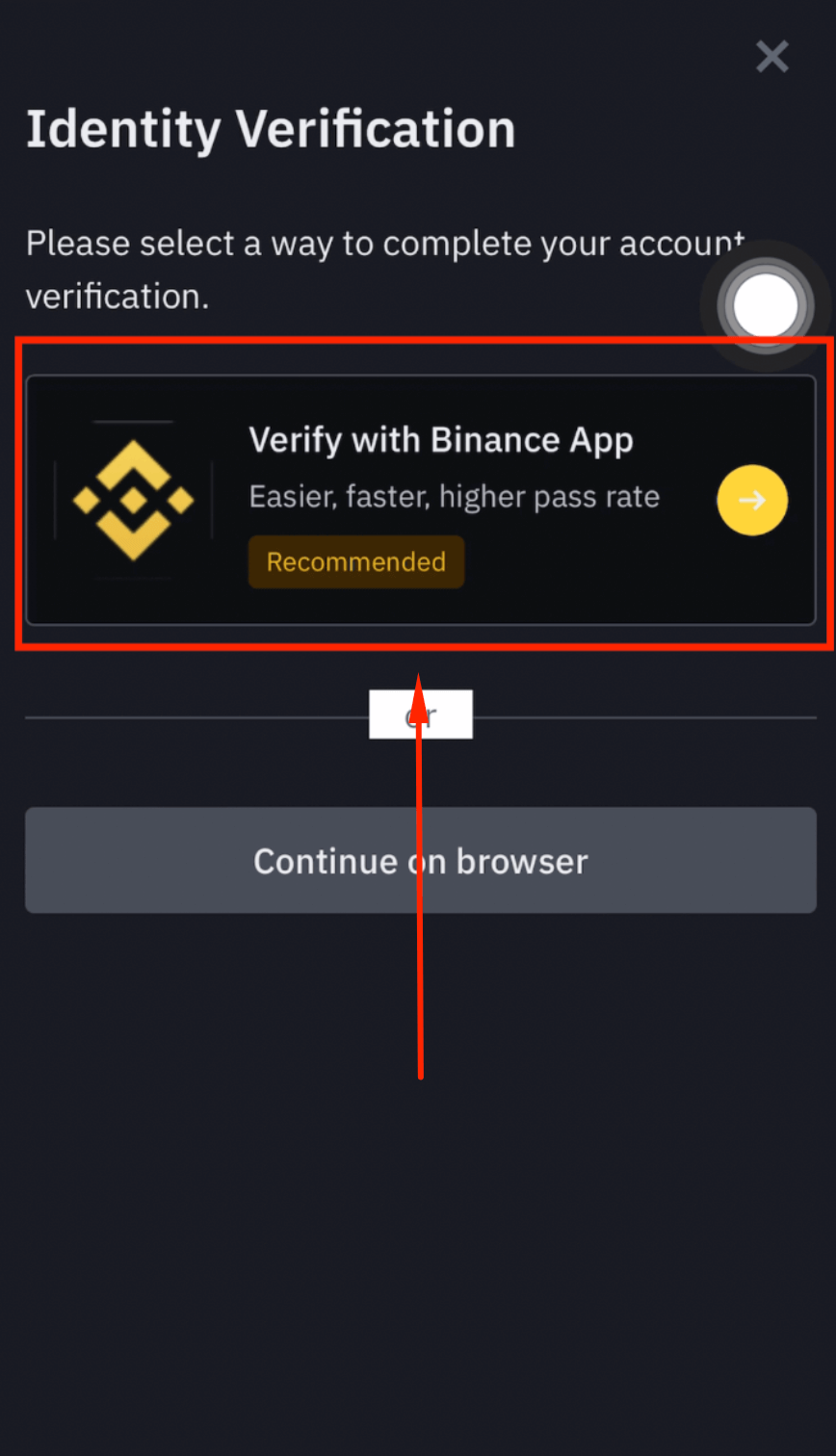
Step 12: Choose Verification via Binance App
Select [Verify with Binance App] for the fastest verification method.
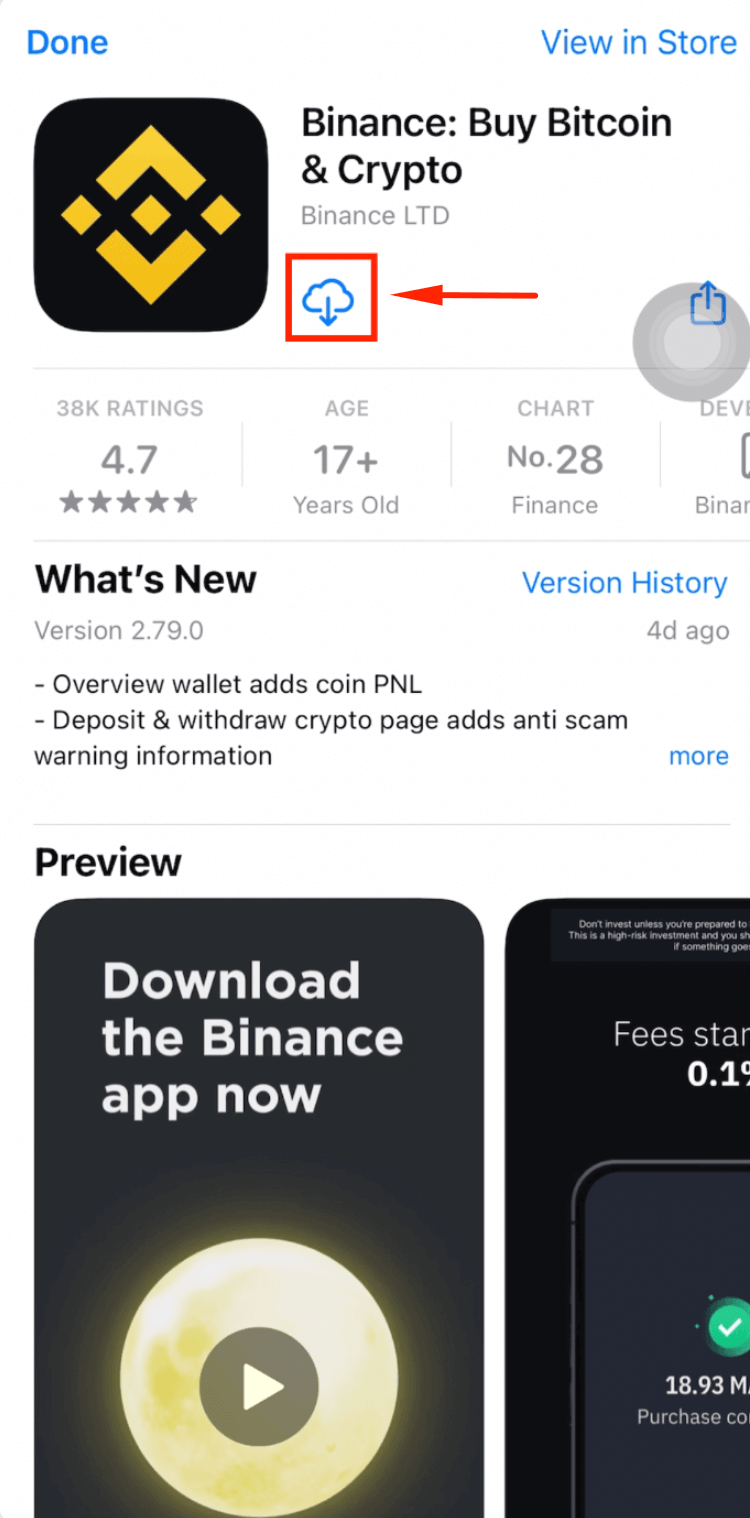
Step 13: Download the Binance App
Download the Binance App from the App Store (iOS) or Play Store (Android).
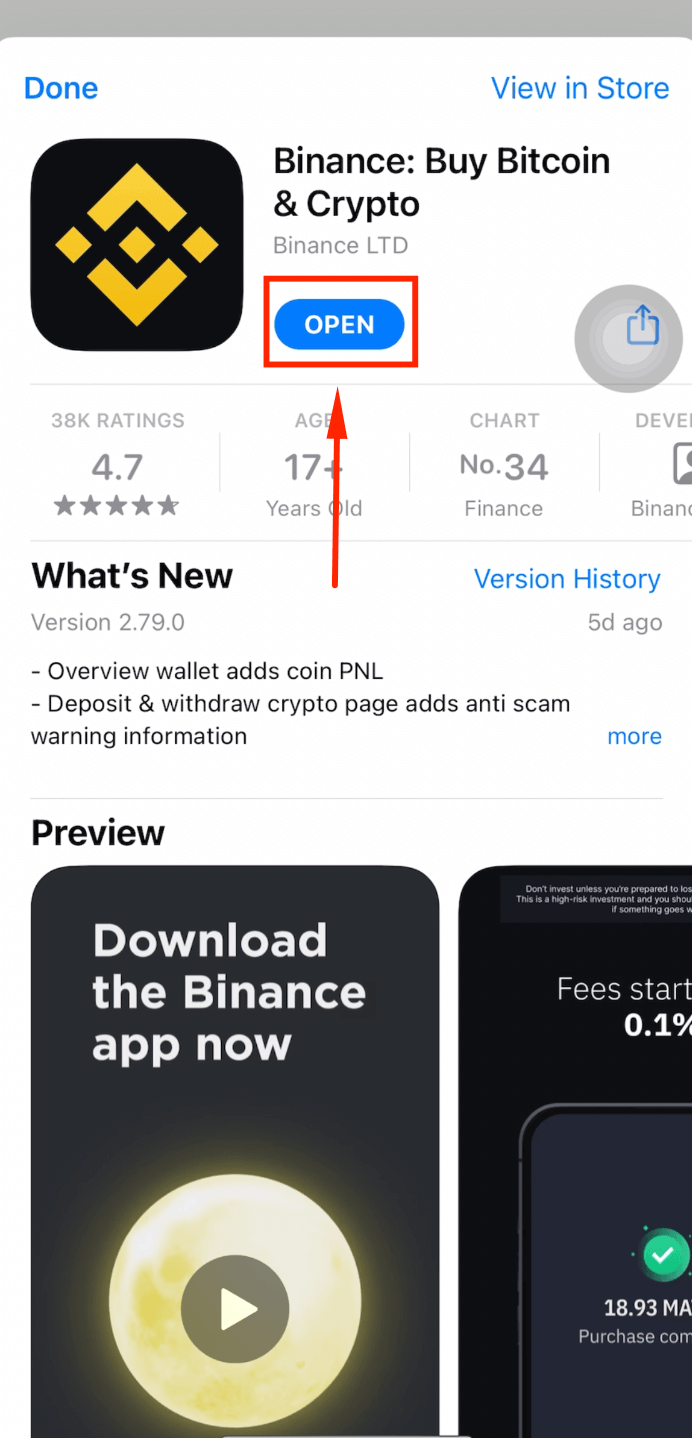
Step 14: Open the App
Tap [Open] after the download completes.
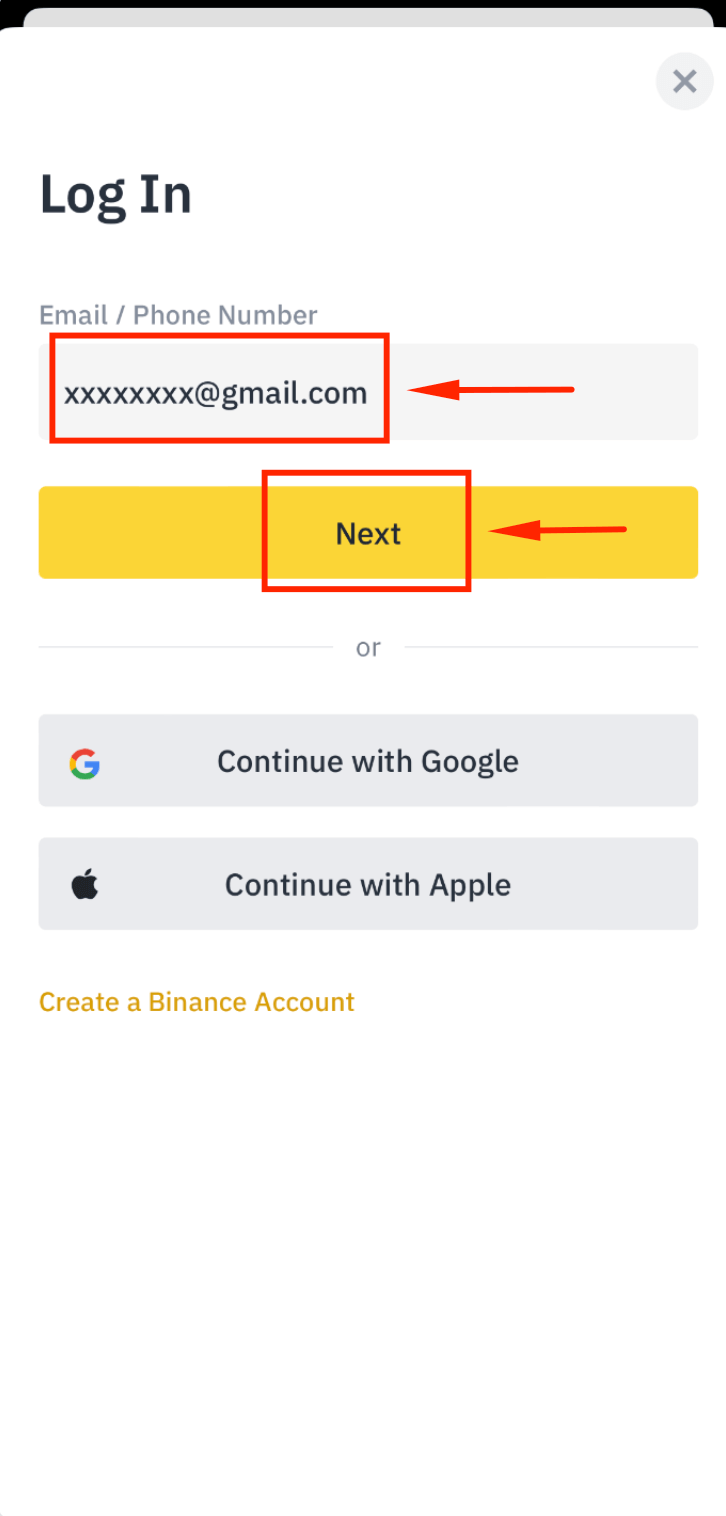
Step 15: Log In with Your Email
Enter your registered email address and tap [Next].
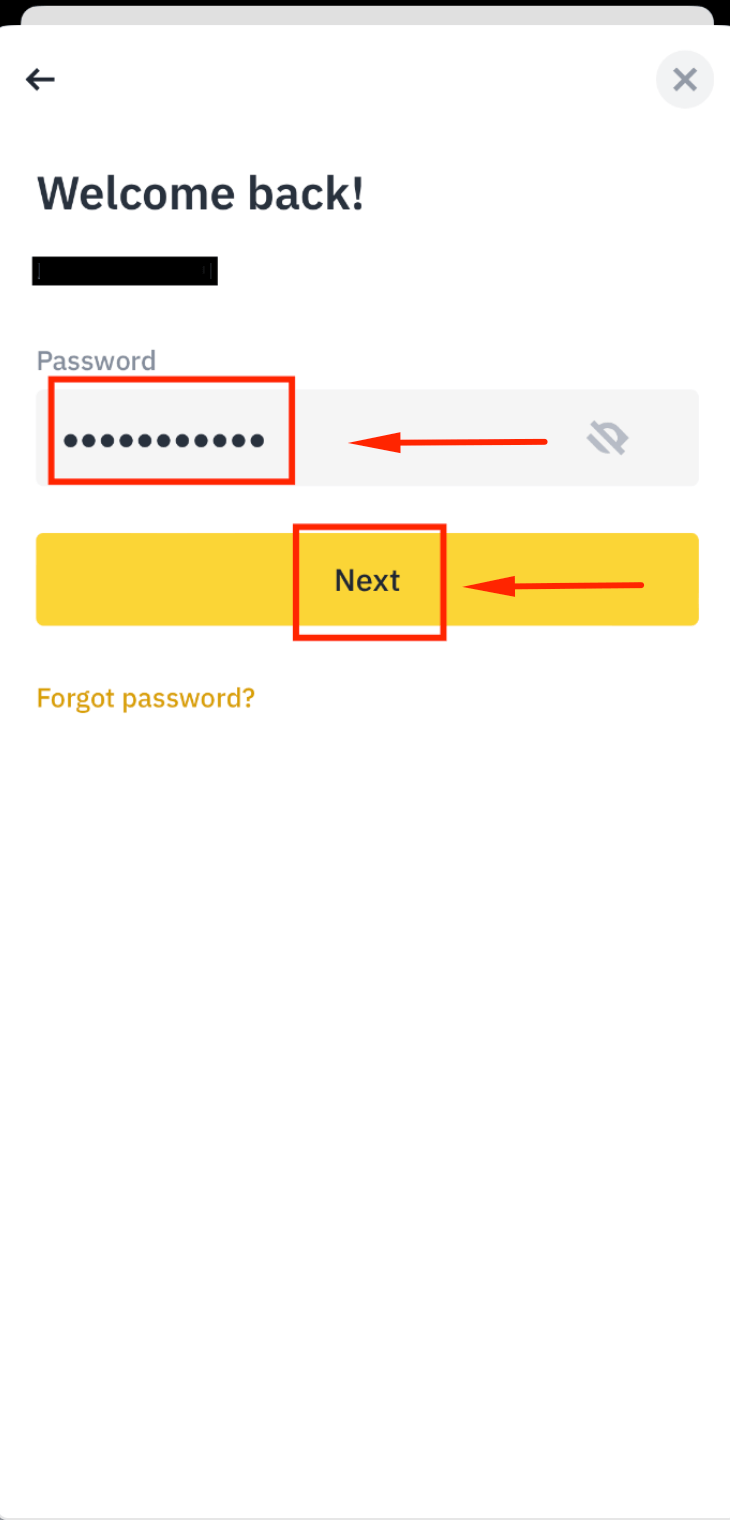
Step 16: Enter Your Password
Type your password and tap [Next].
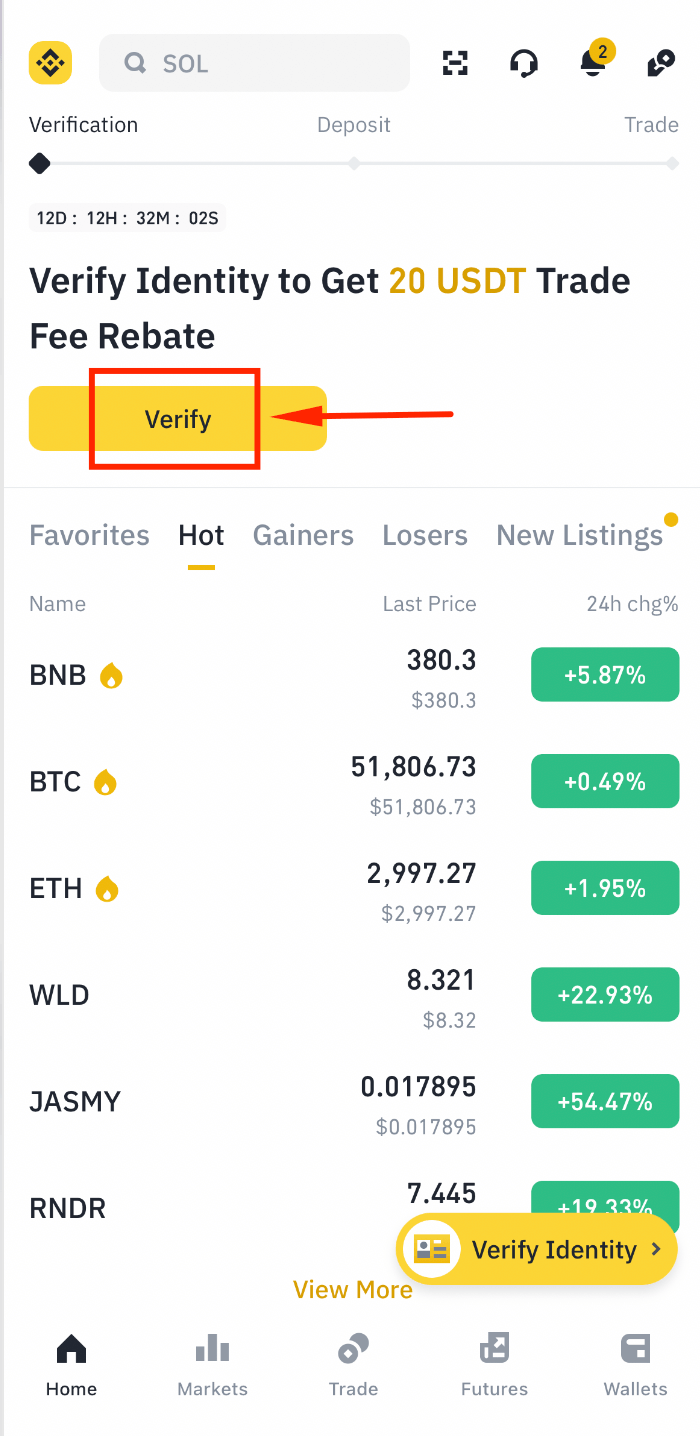
Step 17: Complete Security Verification
Click [Verify] to complete the security puzzle.
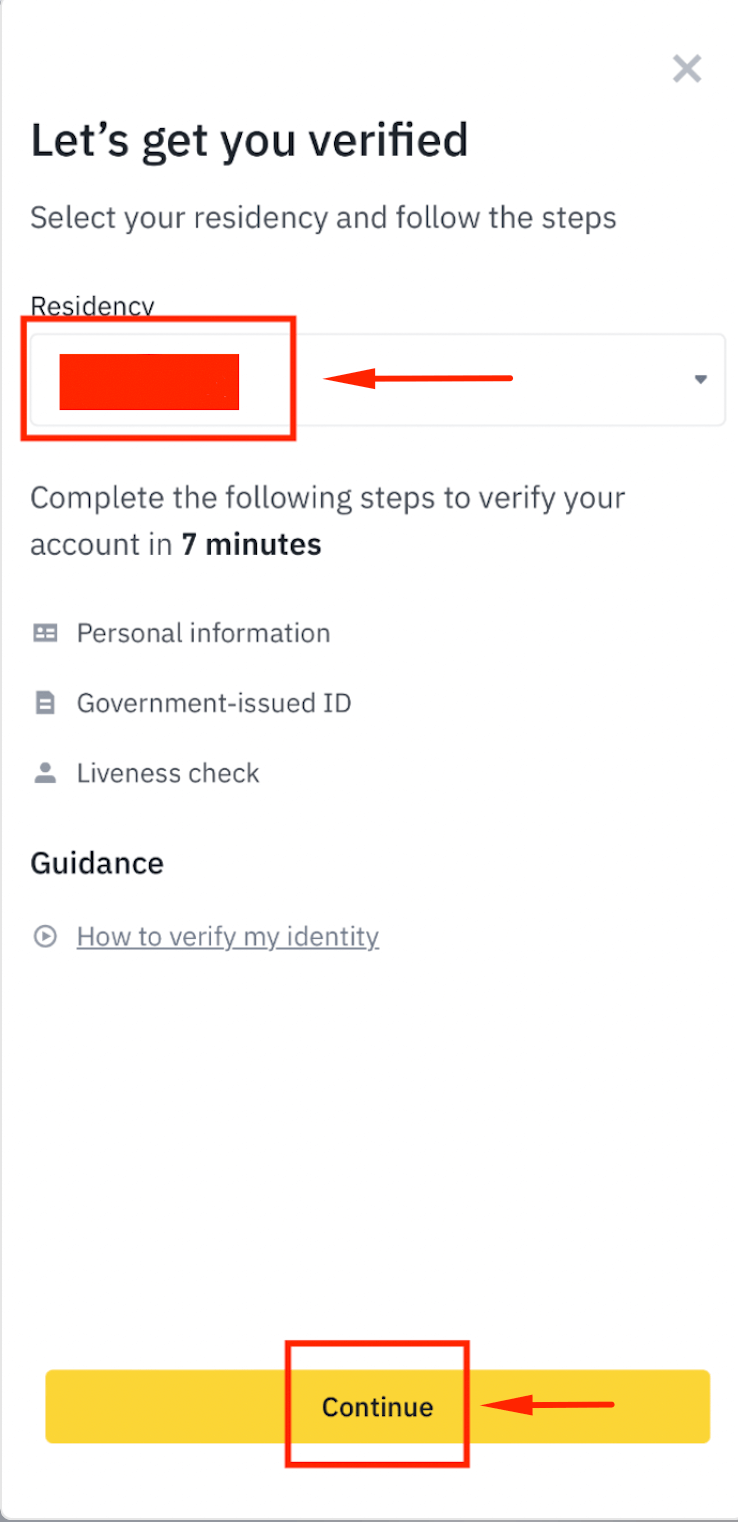
Complete Binance KYC Verification
Step 18: Select Your Country
Choose your country of residence and tap [Continue].
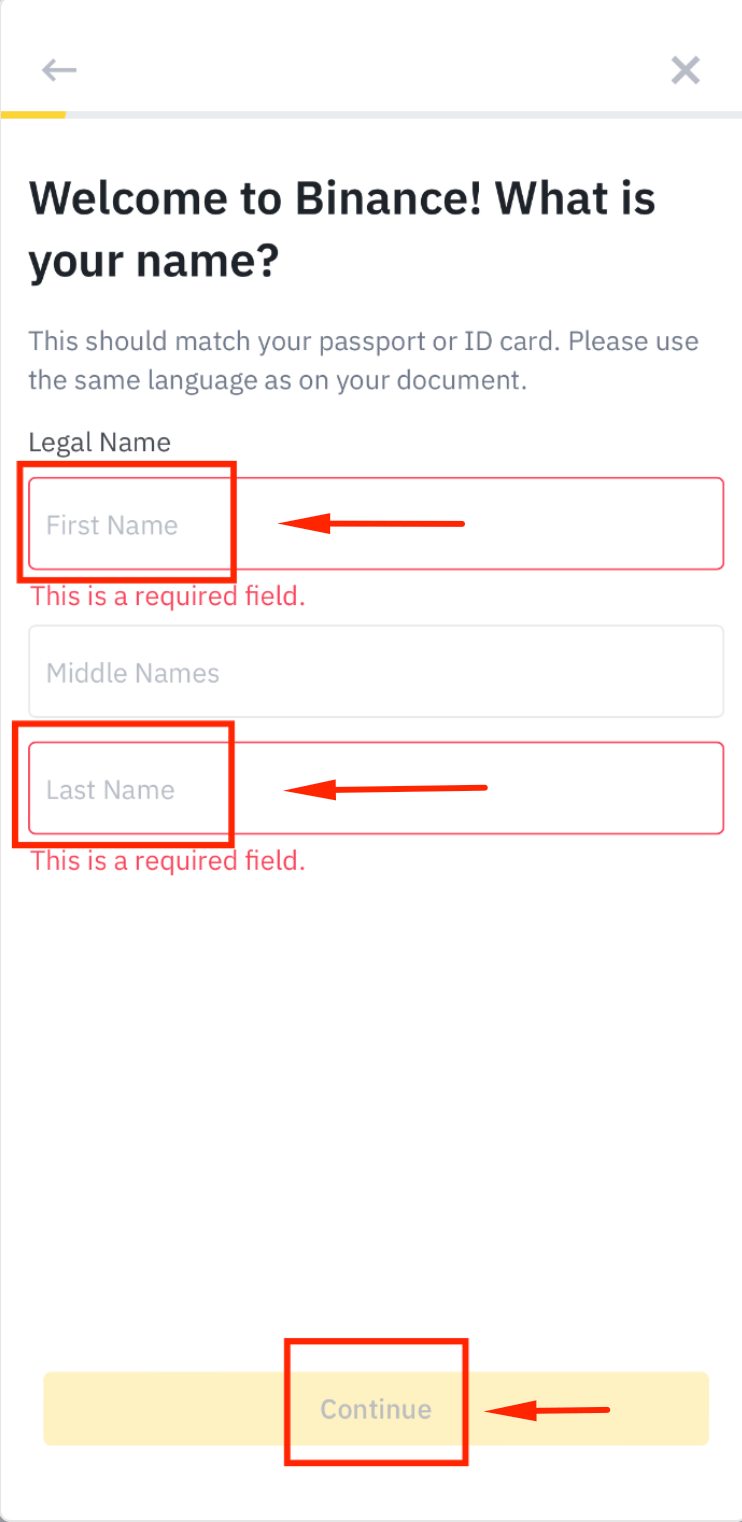
Step 19: Enter Your Full Name
Type your full name exactly as it appears on your ID card and tap [Continue].
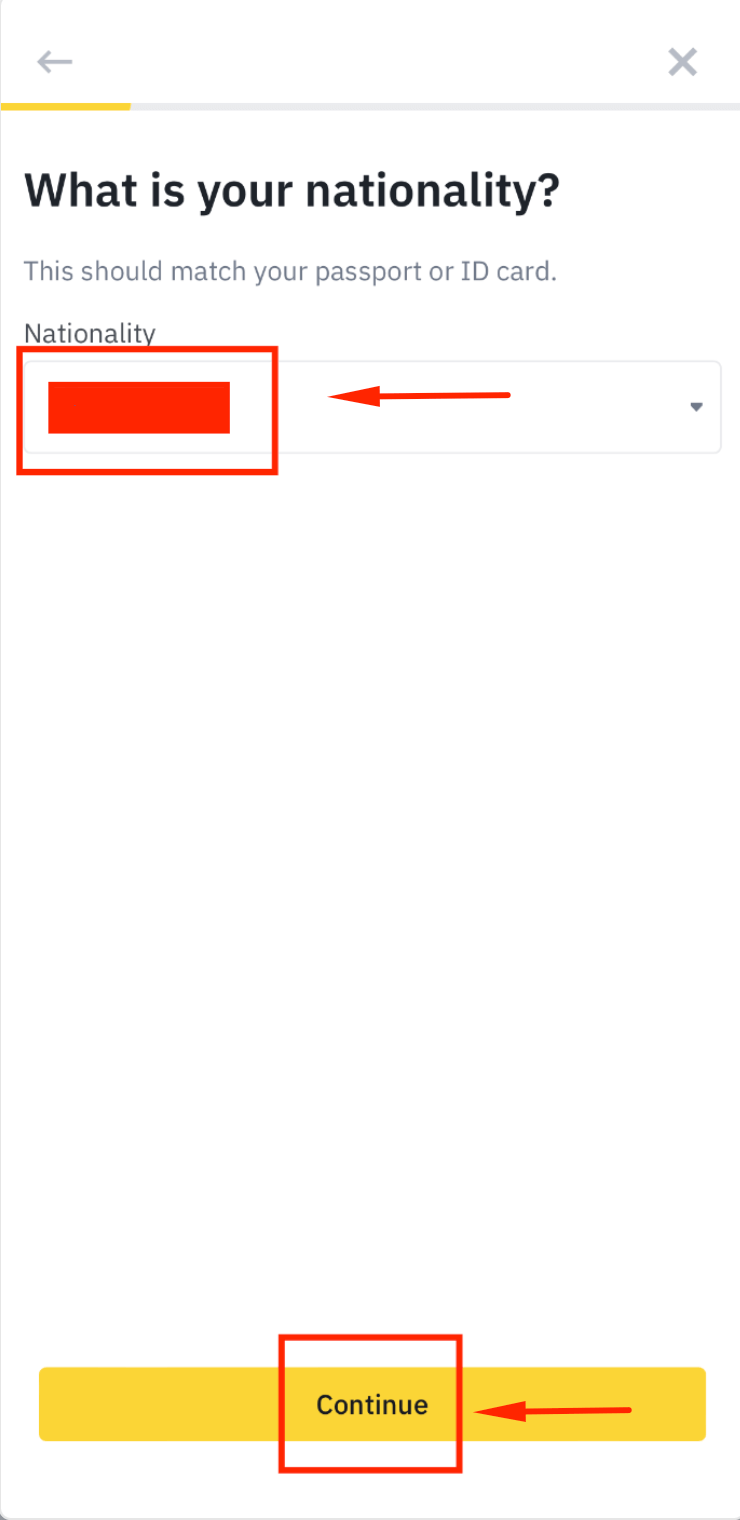
Step 20: Select Your Nationality
Choose your nationality and tap [Continue].
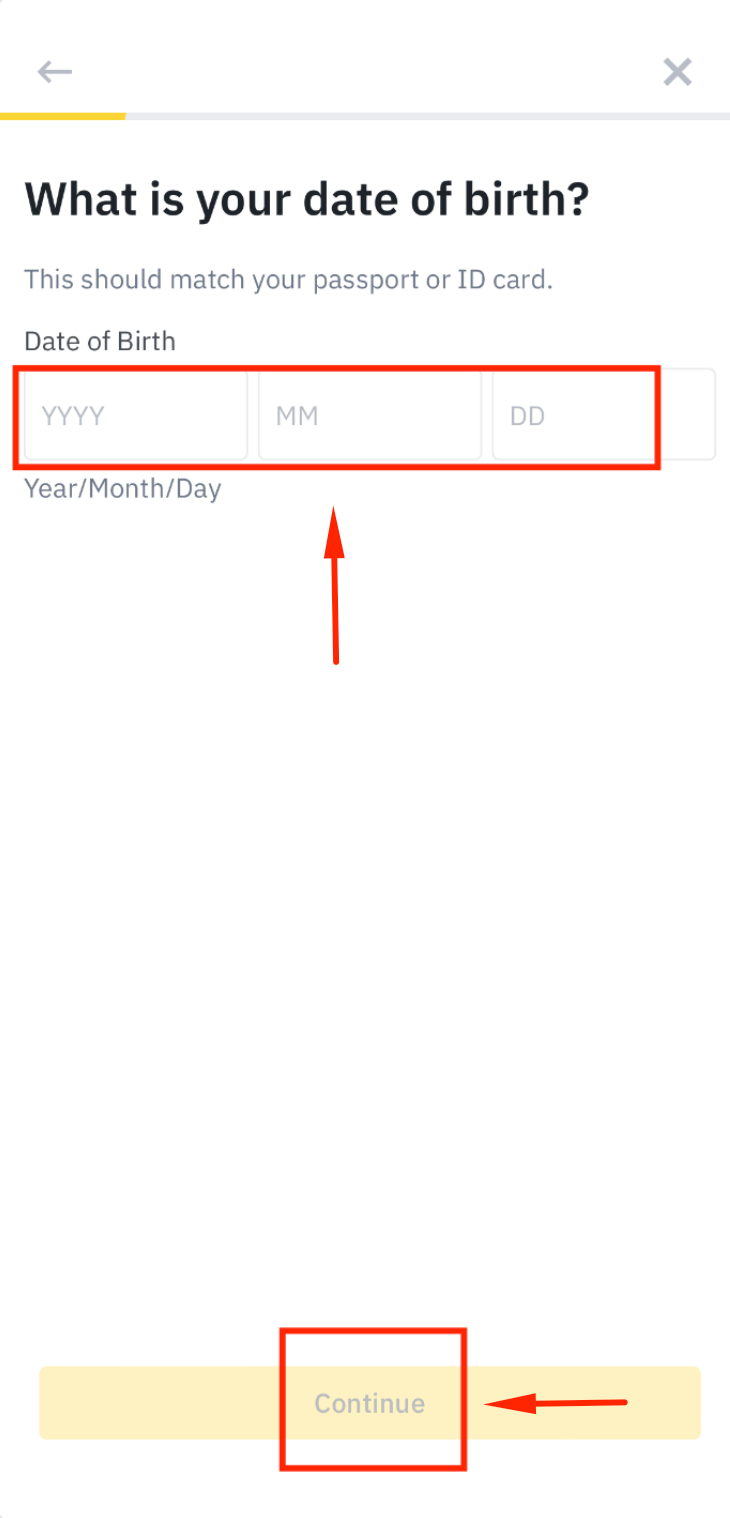
Step 21: Enter Your Date of Birth
Fill in your date of birth and tap [Continue].
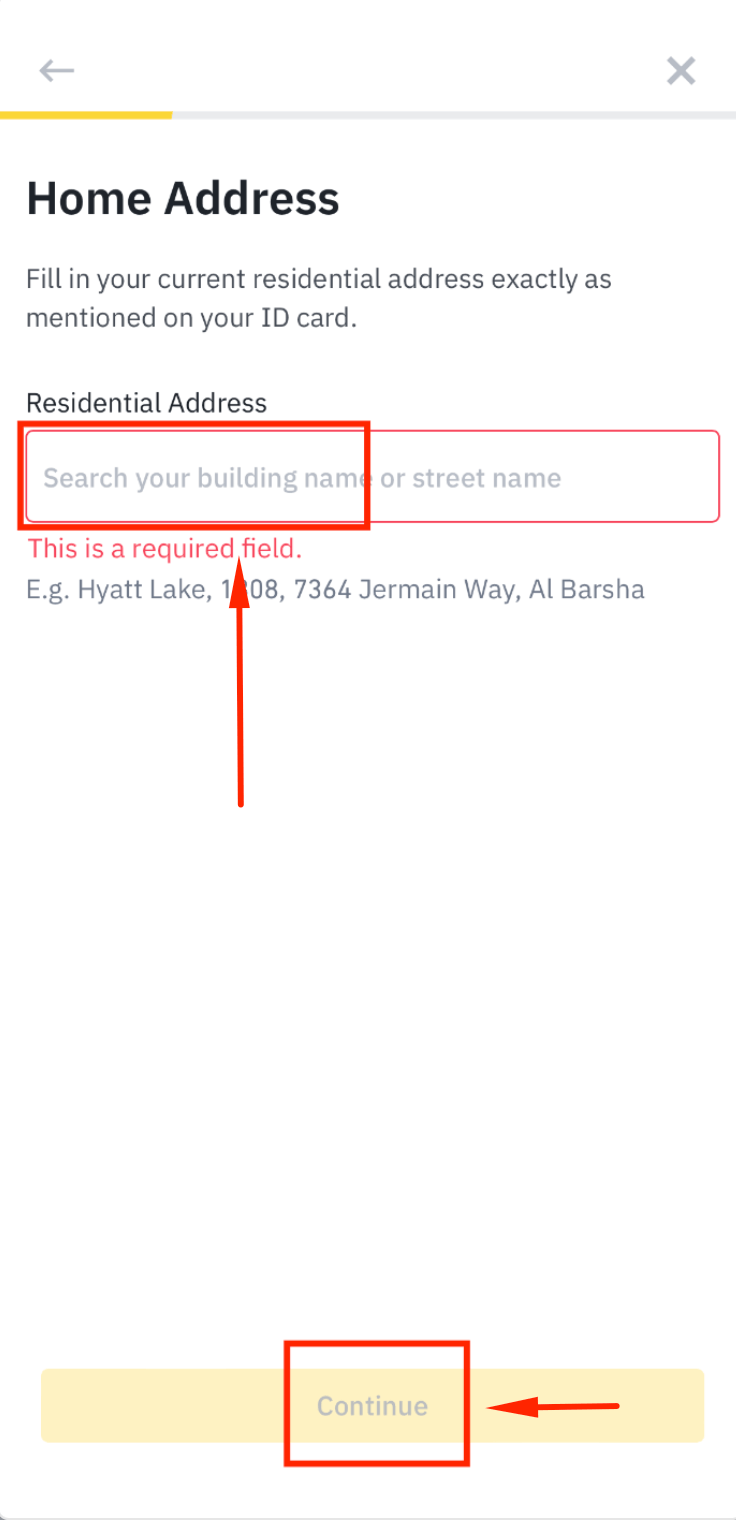
Step 22: Enter Your Residential Address
Fill in your residential address and tap [Continue].
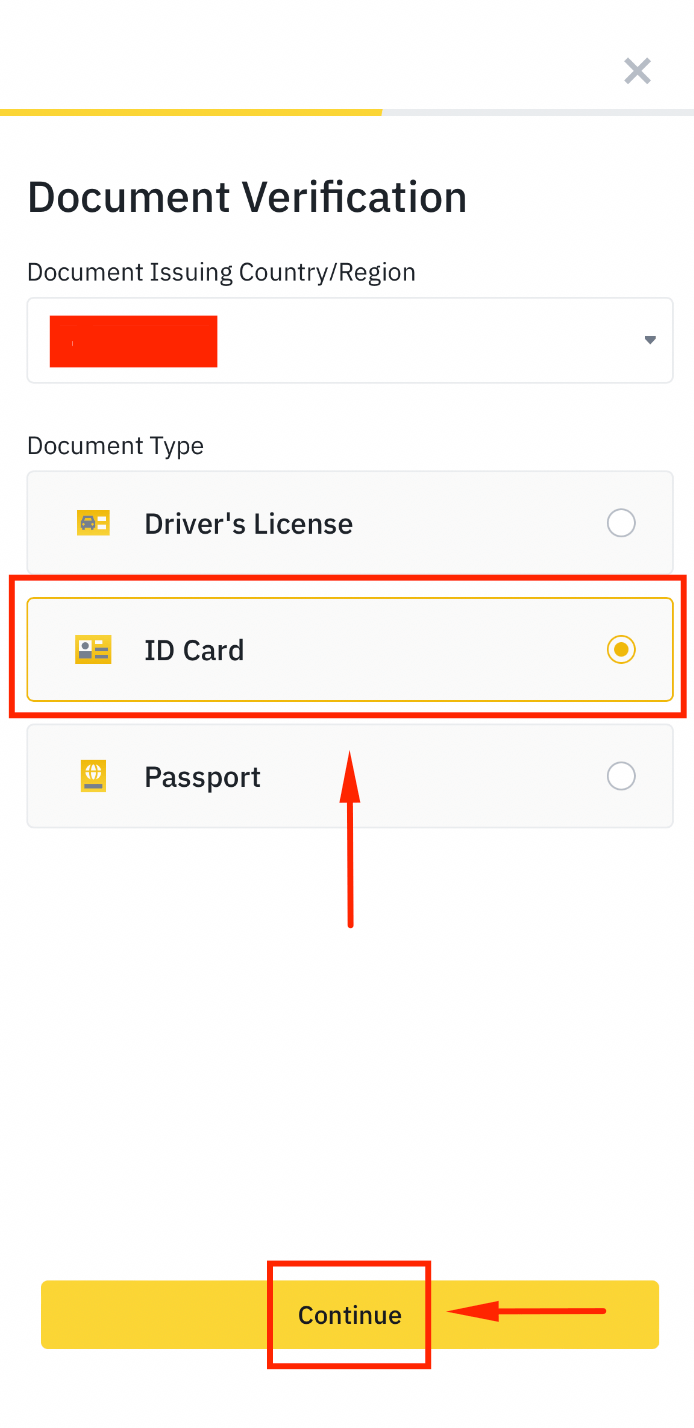
Step 23: Choose Your ID Type
Select [ID Card] as your identification document and tap [Continue].
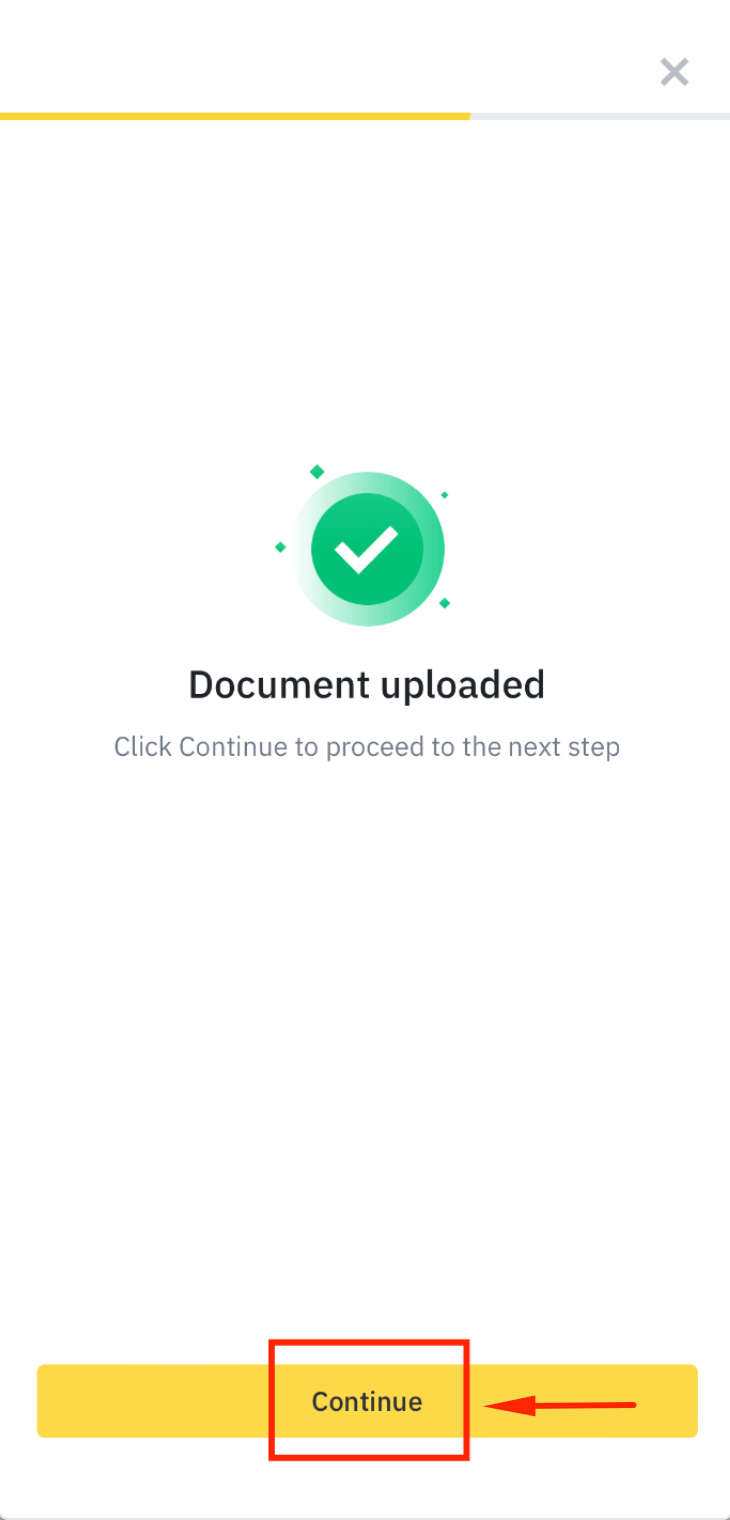
Step 24: Upload Your ID Card Photos
Take clear photos of the front and back of your ID card, then tap [Continue].
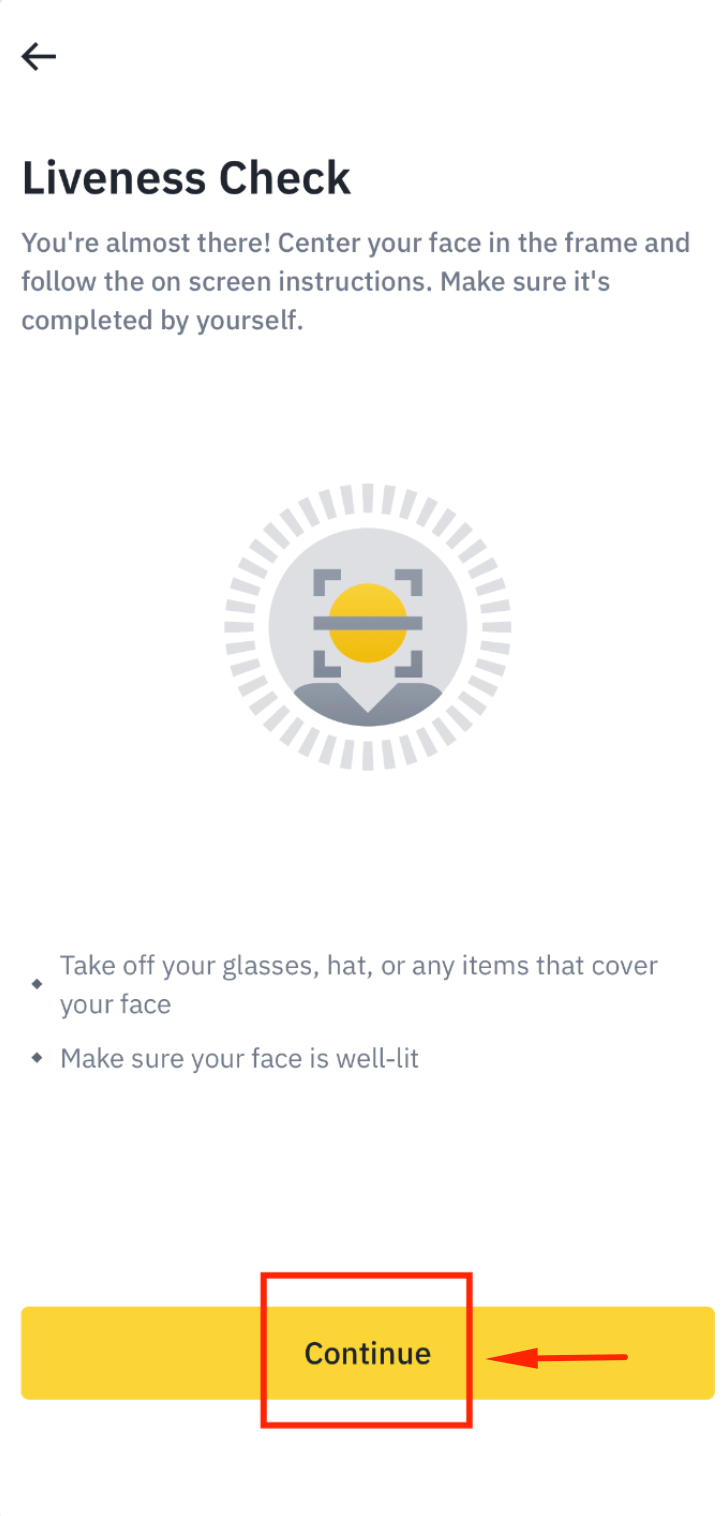
Step 25: Complete Face Authentication
Tap [Continue] and follow the on-screen instructions to complete face authentication.

Step 26: Close the Verification Screen
Tap [Close] after completing the face authentication step.
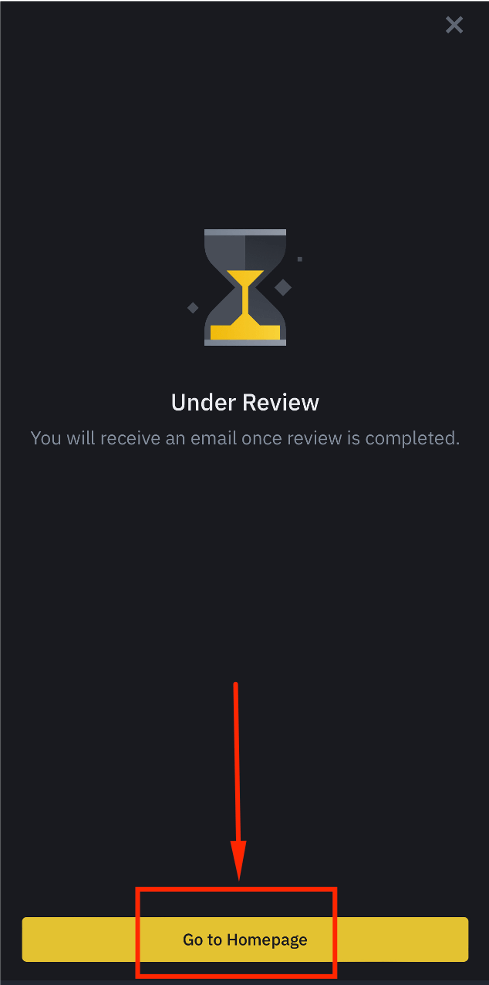
Step 27: KYC Pending Review
Your KYC verification is now pending review. Tap [Go to Homepage] while you wait.
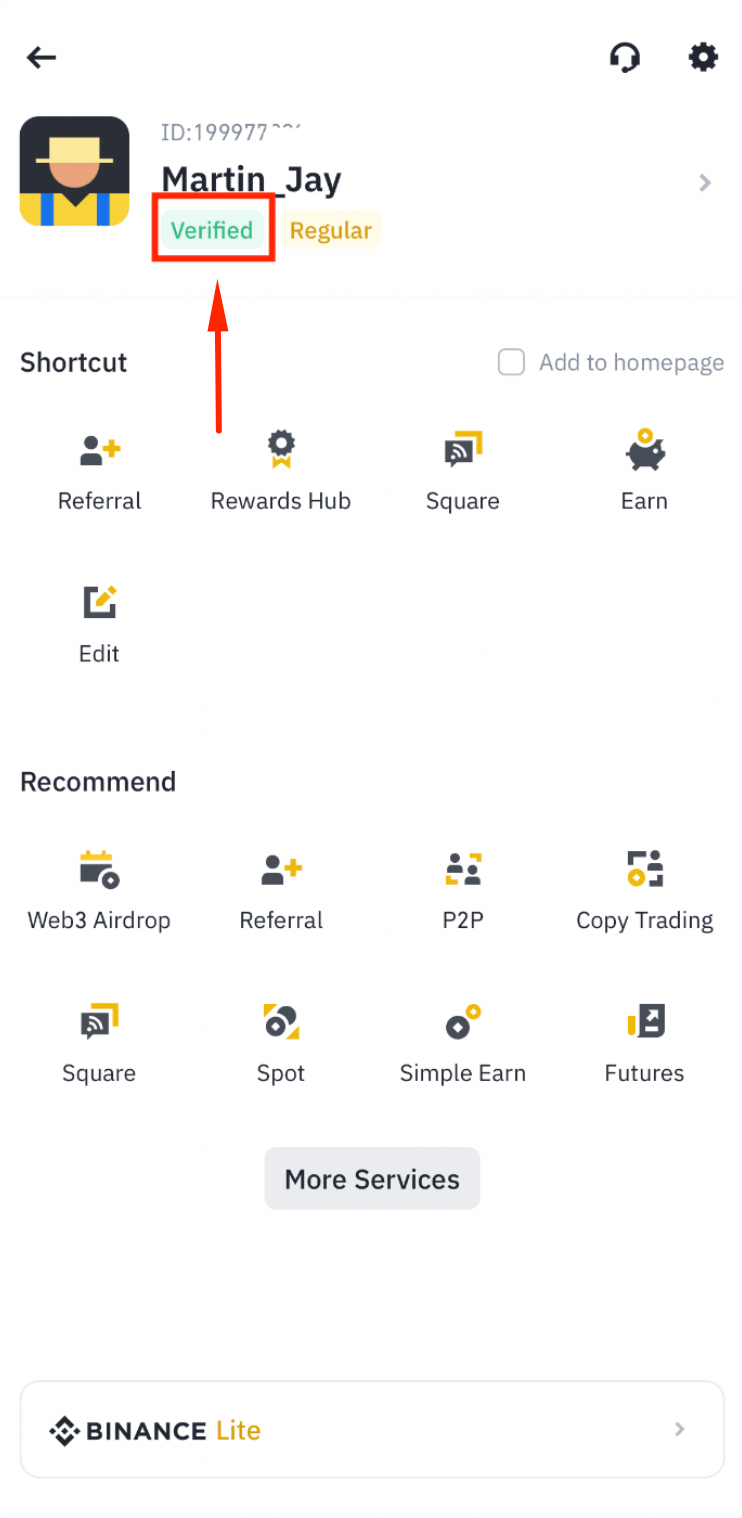
Step 28: KYC Verified Successfully
Your KYC is now verified by Binance. You are ready to proceed to the next step.
Frequently Asked Questions
What is Binance and why should I use it for crypto trading?
Binance is the world's largest cryptocurrency exchange by trading volume; at its 9th anniversary in July 2026, Binance announced over 323 million registered users (source). It offers hundreds of trading pairs, advanced futures trading, low fees, and robust security features. CoinTech2u's AI trading bot connects to Binance via API to execute automated trades on your behalf while your funds remain in your own Binance account.
How long does Binance KYC verification take?
Binance KYC verification typically takes a few minutes to a few hours. In most cases, the automated identity check is completed within 10 minutes after you submit your ID card photos and face authentication. During peak periods, it may take up to 24 hours.
Is Binance safe and secure for cryptocurrency trading?
Yes, Binance is one of the most secure cryptocurrency exchanges. It uses two-factor authentication, cold wallet storage for the majority of funds, real-time monitoring, and the Secure Asset Fund for Users (SAFU) as an emergency insurance fund to protect traders.
Why do I need to enable a Binance futures account?
CoinTech2u's AI trading bot uses futures trading to maximize returns and manage risk. Futures allow the bot to profit from both rising and falling markets. Enabling your futures account is required before you can bind your Binance API key to CoinTech2u and start automated trading.
What's Next?
Now that your Binance account is registered and verified, proceed to create an API key and bind it to CoinTech2u.
Next: Create API Key & Bind CoinTech2uStart Your Automated Trading Journey
Register CoinTech2u for free and connect your Binance account to start earning with AI-powered trading.