Select Portfolio
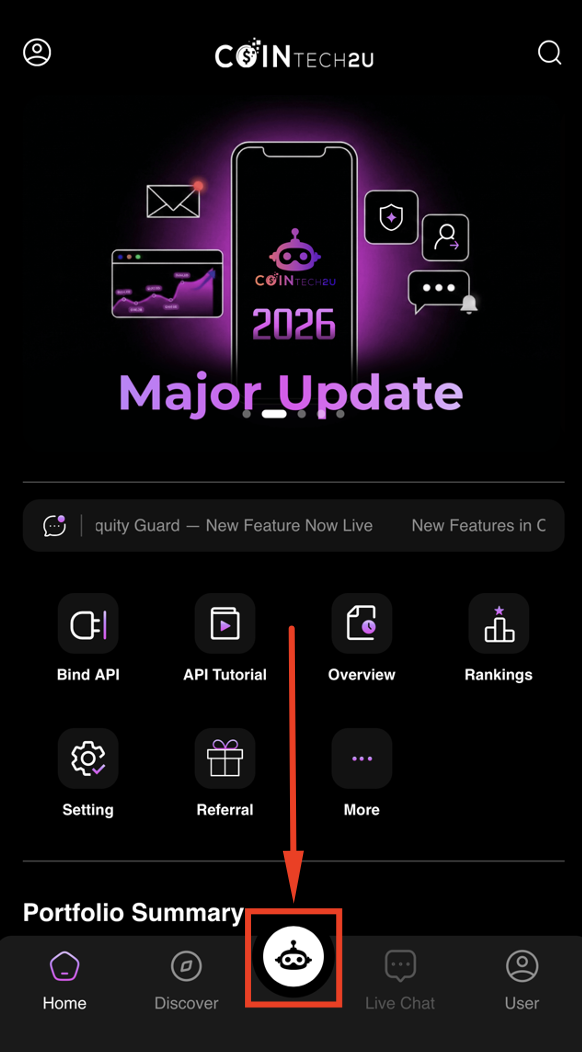
Step 1: Open the CoinTech2u Menu
On the CoinTech2u homepage, tap the [CoinTech2u] logo at the bottom of the screen.
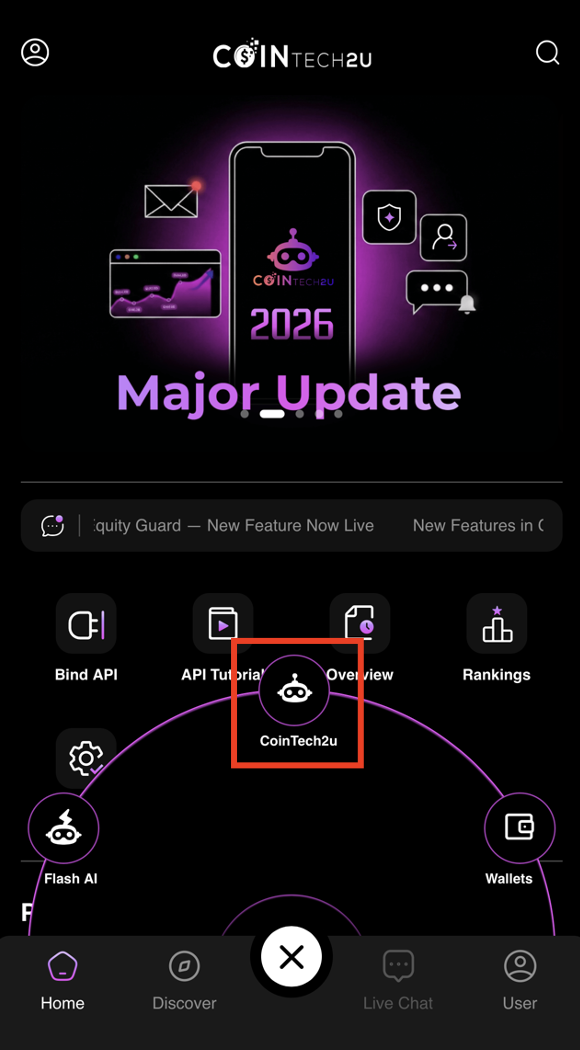
Step 2: Select CoinTech2u
Tap [CoinTech2u] from the menu options.
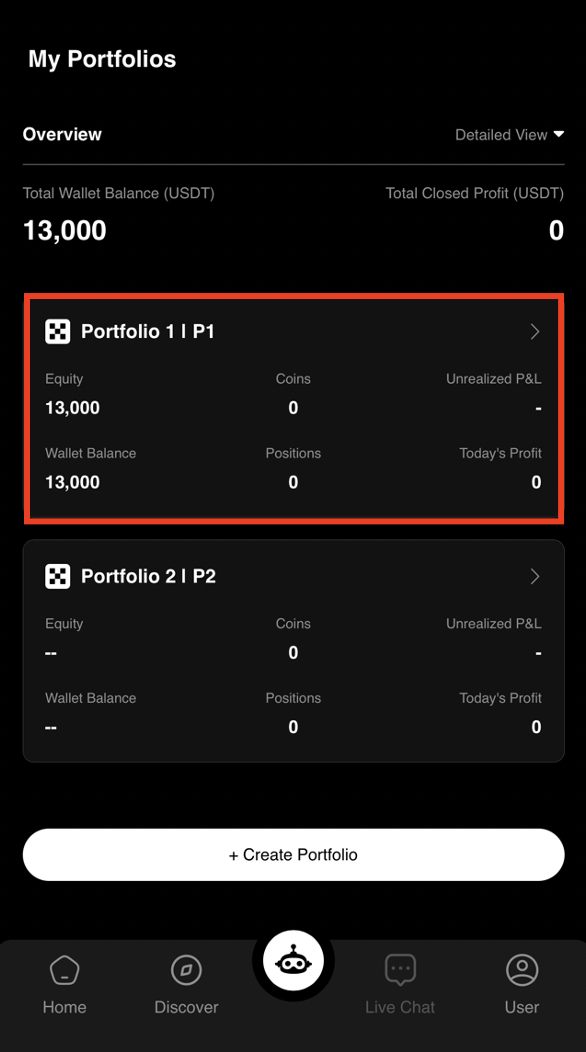
Step 3: Choose Your Portfolio
Tap the portfolio you want to start trading with. Each portfolio is linked to one Binance API key.
Quick Setup & Equity Guard
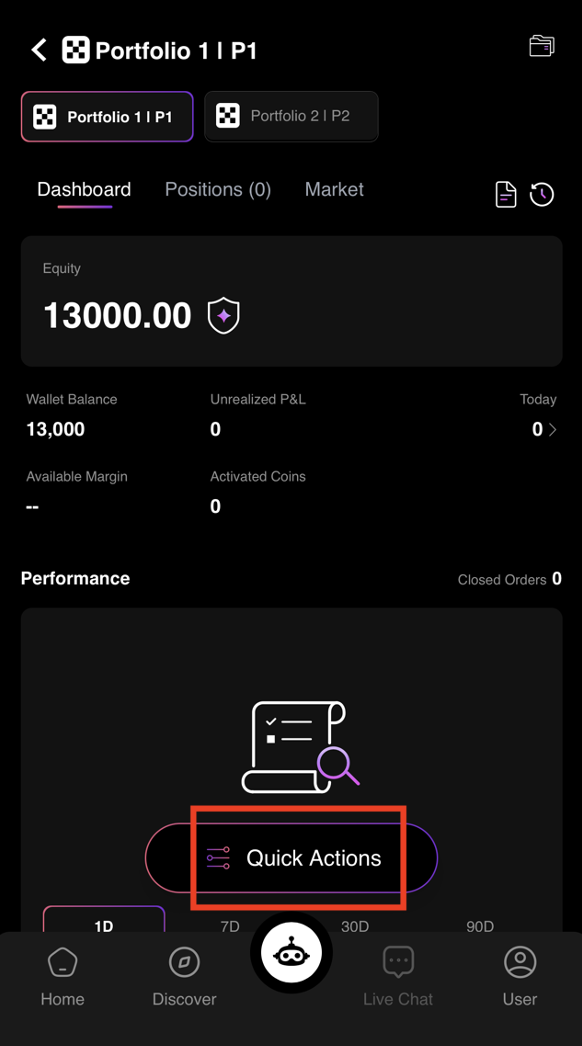
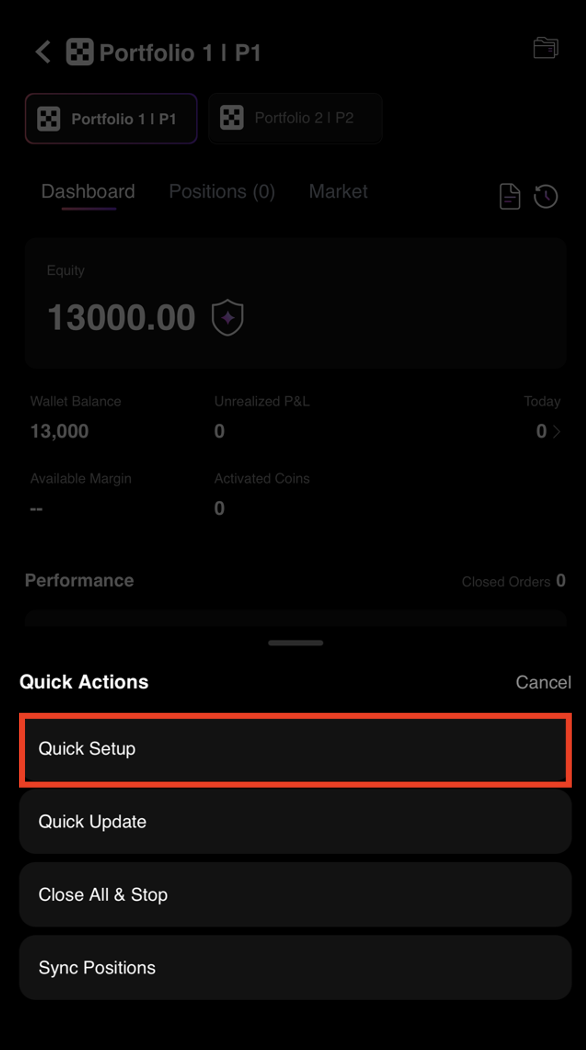
Step 4: Open Quick Actions
Tap [Quick Actions] to access the setup options.
Step 5: Launch Quick Setup
Tap [Quick Setup]. The AI will automatically read your Binance wallet balance and generate an optimized trading configuration.
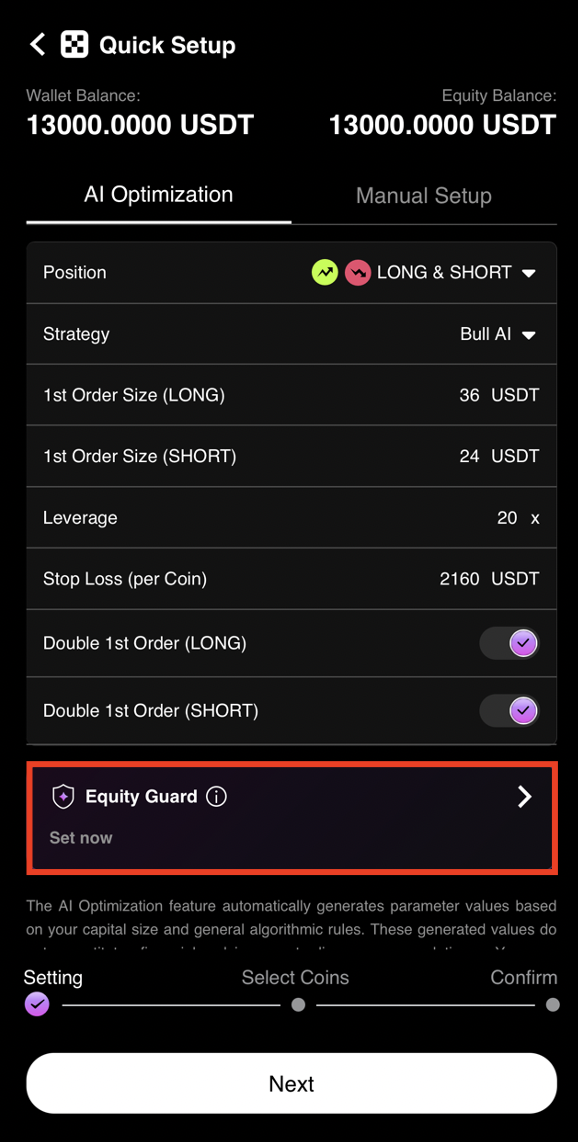
Step 6: Open Equity Guard Settings
The AI has generated your configuration. Tap [Equity Guard] to set your risk protection level.
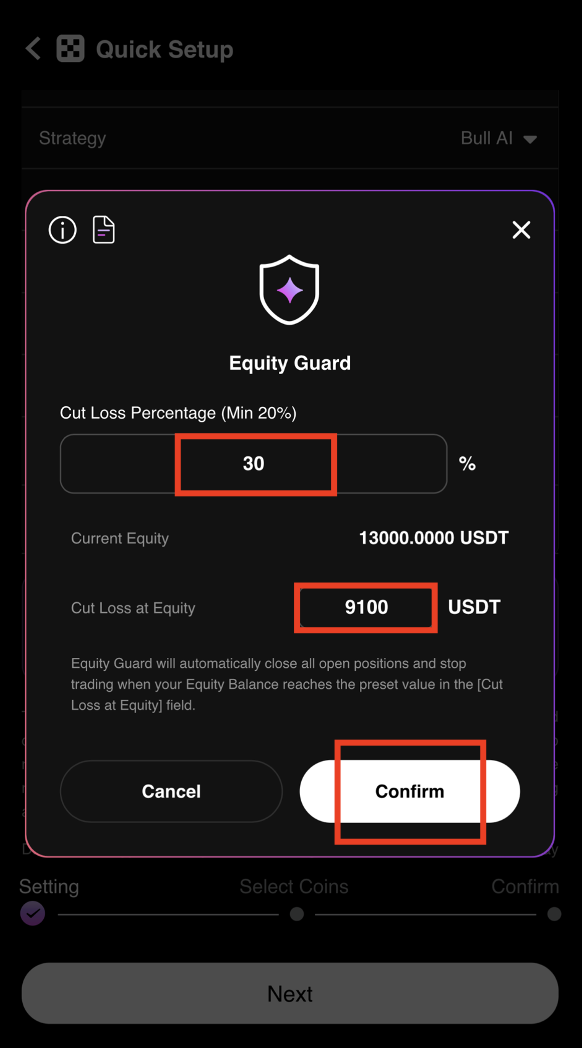
Step 7: Configure Your Equity Guard
Set your [Cut Loss Percentage] or [Cut Loss at Equity] based on your risk tolerance. Equity Guard automatically closes all open positions and stops trading if your equity drops to the preset level, eliminating liquidation risk.
Equity Guard Example
- Starting Capital: 13,000 USDT
- Cut Loss Percentage: 30%
- Cut Loss at Equity: 9,100 USDT
- Maximum Loss: 3,900 USDT
When equity drops to 9,100 USDT, the AI automatically closes all positions and stops trading.
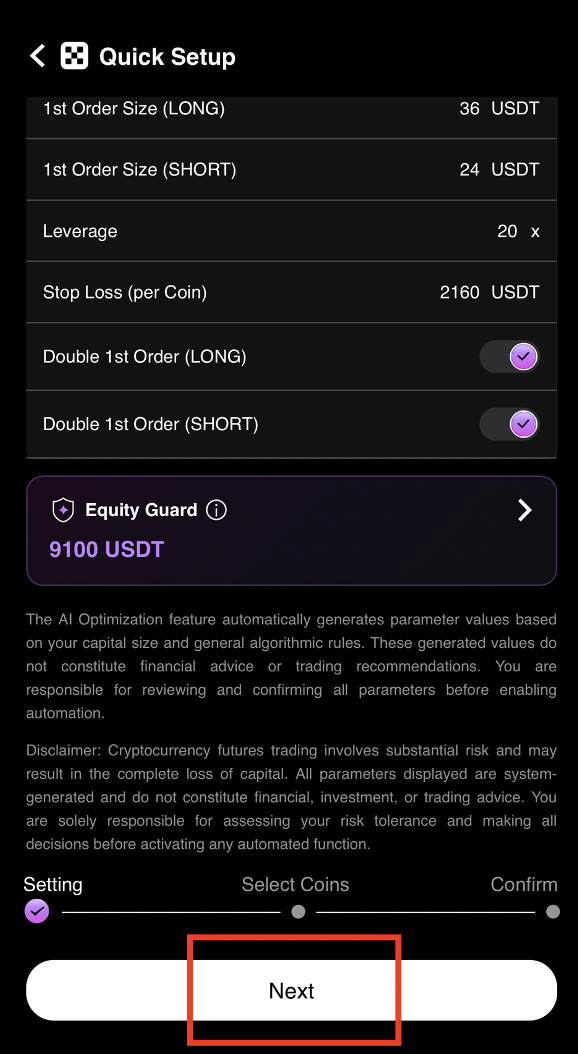
Step 8: Proceed to Coin Selection
After setting Equity Guard, tap [Next] to continue.
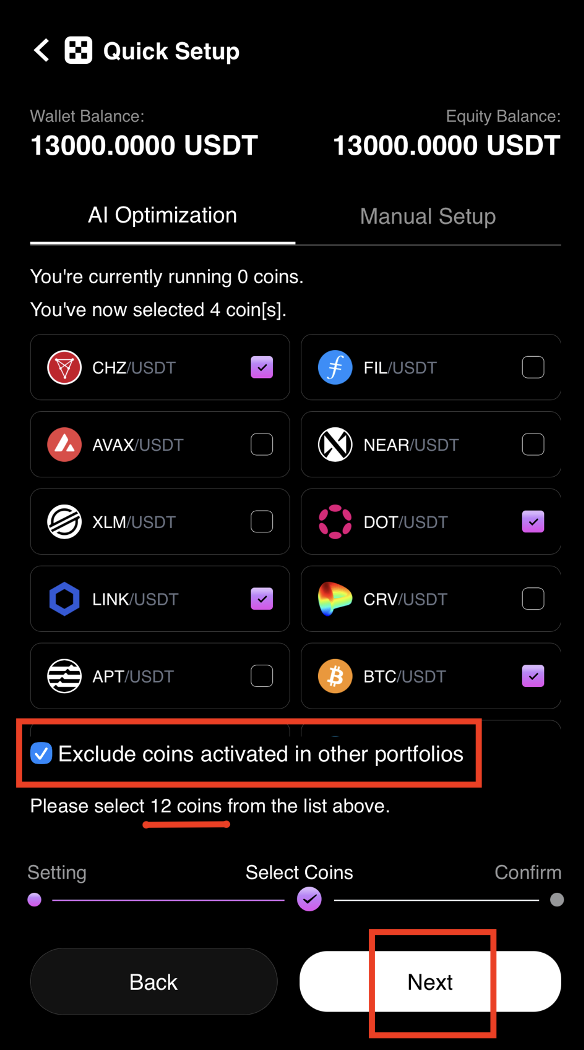
Step 9: Select Trading Coins
Tick [Exclude coins activated in other portfolios] to avoid duplicating coins across your portfolios. Select the number of coins based on AI Optimization, then tap [Next].
Start Trading
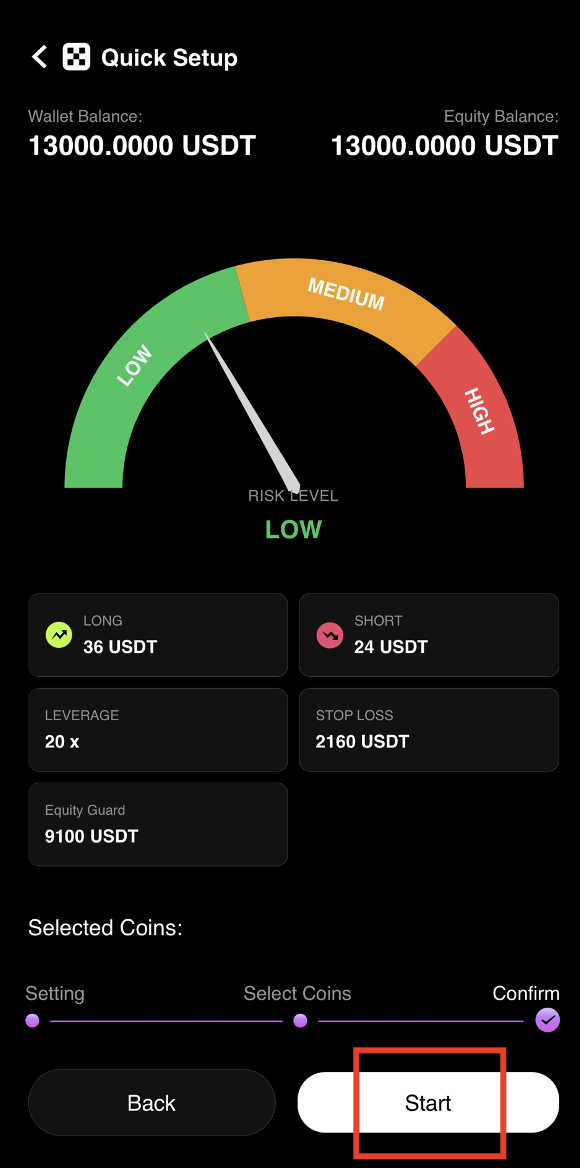
Step 10: Start the AI Trading Bot
Tap [Start] to activate automated AI trading on your portfolio.
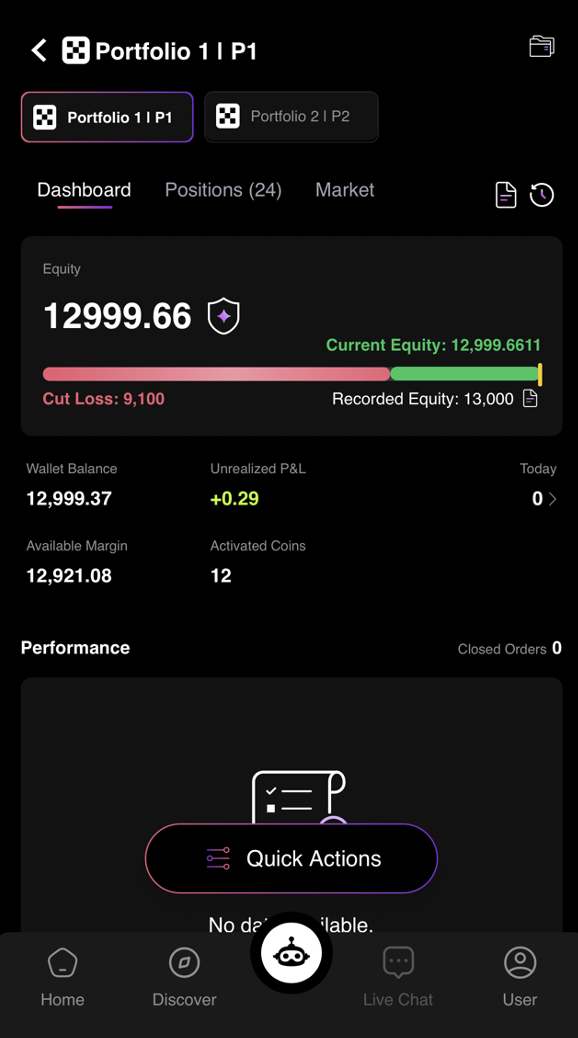
Step 11: AI Trading Activated Successfully
Congratulations! You have successfully activated automated AI trading on CoinTech2u. The AI will now execute trades on your Binance account 24/7.
Frequently Asked Questions
What is Equity Guard and how does it protect my funds?
Equity Guard is a risk management feature that automatically closes all open positions and stops trading when your portfolio equity drops to a preset level. For example, with 13,000 USDT and a 30% cut loss, the AI closes everything at 9,100 USDT. This caps your maximum loss and eliminates liquidation risk.
What is Quick Setup on CoinTech2u?
Quick Setup reads your Binance wallet balance and generates optimal trading settings instantly. It configures position sizes, coin selection, and risk parameters based on your available capital, allowing you to start trading in under 5 minutes without manual configuration.
What is the minimum capital required to start AI trading?
The minimum recommended capital is around 500 USDT in your Binance futures wallet. However, higher capital allows the AI to diversify across more coins and manage risk more effectively. Most users start with 1,000 to 10,000 USDT for optimal performance.
Can I adjust my trading settings after starting?
Yes, you can adjust settings at any time through the CoinTech2u App. Modify your Equity Guard threshold, add or remove coins, change position sizes, or stop trading entirely. The AI adapts to your new settings immediately without restarting your portfolio.
Complete Binance + CoinTech2u Tutorial Series
Register Binance Account
Create your Binance account and complete KYC verification.
Create API Key & Bind
Enable 2FA, activate Futures, create API key, and bind in CoinTech2u.
Create Sub-Accounts
Create sub-accounts, transfer funds, and bind multiple APIs.
Start AI Trading (You are here)
Quick Setup, Equity Guard, and activate automated trading.
Start Earning with AI Trading Today
Register CoinTech2u for free, connect your Binance account, and let the AI trade for you 24/7 with built-in risk protection.
Register CoinTech2u Free