Start API Binding
Step 1: Open the Bind API Page
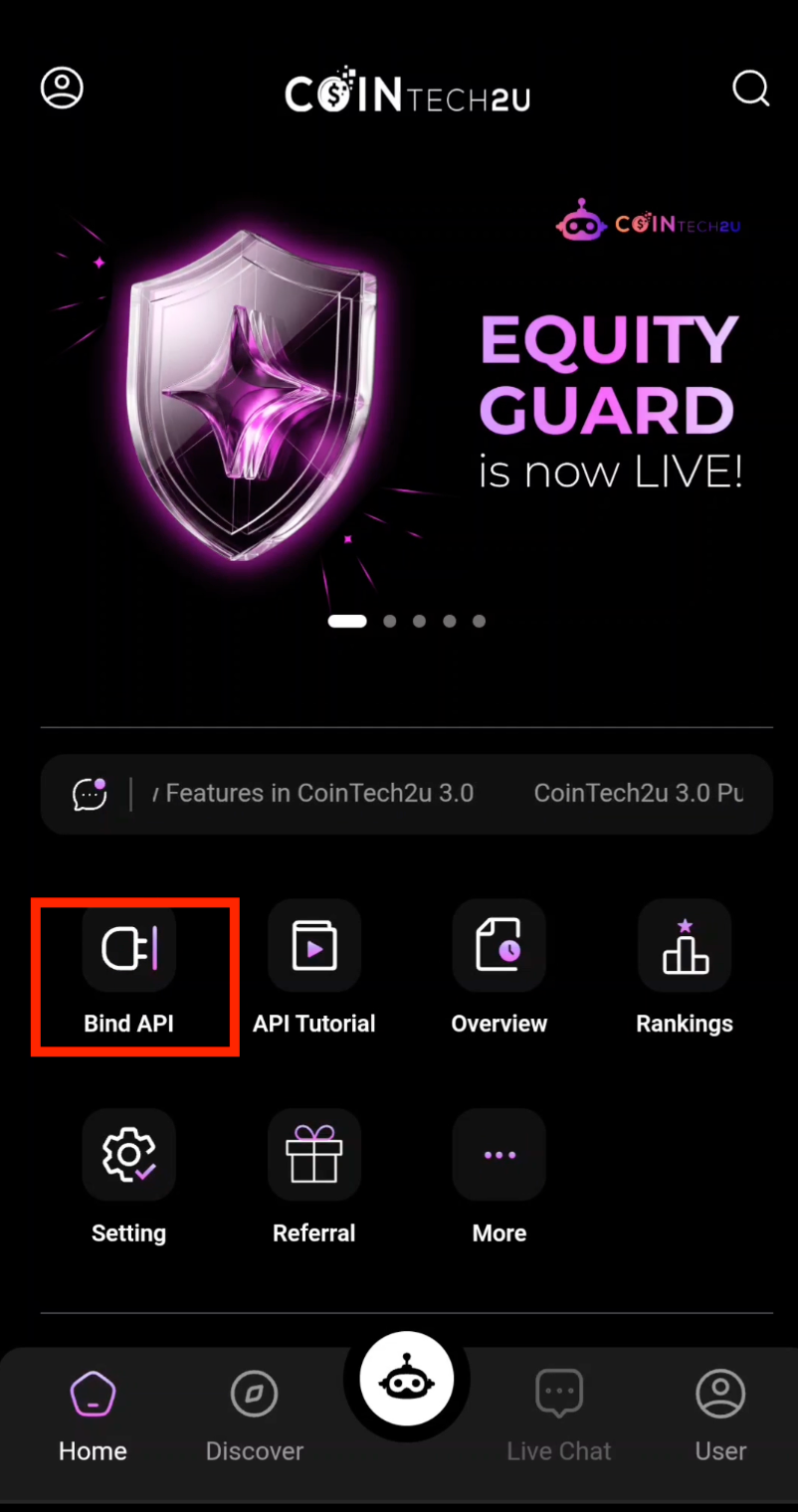
On the CoinTech2u homepage, tap Bind API to start the connection process.
Step 2: Tap "Bind API"
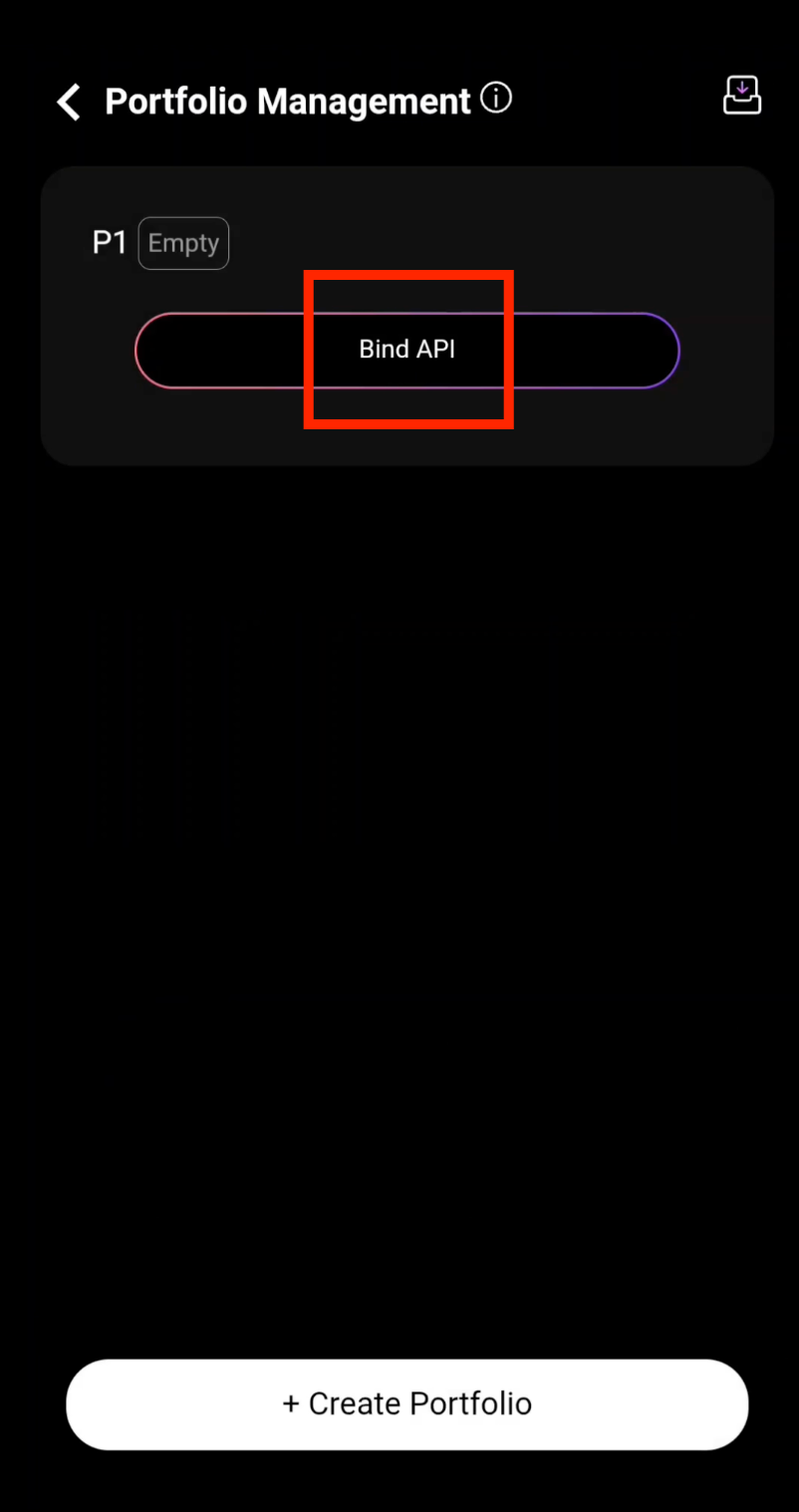
Tap the Bind API button to proceed with the setup.
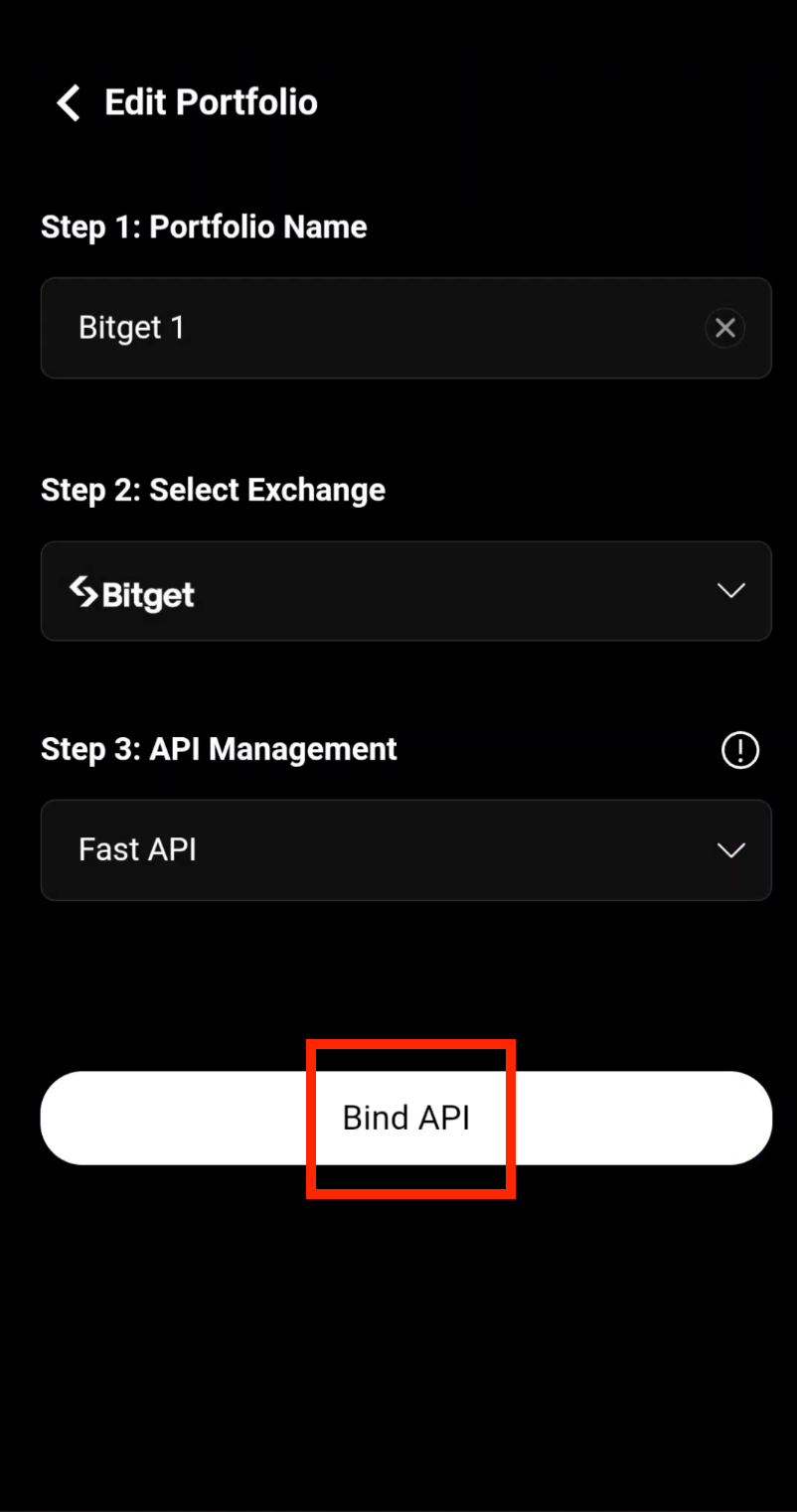
Step 3: Enter Portfolio Name and Select Exchange
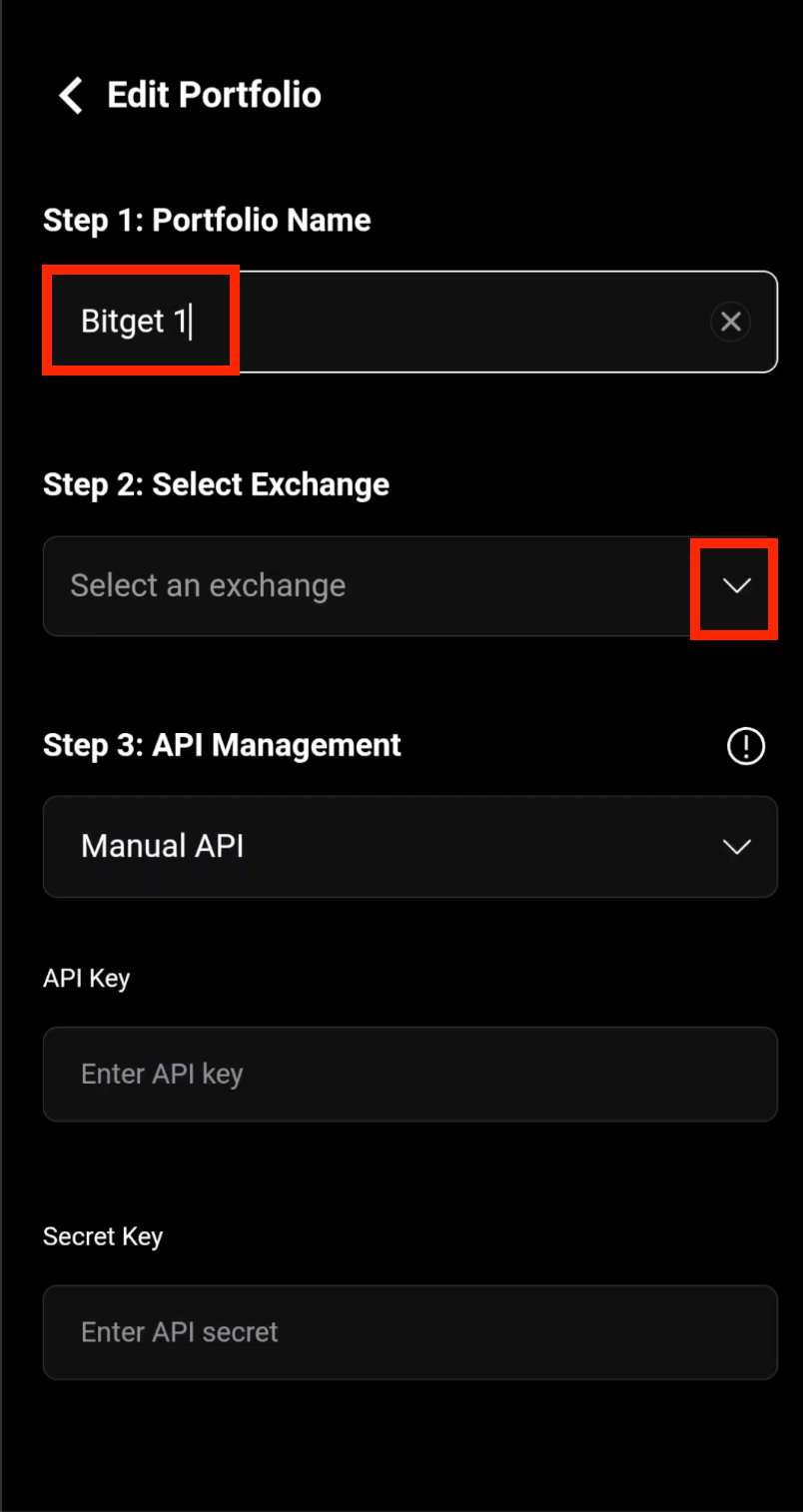
Enter your Portfolio Name (e.g., "My Bitget Portfolio"), then select Bitget as the exchange you want to bind.
Step 4: Confirm Bitget Selection
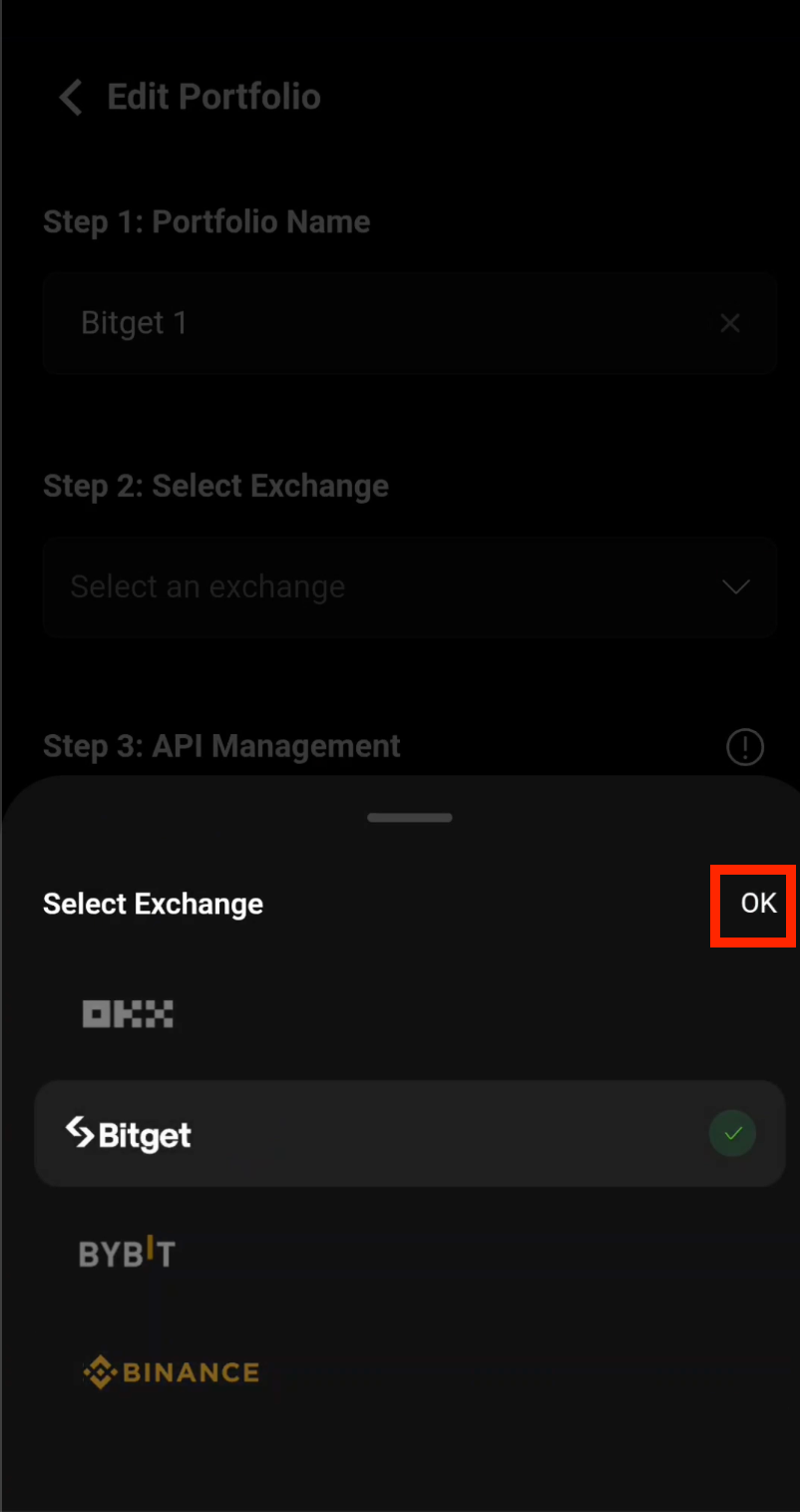
After selecting Bitget as your exchange, tap OK to confirm and proceed.
Step 5: Tap "Bind API" to Connect
Tap Bind API to begin the Fast API connection process with your Bitget account.
Authentication
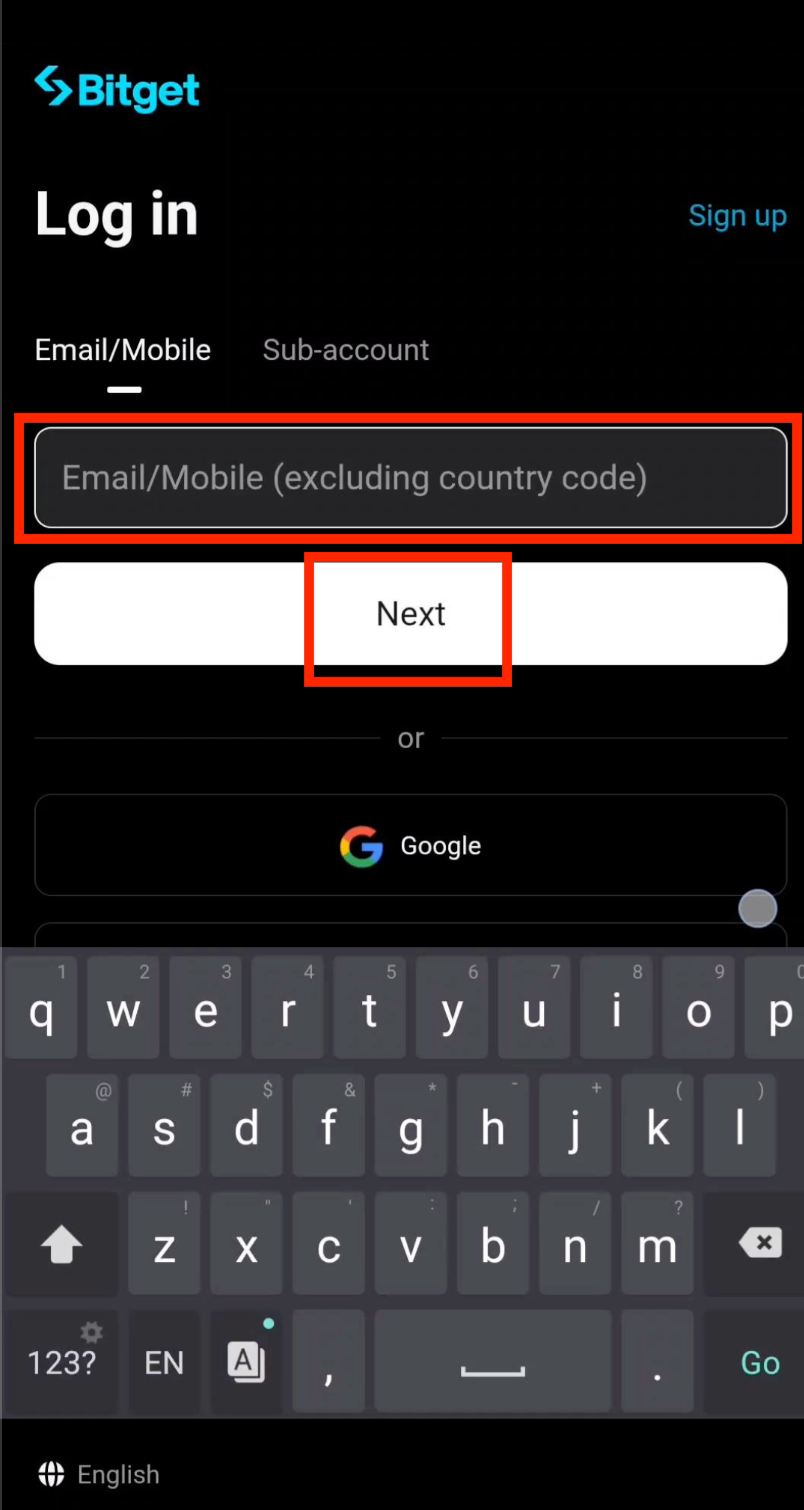
Step 6: Enter Your Bitget Email
Enter the email address registered with your Bitget account, then tap Next.
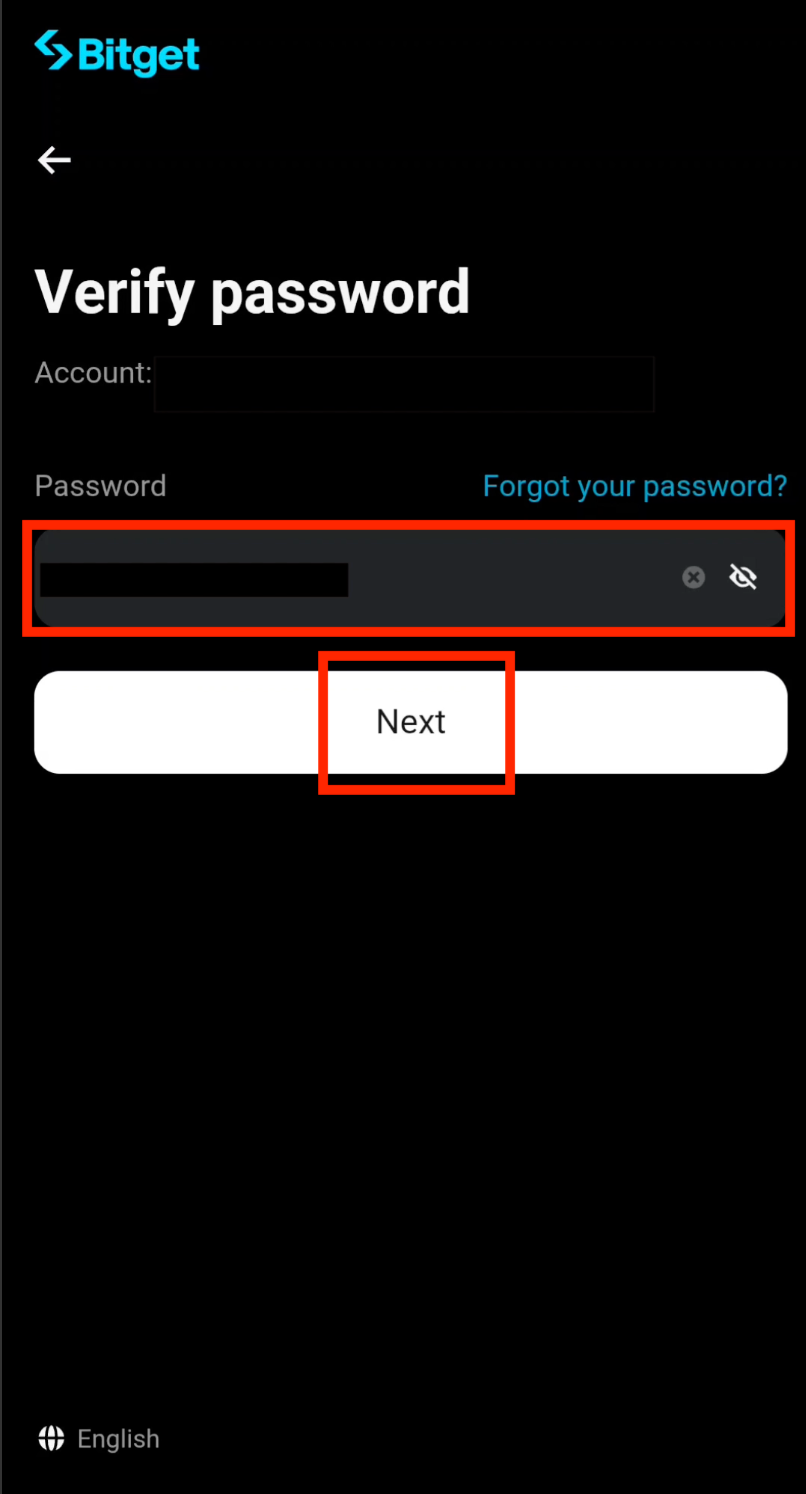
Step 7: Enter Your Bitget Password
Enter your Bitget account password, then tap Next to securely access your account.
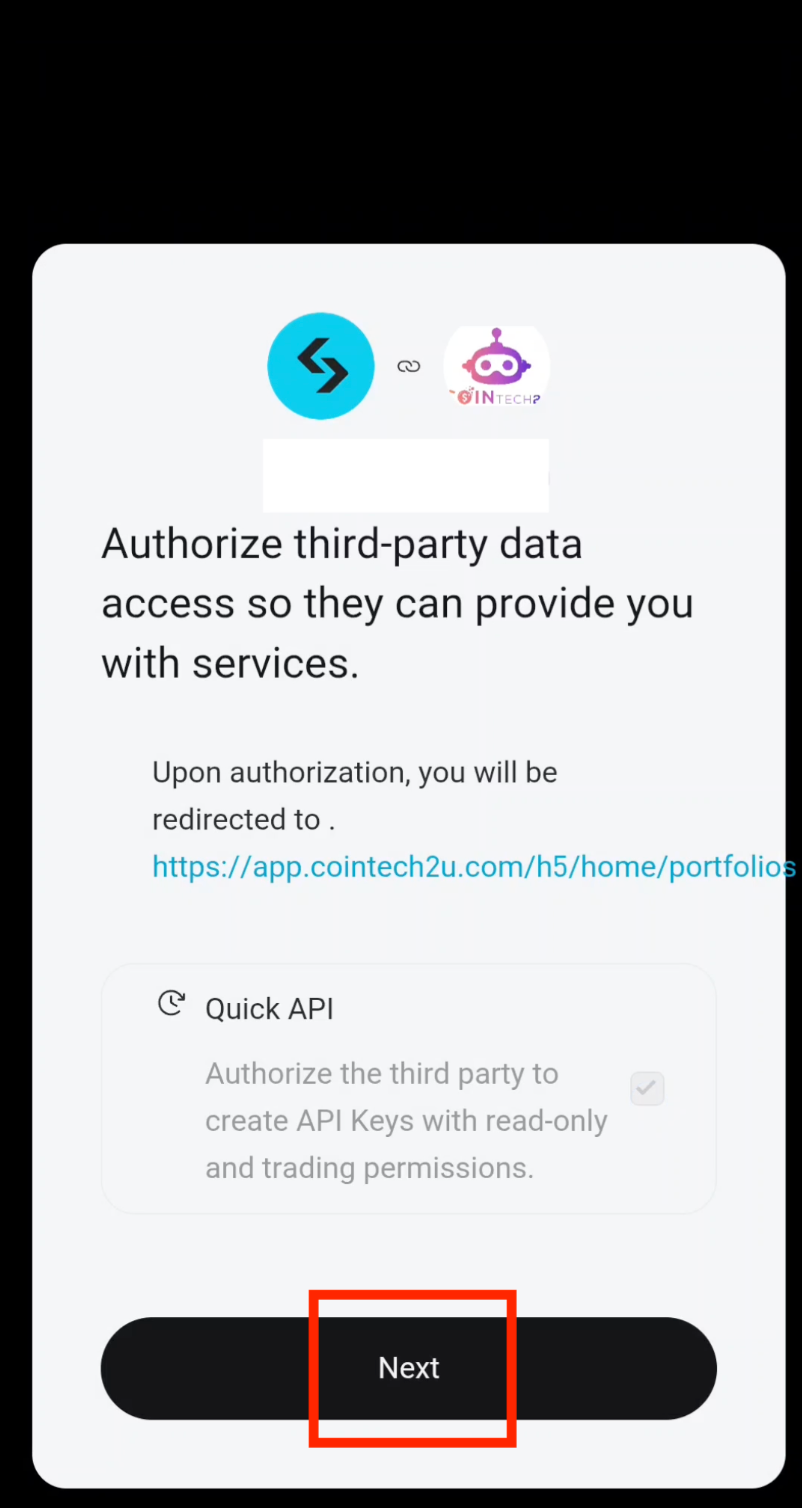
Step 8: Proceed with Fast API Binding
Tap Next to proceed with the Fast API binding process.
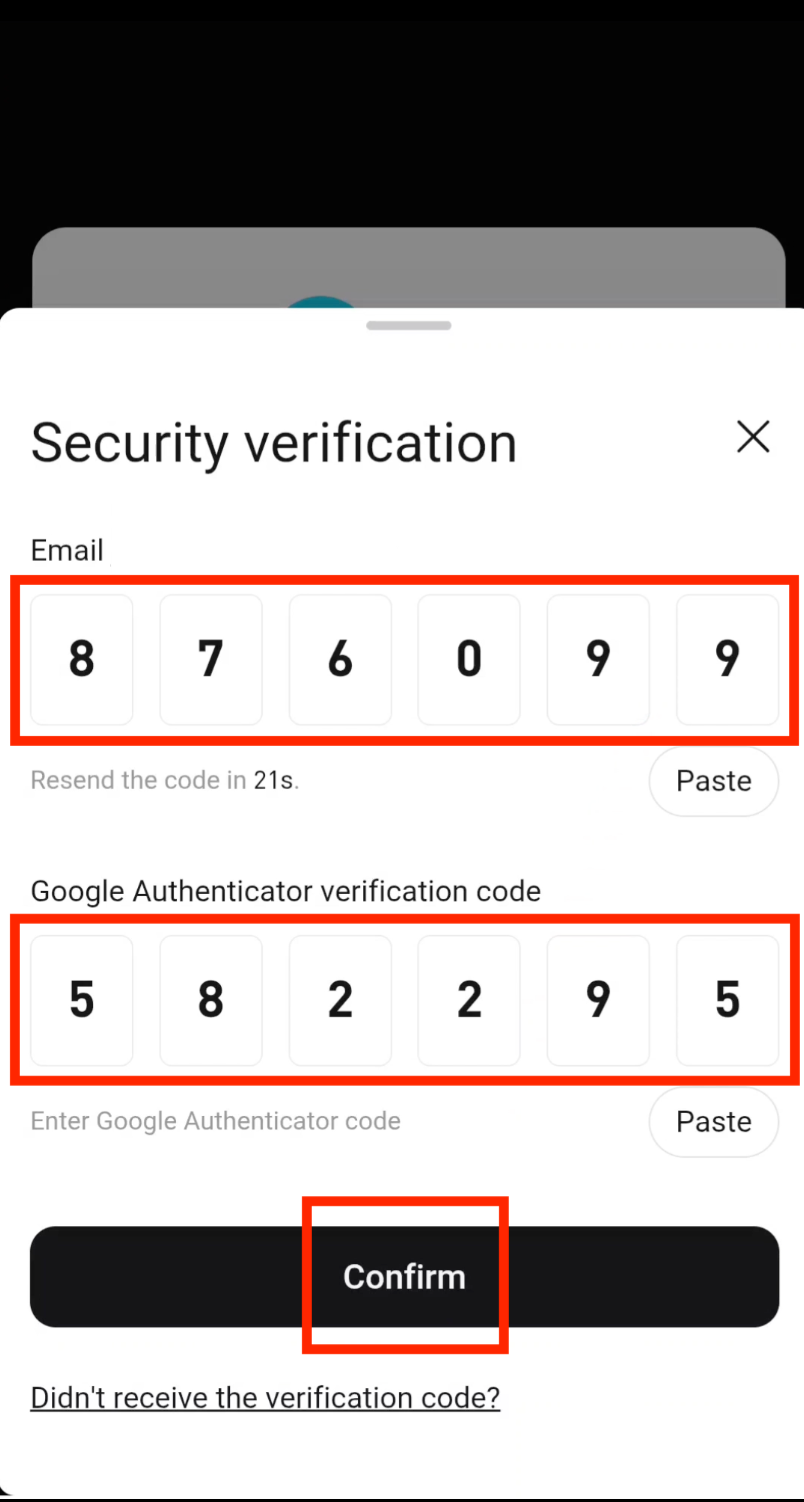
Step 9: Enter Verification Codes
Enter the Email Verification Code and the Google Authenticator Verification Code, then tap Confirm to complete the authentication.
Create Sub-Account
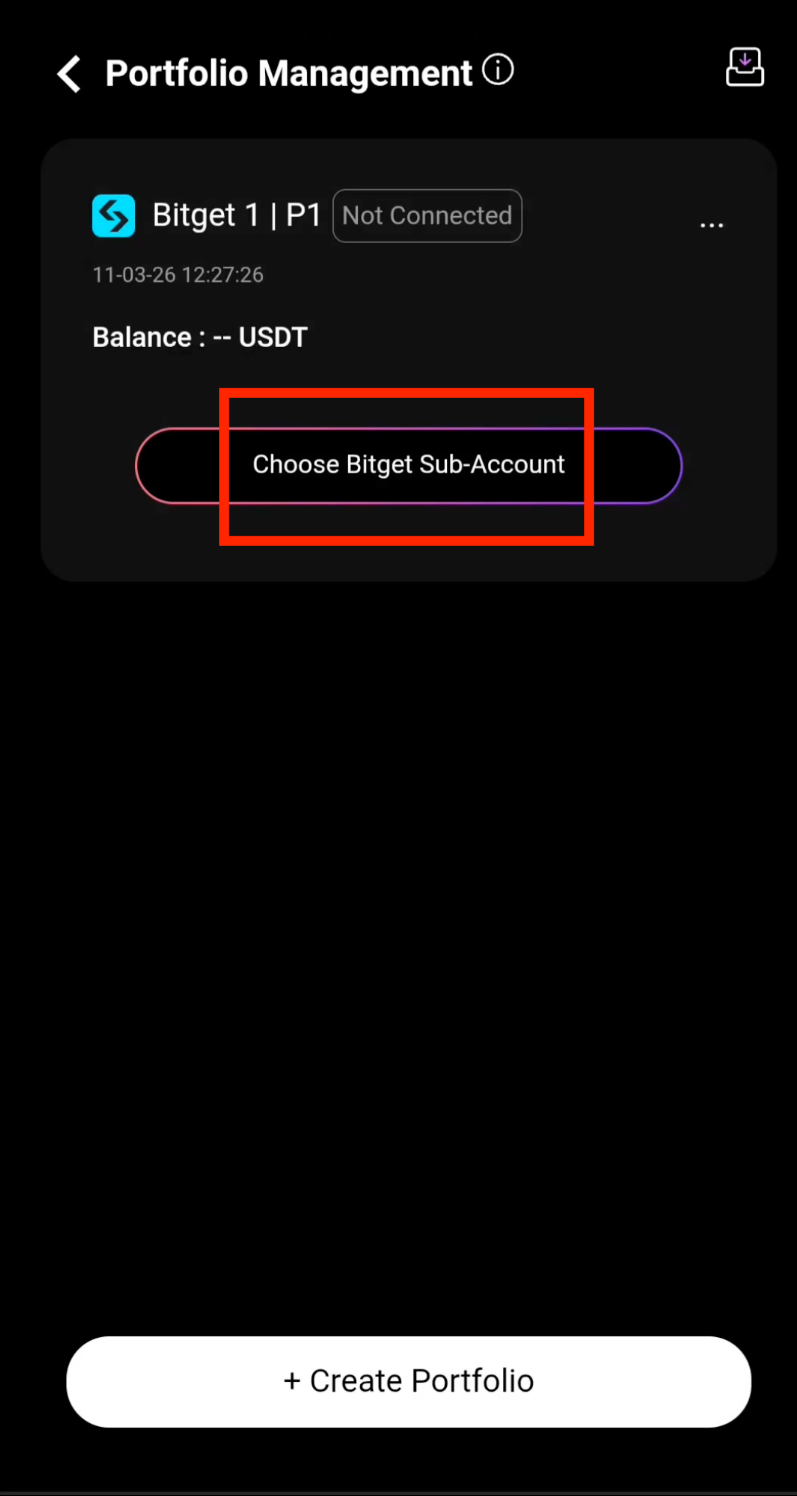
Step 10: Fast API Successfully Bound
Fast API has been successfully bound to your Bitget account. Tap Choose Bitget Sub-Account to continue setting up your trading sub-account.
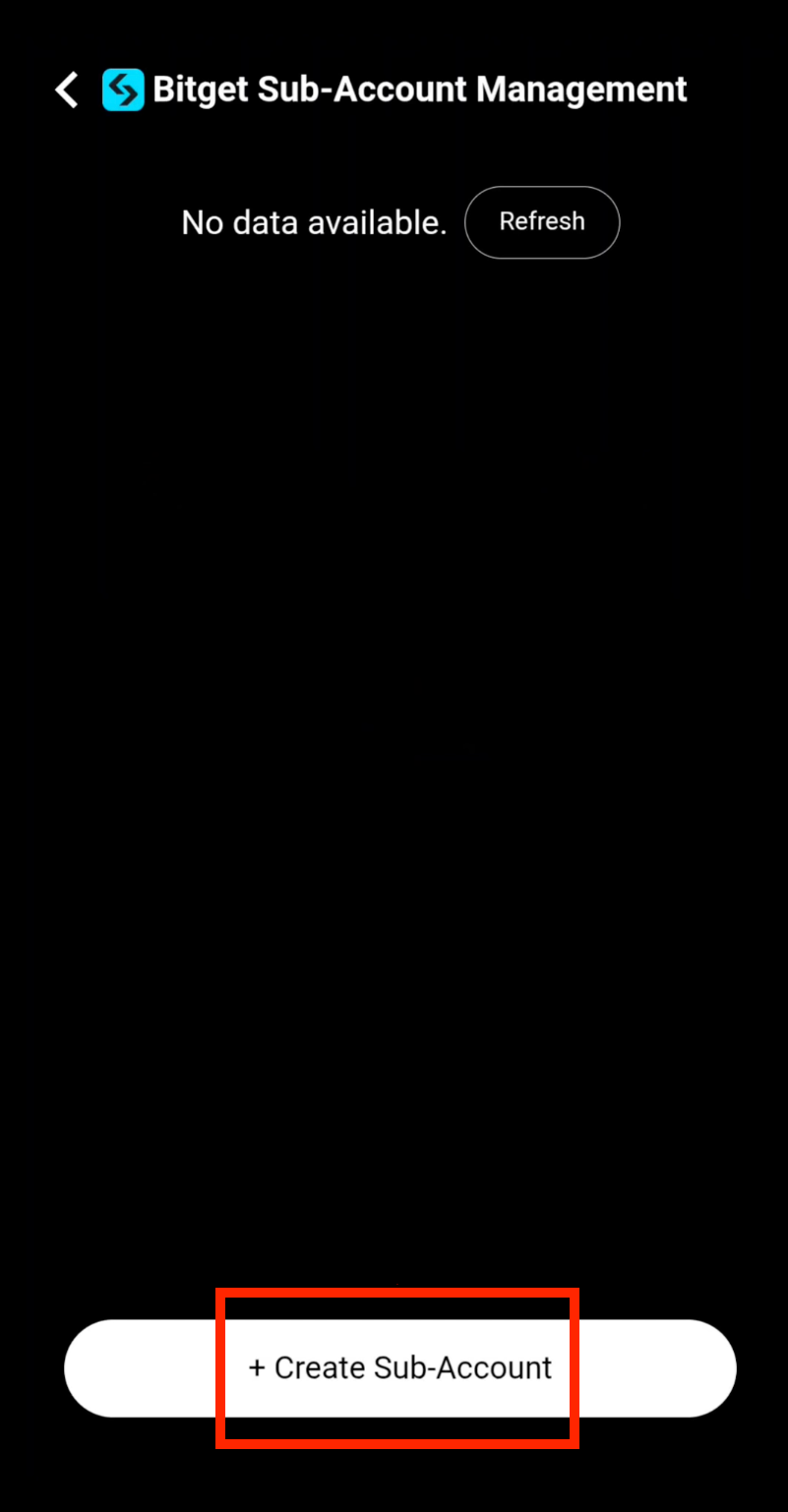
Step 11: Create a Sub-Account
Tap + Create Sub-Account to create a new trading sub-account on Bitget through CoinTech2u.
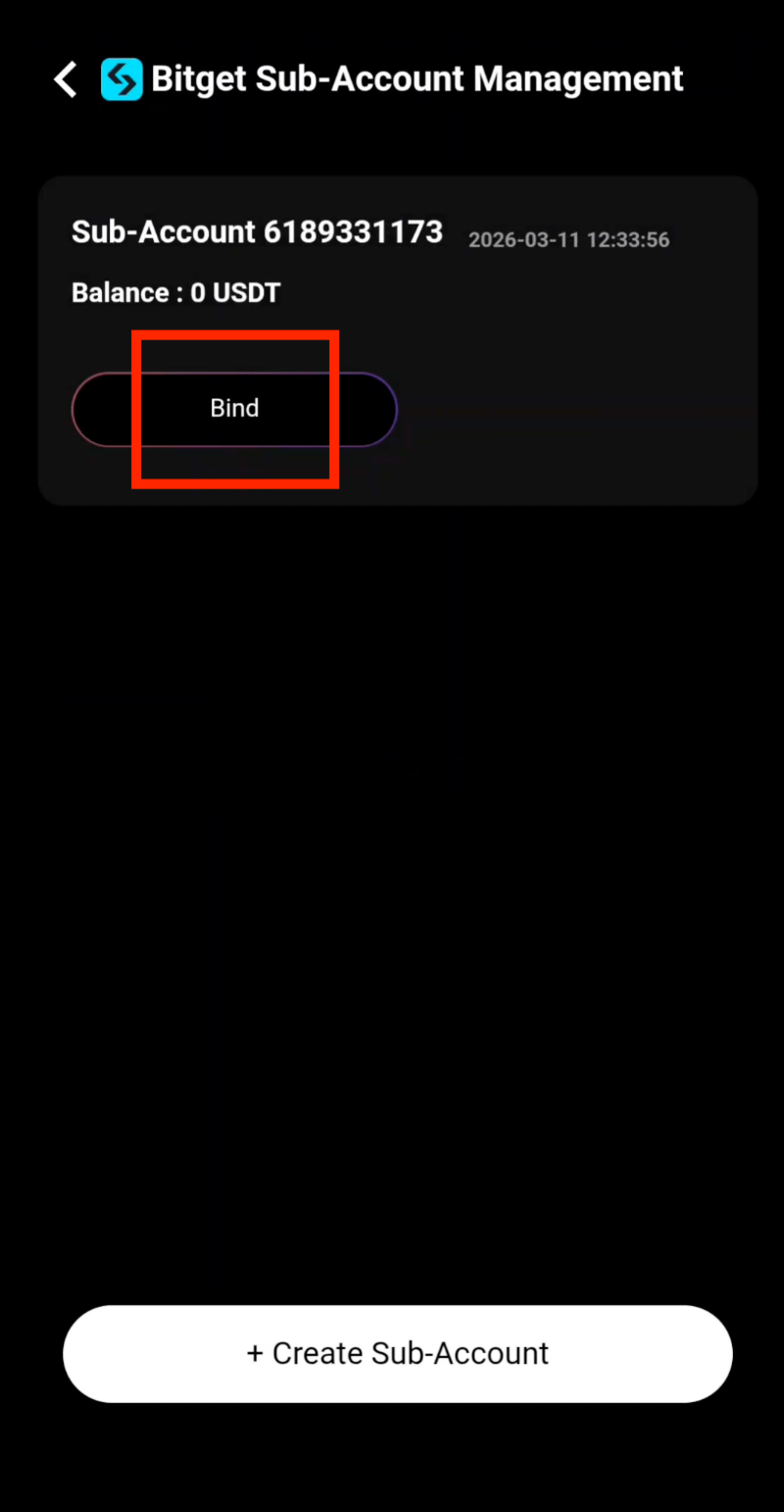
Step 12: Bind the Sub-Account
Your Bitget sub-account has been successfully created. Tap Bind to connect it to your CoinTech2u portfolio.
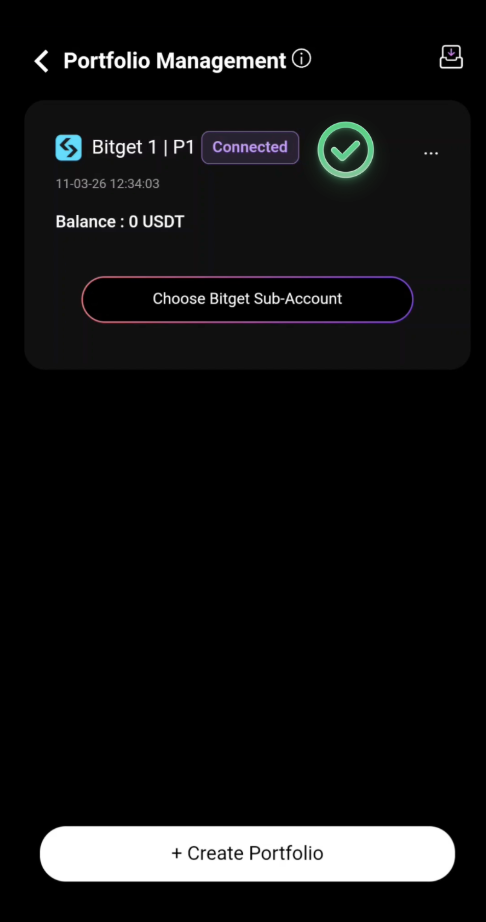
Step 13: Sub-Account Successfully Connected
Your Bitget sub-account has been successfully connected to CoinTech2u. You are now ready to transfer funds and start trading.
Frequently Asked Questions
What is Fast API and how does it work with Bitget?
Fast API is CoinTech2u's streamlined method for connecting your Bitget exchange account to the AI trading platform. Unlike traditional API setup that requires manually creating API keys, Fast API automates the entire process by securely authenticating through your Bitget credentials. This creates a read-and-trade-only API connection that allows CoinTech2u's AI to execute trades on your behalf.
Is it safe to bind my Bitget account using Fast API?
Yes, binding your Bitget account using Fast API is safe. The API connection is created with trade-only permissions, meaning CoinTech2u can execute trades but cannot withdraw your funds. Your assets always remain in your Bitget account under your full control. You can revoke access at any time from your Bitget security settings.
Can CoinTech2u access or withdraw my funds from Bitget?
No, CoinTech2u cannot access or withdraw your funds. The Fast API connection only grants trading permissions, not withdrawal permissions. Your crypto assets remain securely in your Bitget account at all times. CoinTech2u's AI can only open and close trading positions on your behalf.
What permissions does the Bitget API connection need?
The Bitget Fast API connection requires only read and trade permissions. Read permission allows CoinTech2u to view your account balance and open positions. Trade permission allows the AI to execute buy and sell orders. Withdrawal permission is never granted, ensuring your funds cannot be moved out of your account by any third party.
What's Next?
Your Bitget account is now connected to CoinTech2u. The next step is to create additional sub-accounts if you want to run multiple trading strategies.
Next: Create Bitget Sub-Accounts →Ready to Start Trading?
Connect your Bitget account to CoinTech2u and let AI trade for you 24/7.