TRON (TRC20) USDT Transfer Guide: Real Fees, Network Comparison, and Beginner Pitfalls (2026)
From the post-Proposal #104 fee reality, to a full TRC20 / ERC20 / BEP20 / Polygon comparison, to renting energy for 70% savings — everything you need to know about USDT on TRON.
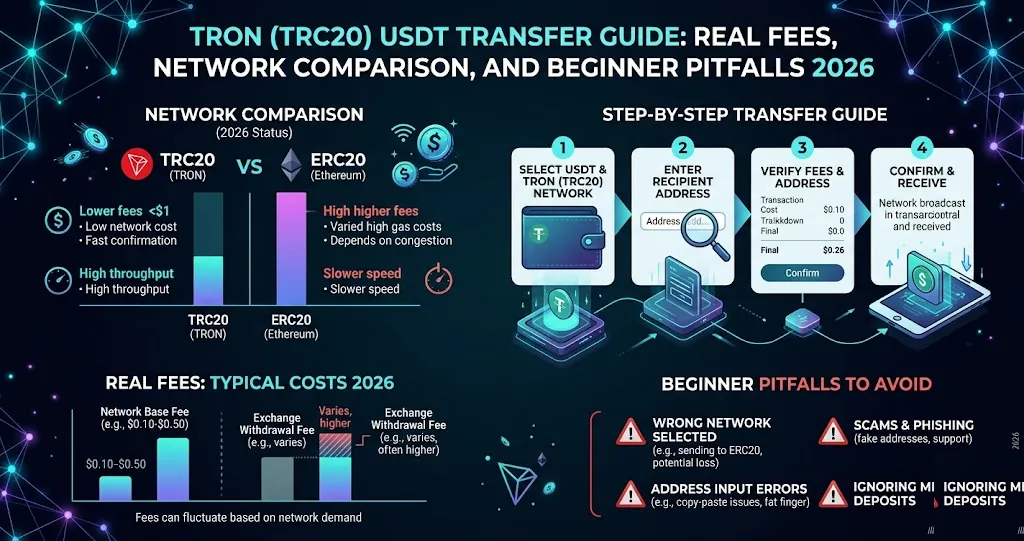
"TRC20 USDT is practically free" is one of the most widely repeated mistakes online. The actual figure is 6.57–13.14 TRX ($2–$4) per transfer. TRON's Proposal #104 (2025) halved energy pricing, which means older guides citing 14/28 TRX are out of date. This article uses the latest April 2026 numbers.
If you use CoinTech2u or any crypto trading system, USDT deposits and withdrawals are unavoidable. And the network you choose determines whether each transfer costs $0.10 or $30. This guide breaks down USDT-TRC20 on the TRON network — its actual fees, the energy mechanism, comparisons with other chains, and the mistakes beginners make most often.
1. What Are TRON and TRC20?
TRON is a public blockchain founded by Justin Sun in 2017, with mainnet live in 2018. It positions itself as a high-throughput, low-fee platform for payments and smart contracts. As of 2026, the USDT supply on TRON accounts for roughly half of all USDT in global circulation — making TRON the most important chain for stablecoin movement.
TRC20 is the token standard on TRON (analogous to Ethereum's ERC20). USDT-TRC20 is the version of USDT issued on TRON. When you withdraw USDT from an exchange and pick "TRC20" as the network, the assets travel through TRON to your destination wallet.
Why TRC20 Holds Half of USDT
- Fast confirmation (~3 seconds)
- 5–15× cheaper than ERC20
- Native support on every major exchange (Binance, Bybit, OKX, Bitget, etc.)
- Mature wallet ecosystem (TronLink, imToken, TokenPocket)
- Years of operational stability through both bull and bear markets
2. TRC20 USDT Transfer Fees (Latest 2026 Data)
TRON's fee model differs from Ethereum's. Ethereum uses Gas + Gas Price; TRON uses Energy + Bandwidth. USDT transfers are smart contract calls and primarily consume Energy.
| Scenario | Energy Used | TRX Burned | USD (TRX≈$0.30) |
|---|---|---|---|
| Recipient already holds USDT | 65,000 | ~6.57 TRX | ~$1.95 |
| Recipient has no USDT (first-time) | 130,000 | ~13.14 TRX | ~$3.90 |
| Energy rental (already holds USDT) | — | ~4.66 TRX | ~$1.44 |
| Energy rental (first-time) | — | ~9.33 TRX | ~$2.89 |
Bottom line: Burning TRX directly costs about $2–4 USD per transfer. This reflects the post-Proposal #104 energy pricing introduced in 2025. If you see older guides quoting 14 or 28 TRX, those numbers are pre-2025 and no longer accurate.
3. How Energy and Bandwidth Work
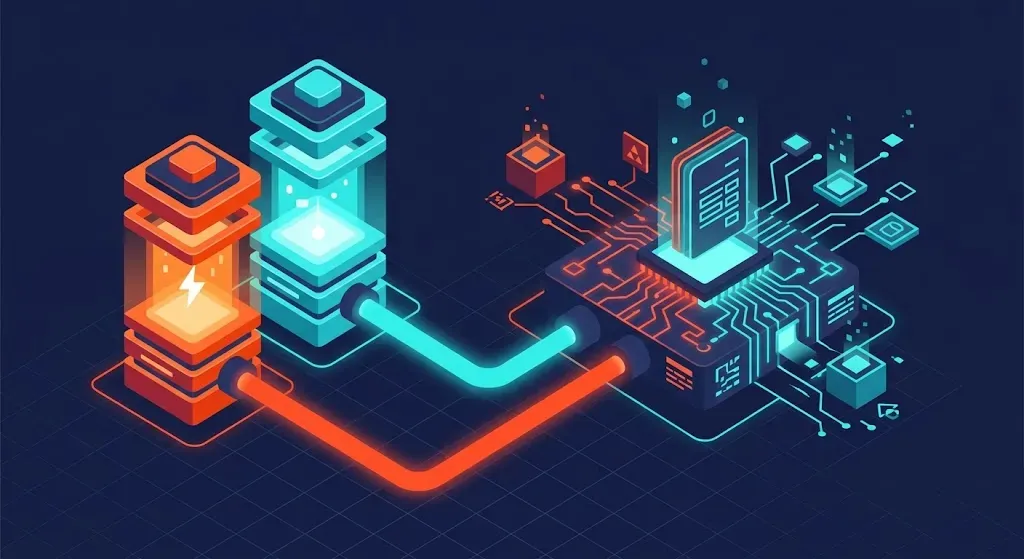
TRON splits transaction resources into two types:
| Resource | Purpose | Daily Free Allocation | USDT Transfer Usage |
|---|---|---|---|
| Bandwidth | Transaction byte size | 600 points/wallet/day | ~345 points |
| Energy | Smart contract execution | No free allocation | 65,000–130,000 |
That's why "TRC20 is free" is a misconception: Bandwidth has a free daily allocation, but USDT transfers consume Energy, which must be either burned from TRX or obtained via staking/rental.
4. TRC20 vs ERC20 vs BEP20 vs Polygon — Full Comparison
| Dimension | TRC20 (TRON) | ERC20 (Ethereum) | BEP20 (BSC) | Polygon |
|---|---|---|---|---|
| Per-transfer fee | $2–4 | $5–30 | $0.10–0.30 | <$0.01 |
| Confirmation time | ~3 sec | ~15 sec | ~3 sec | ~2 sec |
| Exchange support | All major | All major | Most | Some |
| Share of USDT supply | ~50% | ~40% | ~5% | <1% |
| Decentralization | Medium | Highest | Lower | Medium |
| Best for | Daily deposits/withdrawals, exchange transfers | Large amounts, DeFi | Small amounts, low-cost transfers | DeFi-native flows |
Quick decision:
- Funding a CoinTech2u or similar AI trading bot → TRC20 (universally supported)
- Moving from exchange to DeFi, staking, broad compatibility → ERC20
- Highly fee-sensitive flows within Binance ecosystem → BEP20
- Polygon and Solana are nearly free per transfer, but exchange support is patchy — not recommended for beginners
5. How to Reduce TRC20 USDT Fees
Option 1 — Energy Rental (Recommended)
Energy rental platforms like Tronsave, TR.Energy, and Netts.io let you rent energy on a per-transfer basis, dropping the cost to ~3–5 TRX ($0.90–$1.50). The flow: pay a small rental fee → the platform delegates energy to your address → your wallet sends USDT normally without burning TRX for energy.
Best for: occasional-to-medium frequency users. Saving 50–70% per transfer doesn't matter much for one-off transfers, but if you transfer 5–10+ times a month, it adds up.
Option 2 — Stake TRX Yourself
Staking TRX in your own wallet (e.g., TronLink) gives you a continuous energy allocation, with a 3-day unstaking period. Best for large, long-term, high-frequency users. Not recommended for beginners — locked capital often outweighs the savings vs. rental.
Option 3 — Use Internal Exchange Transfers
Internal transfers within the same exchange (e.g., Binance main ↔ sub-account) are typically completely free. If you use CoinTech2u, fund movements between your main account and sub-accounts don't need to touch the chain at all.
6. Depositing and Withdrawing TRC20 USDT on Major Exchanges
Step-by-step tutorials are already on the site — pick the exchange you use:
- OKX: Deposit USDT and Convert Gas Fee
- Bitget: Deposit USDT and Convert Gas Fee
- Bybit: Deposit USDT and Convert Gas Fee
- Binance: Create API and Bind to CoinTech2u
7. The 5 Most Common Beginner Mistakes
Pitfall 1: Wrong network = funds may be lost
The most common mistake: choosing TRC20 on the exchange withdrawal screen, but the recipient address is actually ERC20 (starts with 0x), or vice versa. Funds end up on the original chain at the matching address, often unrecoverable. Always verify the network matches on both ends.
Pitfall 2: No TRX in the wallet for gas
Even with energy rental, your wallet needs a small amount of TRX for bandwidth (1 TRX is usually enough). A brand-new wallet with zero TRX cannot send anything. Send 5–10 TRX to your wallet first as a gas reserve.
Pitfall 3: Truncated or mistyped address
TRC20 addresses are 34 characters and start with T. When pasting, verify the first 6 and last 6 characters. Copy-paste is much safer than manual typing.
Pitfall 4: Below the minimum withdrawal threshold
Most exchanges set a 10 USDT minimum for TRC20 withdrawals. Below that, the exchange rejects the request and no funds are deducted.
Pitfall 5: Clipboard hijacking attacks
Some malware monitors the clipboard and silently swaps the TRC20 address you copied for an attacker's address (deliberately matching the first/last few characters). After every paste, verify the entire address — not just the start and end.
8. Frequently Asked Questions
Q: How long does a TRC20 USDT transfer take?
On-chain confirmation in ~3 seconds. Exchanges typically require 1–20 block confirmations plus risk review, so end-to-end (withdrawal to credited at destination) usually takes 2–10 minutes.
Q: My TRC20 USDT hasn't arrived. What do I do?
Check the transaction hash on TronScan. If it shows SUCCESS but the destination exchange hasn't credited it, contact exchange support with the TxID. If the chain shows PENDING/FAILED, the issue is gas or network congestion at the sender's end.
Q: Is TRC20 USDT safe? Can it be frozen?
USDT is issued by Tether, and Tether retains the ability to freeze specific addresses. Receiving USDT from addresses flagged as illicit can result in your address being frozen. This is an inherent risk of all centralized stablecoins, on every chain — not specific to TRC20. For ordinary use of USDT withdrawn from major exchanges, the risk is extremely low.
Q: Are energy rental platforms safe?
Established platforms like Tronsave and TR.Energy have operated for years and only delegate the energy resource to your address — they never touch your private keys or assets. Acceptable for ordinary use, but always test with a small transaction first when using any third party.
Q: Is TRC20 suitable for storing large amounts?
For short-term turnover and exchange-to-exchange transfers, yes. For long-term storage of large balances (tens of thousands of dollars+), diversify: some on a hardware wallet, some on exchanges or yield-bearing protocols. No single chain should hold all your assets.
Ready to Start AI Trading?
Now that you understand the real cost of TRC20 USDT transfers and how to handle them safely, the next step is to deposit USDT to a major exchange and connect CoinTech2u to begin automated trading.
👉 Not sure which network to pick? See the USDT Network Decision Guide
Once your account is ready, you can connect
With networks, fees and sub-accounts sorted out, the remaining step is putting a strategy to work. CoinTech2u connects to your own exchange account over API — your funds never pass through us.
Create a free account