CoinTech2u USDT Transfer Decision Guide: Point Card Deposits + Commission Withdrawals — Which Network Saves You Most? (2026)
On CoinTech2u there are only two scenarios where USDT transfers happen. This article uses a decision tree to tell you exactly which network to pick for deposits and withdrawals — with a real cost comparison across BEP20 / TRC20 / ERC20 / Layer 2 / Solana.
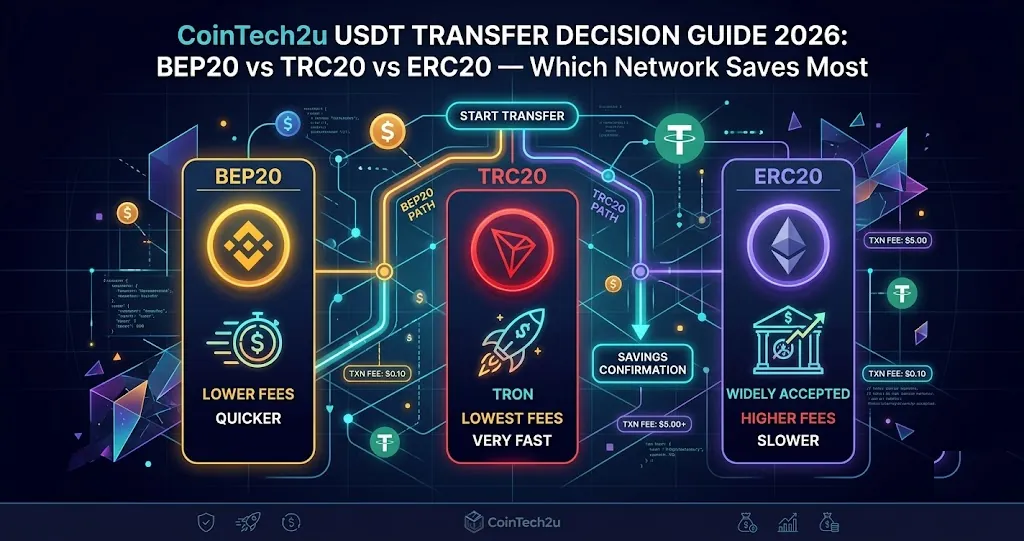
⚡ 30-Second Decision
💡 Key point: Deposits are paid by the user (chain gas + exchange withdrawal fee), so picking the right chain saves real money. Withdrawals are sent on-chain by CoinTech2u — you only need to provide a compatible receiving address.
This is the final summary in our USDT transfer series. If you want a deep dive into any specific network, we've written three detailed articles:
- TRC20 (TRON) USDT Complete Guide — the most universal network
- BEP20 (BNB Chain) USDT Complete Guide — the cheapest network
- Why We Stopped Using ERC20 USDT — the unpredictable network
This article condenses those three into a one-stop "which one should I pick" guide, written from the perspective of an active CoinTech2u user.
1. CoinTech2u Has Only Two USDT Transfer Scenarios
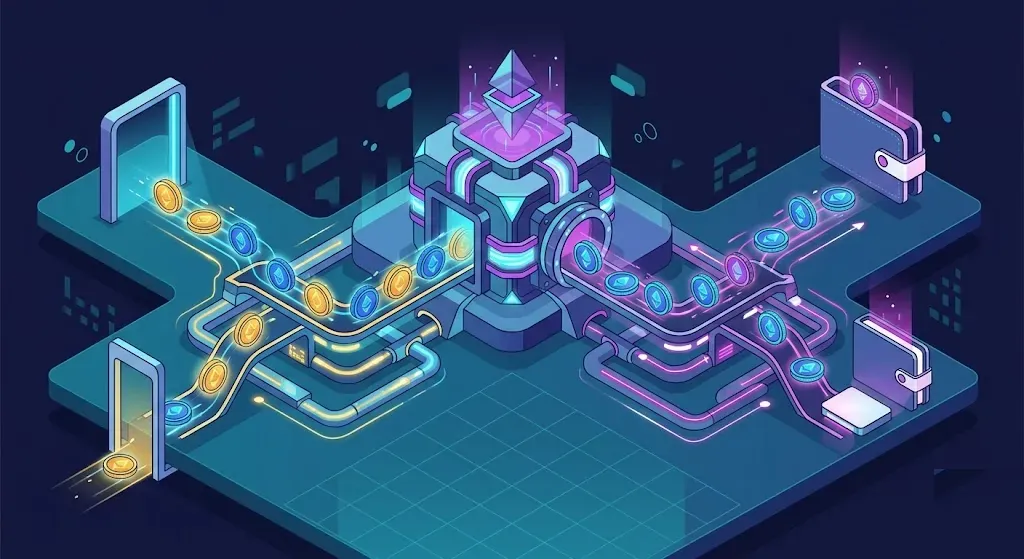
First, a common misconception cleared up: CoinTech2u's AI trading itself involves no on-chain USDT transfers. The bots operate the user's exchange account (Binance / Bybit / OKX / Bitget) directly via API. Funds always stay in the user's own exchange account — no chain interaction at all.
The only two scenarios where USDT transfers actually happen:
The user transfers USDT from an external wallet or exchange to their CoinTech2u platform account, in order to purchase a point card (compute service).
The user has earned commissions through CoinTech2u's affiliate program and withdraws USDT from the platform to their own wallet/exchange.
Key distinction: For deposits, you pay the fees (exchange withdrawal fee + on-chain gas), so picking the right chain saves real money. For withdrawals, CoinTech2u handles the on-chain cost — your concern shifts to "which chains does my wallet/exchange support?"
2. The USDT Network Decision Tree
Walk through the tree below — 5 steps to land on the optimal network:
3. The 5 Major Networks at a Glance (2026 Data)
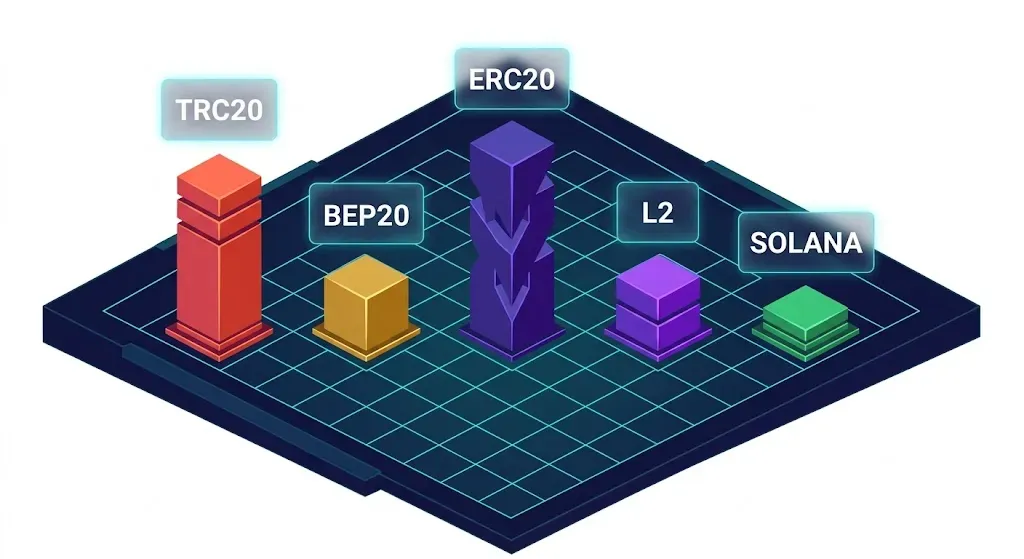
| Network | Per-transfer cost | Speed | Exchange support | Gas asset | CoinTech2u user rating |
|---|---|---|---|---|---|
| BEP20 | $0.05–$1 | ~3 sec | Most (except Gemini) | BNB | ⭐⭐⭐⭐⭐ Top pick |
| TRC20 | $2–4 | ~3 sec | All major | TRX (or rented energy) | ⭐⭐⭐⭐ Best compatibility |
| ERC20 | $0.05–$40+ | ~12-15 sec | All major | ETH | ⭐⭐ Unpredictable, avoid |
| Arbitrum/Optimism (L2) | $0.01–$0.10 | ~2 sec | Some major | ETH | ⭐⭐⭐ Depends on exchange |
| Solana | <$0.001 | ~1 sec | Limited | SOL | ⭐⭐ Past outage history |
4. Find Your Scenario: Which User Are You?
Two columns below: the left covers deposit scenarios (you pay, so picking the right chain saves money), the right covers withdrawal scenarios (CoinTech2u handles chain fees, so you only care about wallet compatibility).
📥 Deposit Scenarios (User Pays)
🆕 First-time point card buyer
Recommendation: BEP20
Why: You probably bought USDT on Binance / OKX / Bybit — Asian exchanges where BEP20 has the lowest withdrawal fee (Binance just 0.29 USDT). Combined with on-chain gas of ~$0.30, the whole operation is under $1.
🎁 Large one-time deposit for long-term point cards
Recommendation: TRC20
Why: For amounts over $1,000, BEP20 vs. TRC20 differs by less than $4 — negligible relative to the total. But TRC20 works on every exchange and wallet, saving you the hassle of setting up BNB.
🇺🇸 Funds sitting on Coinbase / Gemini
Recommendation: Move to an Asian exchange first
Why: Gemini doesn't support BEP20/TRC20 at all. Coinbase supports them but charges $2–3. Better path: move USDT to Binance / Bybit first, then use BEP20 to fund CoinTech2u. One extra step but saves $5–10 per month.
🏦 Large institutional / corporate accounts
Recommendation: ERC20
Why: Compliance, tax reporting, and audit acceptance all favor Ethereum mainnet. A $5–15 fee is just an access fee at institutional sizes — perfectly acceptable.
📤 Withdrawal Scenarios (Chain Fees Covered by CoinTech2u)
💰 Affiliate receiving commissions
Recommendation: BEP20 or TRC20 (whichever your wallet supports)
Why: Chain fees are covered by CoinTech2u, so just pick whichever your wallet/exchange handles most easily. Binance users use BEP20, OKX/Bybit users use TRC20 — both work fine. The key thing is that the receiving address's network must match the network you submit.
🦊 Using MetaMask / Trust Wallet
Recommendation: BEP20
Why: EVM wallets natively support BEP20 (addresses start with 0x). Just provide your MetaMask address and pick BEP20 — no need to install a TRON-specific wallet.
📱 Using TronLink / imToken
Recommendation: TRC20
Why: TRON-specific wallets have the best compatibility with TRC20. Provide an address starting with T and pick TRC20.
🇺🇸 Withdrawing to Coinbase / Gemini
Recommendation: ERC20 (if the platform supports it)
Why: Gemini only accepts ERC20. We recommend withdrawing to Binance / Bybit instead for more flexibility, and routing from there.
5. Deposit Cost Comparison: How Much Do You Save Per Year?
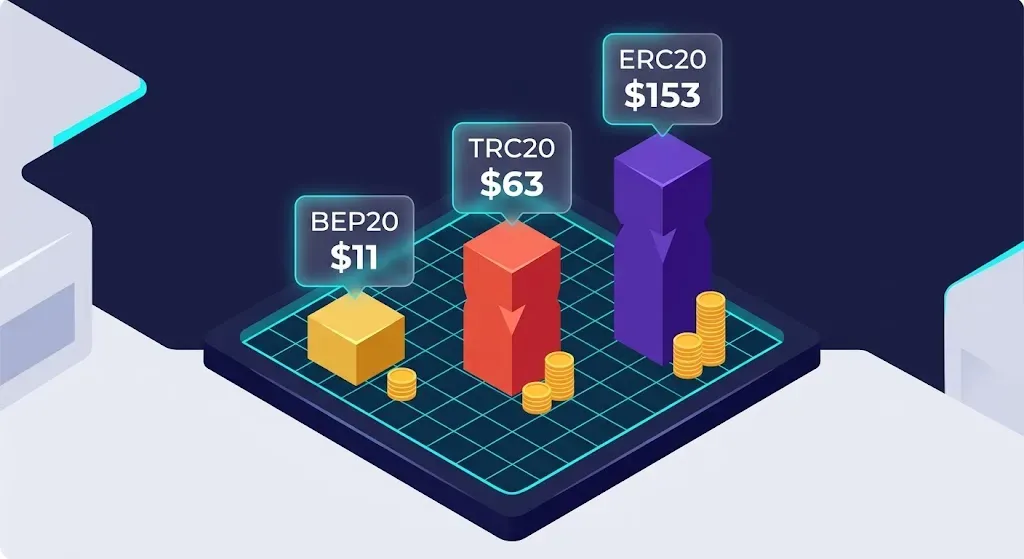
Deposits only (withdrawal chain fees are covered by CoinTech2u). Assume you renew/purchase a point card 1–2 times per month — 18 deposits per year:
| Network | Total cost per transfer (incl. exchange fee) | Annual cost (18 deposits) | vs BEP20 |
|---|---|---|---|
| BEP20 | ~$0.60 | $11 | Baseline |
| TRC20 | ~$3.50 | $63 | +$52/year |
| ERC20 (mixed volatility) | ~$8.50 | $153 | +$142/year |
Bottom line: For deposits alone, choosing BEP20 over TRC20 saves about $52/year; choosing BEP20 over ERC20 saves about $142/year. Not huge, but it adds up — and BEP20 isn't any harder to use, so why not?
Note: Per-transfer cost = exchange USDT withdrawal fee (~$0.29–$1) + on-chain gas. Numbers vary slightly with exchange and timing.
6. Exchange USDT Deposit/Withdrawal Tutorials
Step-by-step tutorials are already on the site — pick the exchange you use:
- Binance: Create API and Bind to CoinTech2u (BEP20 native, lowest fee)
- OKX: Deposit USDT and Convert Gas Fee
- Bitget: Deposit USDT and Convert Gas Fee
- Bybit: Deposit USDT and Convert Gas Fee
7. Frequently Asked Questions
Q: Can I switch chains directly inside my CoinTech2u platform account?
No. The platform only accepts/sends USDT on specific chains. If you need to convert from ERC20 to BEP20, the simplest path is: deposit USDT into a centralized exchange like Binance, then withdraw with BEP20 selected to fund CoinTech2u. The exchange handles the chain conversion transparently.
Q: I sent on the wrong chain — what now?
Contact CoinTech2u support immediately with the TxID and sender address. If the wrong chain is one the platform supports, manual recovery may be possible. If the chain is completely unsupported (e.g., you sent to Solana when the platform only accepts BEP20/TRC20), recovery is usually impossible. Prevention is always the cheapest fix: always verify the network selection on both ends before sending.
Q: Is BEP20 really safe? Isn't BNB Chain centralized?
BNB Chain has only ~21 active validators — far more centralized than Ethereum's 1M+. But USDT is issued by Tether, and the chain it runs on doesn't change Tether's redemption guarantee. Daily deposits and withdrawals (small, short-term) on BEP20 are perfectly fine. ERC20 only matters if you're storing $100k+ on-chain long-term.
Q: How do I use BEP20 if I have no BNB?
Easiest path: buy 0.01 BNB (~$6) on Binance and send it to your wallet as a gas reserve. A single BEP20 USDT transfer only consumes ~0.0001-0.001 BNB, so 0.01 BNB lasts a long time. If that feels like too much hassle, just use TRC20 — pay $2–4 per transfer but skip the gas reserve.
Q: Can I use Layer 2 (Arbitrum / Base)?
Depends on whether the CoinTech2u platform offers an address on that chain. L2 transfer costs are extremely low (<$0.10), but currently CoinTech2u primarily supports BEP20 and TRC20. We recommend sticking to those two — avoid the complexity.
Q: How long does it take to transfer from an exchange to CoinTech2u?
On-chain confirmation in ~3 seconds (BEP20 / TRC20) or ~15 seconds (ERC20). But exchange risk review and CoinTech2u credit confirmation usually add 5–30 minutes. If it's still pending after 1 hour, check the TxID on the chain explorer (BscScan / Tronscan / Etherscan): (1) On-chain SUCCESS but platform hasn't credited → contact CoinTech2u support; (2) On-chain PENDING → wait, or check whether the sender had enough gas.
Now You Know How to Pick
On CoinTech2u: deposits → BEP20 saves the most ($50–150/year), withdrawals → pick whichever your wallet/exchange handles best (chain fees are covered by CoinTech2u, you only worry about compatibility). TRC20 is the compatibility fallback. ERC20 is only for special cases like Gemini. Next step: register on a BEP20-supporting exchange and run your deposit flow:
Deep dives: TRC20 Complete Guide · BEP20 Complete Guide · Why We Stopped Using ERC20
Further reading:network fees are only the cost of moving coins. Converting USDT back into your own currency is where choosing the wrong route actually costs you — the cash-out guide compares three routes on speed and real cost, and explains how accounts genuinely end up frozen.
Once your account is ready, you can connect
With networks, fees and sub-accounts sorted out, the remaining step is putting a strategy to work. CoinTech2u connects to your own exchange account over API — your funds never pass through us.
Create a free account